How to Build a Push Notification System Using Django

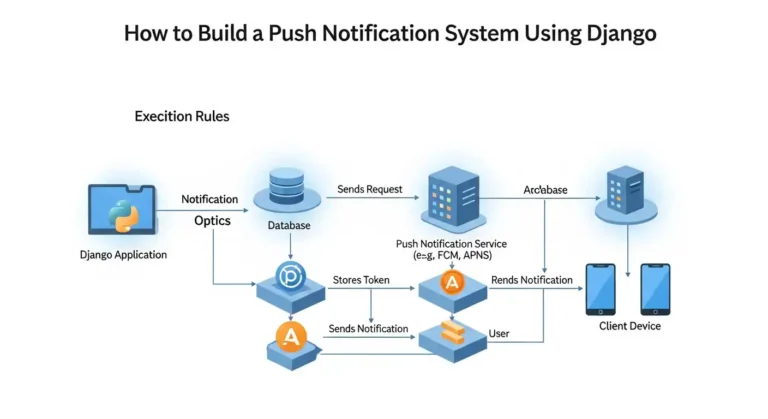
Imagine your app could send instant updates to users the moment something important happens, whether it’s a new message, an order update, or a security alert. Push notifications make this possible by delivering real-time information directly to users without requiring them to refresh the app or constantly check for updates. In modern applications, push notifications play a crucial role in improving user engagement and keeping users informed. From social media alerts to e-commerce order updates, they help create a more interactive and responsive user experience. Why Push Notifications? Push notifications help applications improve user engagement by delivering real-time updates. Some common use cases include: With Django, you can easily build a backend service that generates and sends notifications to users. Architecture Overview A typical push notification system consists of the following components: The flow looks like this: User Action → Django Backend → Save Notification → Send Push → User Device Step 1: Create a Django Project First, install Django if you haven’t already: Create a new project and app: Add the app to INSTALLED_APPS in settings.py. Step 2: Create the Notification Model Create a model to store notifications. Run migrations: This will create a database table to store notifications. Step 3: Create a Notification Service Create a utility function to generate notifications. Now you can trigger notifications anywhere in your Django project. Example: Step 4: Create an API to Fetch Notifications You may want to show notifications inside your application. Add URL: Step 5: Real-Time Notifications (Optional) For real-time notifications, you can use WebSockets with Django Channels. Install channels: Channels allow Django to push updates instantly to connected users without refreshing the page. Step 6: Sending Push Notifications to Mobile Devices If you want to send notifications to mobile apps, you can integrate with services such as: Example using Firebase: Step 7: Mark Notifications as Read You may want users to mark notifications as read. Best Practices When building a production notification system: Conclusion Building a push notification system in Django is straightforward. By creating a notification model, service layer, and API endpoints, you can manage and deliver notifications efficiently. For real-time systems, integrating Django Channels or Firebase can significantly improve user experience. Push notifications are a powerful way to keep users engaged and informed, making them a valuable addition to any modern application.

How to Build a Push Notification System Using Django Read More »