technology

Where We Stand: Anthropic, the Military, and Two Lines We Won't Cross

Where We Stand: Anthropic, the Military, and Two Lines We Won’t Cross

We’ve built AI for the U.S. military, and we’re proud of it. But the Pentagon is now asking us to remove safeguards we believe protect American lives and democracy. Here’s why we said no. Published February 26, 2026 First, some context: we’re deeply committed to national defense Anthropic believes that AI is one of the most important technologies in the world right now, and that the United States and its democratic allies need to lead in developing it safely. That’s not just talk. We’ve put it into action. We were the first frontier AI company to deploy our AI on classified U.S. government networks. The first to bring it to the National Laboratories. The first to build custom AI tools for national security customers. Today, our AI Claude is used across the Department of Defense for things like intelligence analysis, military planning, cybersecurity, and more. We’ve also made real financial sacrifices for national security. We turned down hundreds of millions of dollars in revenue by cutting off access to Claude for companies connected to the Chinese Communist Party. We’ve fought back against CCP-sponsored cyberattacks on our systems. And we’ve publicly supported export controls on advanced computer chips to help keep America ahead. We are not anti-military. We are not trying to run the Pentagon. Military decisions belong to the military — not us. So what’s the dispute? The Department of Defense is now saying it will only work with AI companies that agree to allow any lawful use of their AI, which means removing two specific safeguards we have in place. Those two safeguards cover situations where we believe AI, right now, does more harm than good, even for national security. The Pentagon wants them gone. We’ve refused. And they’ve threatened serious consequences. The two things we won’t do: 1. Enable mass surveillance of American citizens2. Powerfully autonomous weapons that remove humans from life-or-death decisions Why we won’t allow mass domestic surveillance We fully support using AI for lawful intelligence work — tracking foreign threats, countering espionage, and protecting national security. That’s legitimate and important. But “mass domestic surveillance” is something different. It means using AI to automatically monitor the movements, web browsing, and personal associations of ordinary Americans, at a massive scale, without warrants, and without most people knowing it’s happening. Here’s something that might surprise you: this is currently legal in the United States. The government can buy detailed records about Americans from commercial data brokers without a warrant, because the law hasn’t kept up with modern technology. Even the intelligence community has admitted this raises serious privacy concerns, and there’s bipartisan pushback in Congress. Powerful AI makes this vastly more dangerous. Scattered pieces of data that seem harmless on their own, a location ping here, a website visit there — can now be stitched together by AI into a detailed portrait of any person’s life, automatically and at a scale that was never before possible. That’s a threat to the very democratic values we’re supposedly trying to defend. We won’t build that system. Why we won’t have powerfully autonomous weapons yet This one is more nuanced. We’re not opposed to autonomous weapons in principle. “Partially autonomous” weapons systems that assist human soldiers but keep a person in the decision loop are already being used effectively in conflicts like the war in Ukraine. We support that. “Fully autonomous” weapons are different. These are systems that would select a target and pull the trigger — or drop the bomb — entirely on their own, with no human making that final call. We believe this may eventually be necessary for national defense. But today’s AI, including ours, simply isn’t reliable enough for that responsibility. The errors AI makes can be catastrophic when the stakes involve human lives. Our professional military applies judgment, ethics, and accountability that AI systems today cannot replicate. “We will not knowingly provide a product that puts America’s warfighters and civilians at risk.” We’ve offered to work directly with the Department of Defense on research to improve AI reliability for these applications. They declined. But our position stands: fully autonomous lethal weapons need better AI than exists today, and proper oversight guardrails that don’t yet exist. We won’t deploy something we believe is unsafe. What the Pentagon threatened and why it doesn’t change our answer The Department of Defense hasn’t just asked us to reconsider. They’ve made specific threats: They said they will remove Anthropic from their systems if we keep these safeguards. They’ve also threatened to label us a “supply chain risk” — a designation that has only ever been used for foreign adversaries, never for an American company. And they’ve threatened to invoke the Defense Production Act to force us to comply. We noted the contradiction ourselves: you can’t simultaneously claim that we’re a national security risk and that our AI is essential to national security. Both can’t be true. But regardless of the threats, our answer is the same. We can’t in good conscience agree to their request. What happens now It’s the Pentagon’s right to choose which companies they work with. We respect that. Our strong preference is to keep working with the Department of Defense and the men and women who serve, just with these two safeguards in place. If they decide to remove us, we will do everything we can to make the transition smooth. We won’t leave warfighters without support. Our models will remain available under the generous terms we’ve proposed for as long as needed. We believe deeply in American security. We believe in democracy. And we believe that sometimes defending those values means saying no — even to the people asking in their name. We remain ready to serve. This post is adapted from Anthropic’s official statement to the Department of Defense, dated February 26, 2026.

Where We Stand: Anthropic, the Military, and Two Lines We Won’t Cross Read More »

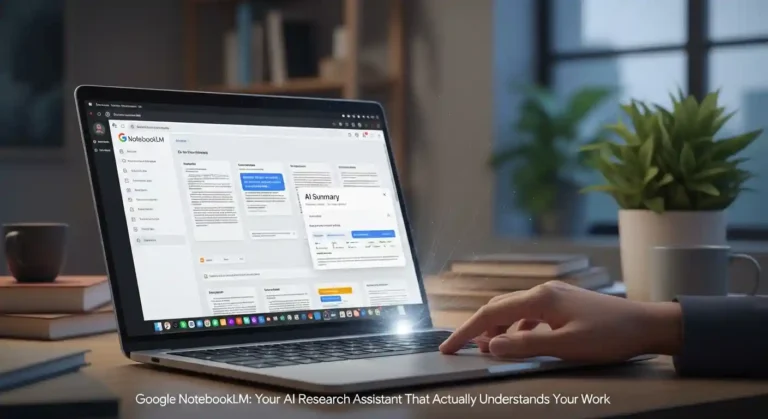
Google NotebookLM: Your AI Research Assistant

In a world drowning in information, Google has launched a tool that doesn’t just help you find answers. It helps you think. Meet NotebookLM, an AI-powered research assistant that transforms how we learn, organize ideas, and unlock creative insights. What Makes NotebookLM Different? Unlike general AI chatbots that draw from the entire internet, NotebookLM becomes an expert on your specific materials. Upload your lecture notes, research papers, meeting transcripts, or brainstorming documents, and NotebookLM analyzes them to provide insights grounded entirely in your sources—complete with inline citations you can verify. Powered by Google’s Gemini AI, NotebookLM supports up to 50 sources per notebook, including PDFs, Google Docs, Google Slides, websites, YouTube videos, and plain text files. Google NotebookLM Three Game-Changing Use Cases 1. Power Study: Learn Faster and Deeper Students and lifelong learners are using NotebookLM as a personalized tutor. Upload lecture recordings, textbook chapters, and research papers, then ask it to: The magic? Every explanation comes directly from your course materials, helping you understand what your professor actually taught—not generic internet explanations. 2. Organize Your Thinking: Present with Confidence Professionals preparing presentations or reports face a common challenge: synthesizing mountains of research into clear, compelling narratives. NotebookLM excels at this: One standout feature uses Google’s image generation to turn your research into professional visual presentations quickly. 3. Spark New Ideas: Unlock Creative Potential Entrepreneurs, marketers, and innovators are using NotebookLM to discover insights hiding in plain sight: By analyzing multiple sources simultaneously, NotebookLM spots relationships and opportunities that might take hours of manual review to find. The Feature Everyone’s Talking About: Audio Overviews Perhaps NotebookLM’s most viral feature is its ability to transform your documents into podcast-style conversations. Two AI hosts discuss your materials in an engaging, natural dialogue—perfect for absorbing information during commutes or workouts. In December 2024, Google made these Audio Overviews interactive. Now you can actually join the conversation and ask the AI hosts questions in real-time, creating a dynamic learning experience. New Tools for Modern Work Recent updates have expanded NotebookLM’s capabilities: Why NotebookLM Matters In an era of AI hallucinations and misinformation, NotebookLM’s commitment to source-grounded responses stands out. Every answer includes citations showing exactly where the information came from, letting you verify and dive deeper when needed. Whether you’re a student mastering difficult coursework, a professional preparing an important presentation, or an entrepreneur seeking the next big idea, NotebookLM adapts to your needs. It’s not just another AI tool. It’s a thinking partner that helps you work smarter with the information that matters most to you.

Google NotebookLM: Your AI Research Assistant Read More »

How Google Wants to Bring AI to Every High School Student

How Google Wants to Bring AI to Every High School Student

Google CEO Sundar Pichai recently appeared at the White House as part of the AI Education Taskforce. He discussed Google’s commitment to helping students and teachers use AI to their advantage. Pichai started by thanking the First Lady and other government officials for starting the Presidential AI Challenge, which encourages kids to think of new ways to use technology. He mentioned something personal: having access to computers as a child affected his life and eventually brought him to Google. He thinks AI is the best way to help everyone study better now. Making Learning Accessible for All Pichai explained that Google’s long-standing goal has always been to make information accessible to everyone. Moreover, he emphasized that AI is now the key to achieving this vision. As a result, he imagines a future where every student, regardless of where they live or what their background may be — can learn anything in the way that works best for them. That’s why Google has built technology like: This means students and teachers can use AI tools like Guided Learning to support assignments, research, and participation in the AI Challenge. Major Investments in AI Education Google recently announced a $1 billion commitment over the next three years to support education and job training in the U.S. As part of that: Google has also created a central online hub where teachers and parents can access AI training and resources. Building the Future Together Pichai wrapped up by emphasizing a shared goal: helping young people solve big problems, spark new ideas, and build a better future. He thanked the First Lady, the Administration, and partners across education and government for working together to make this vision possible.

How Google Wants to Bring AI to Every High School Student Read More »

Jio Partners with Google Get Free Gemini 2.5 Pro Unlimited Access

Jio Users Can Now Get Free Gemini 2.5 Pro Unlimited Access

Google has announced a major strategic partnership with Reliance Intelligence to expand access to AI across India. As a result, Jio Unlimited 5G users will receive Google’s AI Pro plan, including Gemini 2.5 Pro at no extra cost for 18 months. Initially, the rollout will reach users aged 18 to 25, and later, it will extend to all eligible Jio customers. Moreover, this partnership gives millions of Jio subscribers access to some of Google’s most advanced AI tools. First, users will gain full access to Gemini 2.5 Pro, Google’s most capable AI model. Next, they will enjoy enhanced image and video generation through Nano Banana and Veo 3.1. In addition, students and researchers will benefit from NotebookLM’s powerful study and analysis features. Furthermore, eligible users will receive 2 TB of cloud storage across Google Photos, Gmail, Drive, and even WhatsApp backups on Android. Altogether, these benefits amount to an estimated value of ₹35,100. To activate the offer, Jio users simply need to visit the MyJio app. The feature will appear automatically once the rollout reaches their account. Overall, this partnership marks a significant step forward for AI adoption in India. Google and Reliance aim to empower millions of people with top-tier AI tools that enhance learning, creativity, and productivity. What Eligible Jio Users Will Get With this partnership, millions of Jio subscribers will gain premium access to Google’s most advanced AI technologies. The offering includes: Gemini 2.5 Pro Access Full access inside the Gemini app to Google’s most capable, large-scale AI model, enabling smarter chat, coding help, learning assistance, content creation, and more. Enhanced Image & Video Generation Users will enjoy expanded limits to generate high-quality images and videos via: NotebookLM Premium Ideal for students, researchers, and professionals. NotebookLM helps you understand documents, generate insights, and simplify learning using your own study material. 2 TB Google Cloud Storage Across: This storage upgrade alone brings tremendous value for users needing space for media and documents. Total Value Worth ₹35,100 All these benefits combined represent an estimated value of ₹35,100, now available free for eligible Jio users. How to Activate the Offer Eligible customers can activate their 18-month Google AI Pro plan simply by using the MyJio app. The feature will appear automatically for users once the rollout reaches their account. A Big Step for India’s AI Adoption This partnership marks a significant milestone in bringing advanced AI capabilities to everyday consumers across India. By offering premium AI access at no additional cost, Google and Reliance aim to empower millions of users—from students and creators to professionals and tech enthusiasts. With AI becoming an essential digital skill, this move is expected to accelerate India’s adoption of next-generation tools for learning, creativity, productivity, and communication. Google states that it is “excited to expand access to our most powerful AI models to more people across India” and looks forward to seeing how users leverage these tools to improve everyday life.

Jio Users Can Now Get Free Gemini 2.5 Pro Unlimited Access Read More »

How Microsoft Copilot Helps First West Credit Union Deliver Smarter, More Human Banking

How Microsoft Copilot Helps First West Credit Union Deliver Smarter, More Human Banking

First West Credit Union, one of Canada’s largest with over 280,000 members, has rolled out Microsoft 365 Copilot to all 1,300 employees, becoming the first major Canadian financial institution. Branch managers like Adi Bhatia now prepare for member appointments in seconds instead of digging through documents and procedures. Copilot lets advisors instantly find the right policies, lending steps, or background information, allowing them to focus on meaningful conversations instead of administrative work. The transformation began with small pilots in 2024, where early adopters tested Copilot on real workflows like retail lending and unstructured data searches. These experiments quickly showed how AI could turn complex documents into clear answers, sparking excitement across the organization. Leaders like CEO Launi Skinner and COO Paul Brodeur say the biggest impact is cultural: Copilot reduces administrative load and boosts confidence, enabling advisors to deliver faster responses, clearer financial guidance, and a more personal member experience. For high-volume processes like mortgage renewals, Copilot now provides step-by-step instructions instantly, saving employees time and reducing their dependency on colleagues. Overall, Copilot is helping First West elevate human connection — using AI to streamline the work behind the scenes so employees can spend more time supporting members.

How Microsoft Copilot Helps First West Credit Union Deliver Smarter, More Human Banking Read More »

Top 5 AI Web Browsers Available in 2025

Top 5 AI Web Browsers Available in 2025

Hi guys! Today I’ll tell you about the top 5 AI web browsers available in the market and which one is the best.The way we browse the internet is transforming dramatically. AI-powered browsers are no longer just tools for viewing web pages they’ve become intelligent assistants that understand your intent, automate tasks, and help you get things done efficiently. Here are the top 5 AI web browsers revolutionizing how we interact with the web in 2025. 1. Perplexity Comet: Browse at the Speed of Thought Best For: Research, agentic AI tasks, and power users Perplexity has leveraged its reputation as one of the best AI platforms to create Comet, a browser that truly lives up to its tagline: “browse at the speed of your thoughts.” Built on the Chromium platform, Comet takes an AI-first approach to web browsing. Key Features: The Catch: Deep personalization requires extensive data collection, which may not be ideal for privacy-conscious users. The interface resembles Chrome with a dark grey theme, which some users find uninspiring. Availability: Free (as of October 2025) 2. ChatGPT Atlas: OpenAI’s Browser Enters the Arena Best For: ChatGPT users and those seeking seamless AI integration OpenAI made its move into the browser wars with ChatGPT Atlas, launching in October 2025 as a significant step in challenging Google’s dominance in how people find information online. Key Features: The Reality: Early testing suggests Atlas works well for simple tasks but struggles with more complex automation that users might want to offload to AI. Availability: macOS (launched October 2025), Windows, iOS, and Android coming soon. Free for basic features; agent mode requires paid subscription. 3. Opera Neon: The Premium Agentic Experience Best For: AI power users willing to pay for advanced capabilities Opera Neon represents a complete reimagining of what a browser can be in the age of intelligent agents. This subscription-based browser is designed for professionals who use AI extensively in their daily workflows. Key Features: The Investment: Opera Neon is a premium product requiring a $19.99 monthly subscription, positioning it squarely as a tool for power users. Availability: Gradual rollout via waitlist (started September 2025) 4. Arc (web browser) Best For: Productivity enthusiasts and those who love Arc browser From the creators of the popular Arc browser comes Dia, an AI-centric browser currently in invite-only beta. Dia maintains the innovative design philosophy Arc was known for while pushing deeper into agentic AI territory. Key Features: The Limitation: Currently only available for Mac and Windows users running macOS 14 Sonoma or higher with M1 chips or later. Arc members get immediate access; others must join the waitlist. Arc is the Chrome replacement I’ve been waiting for. Availability: Mac os and window os 5. Microsoft Edge Copilot Mode: The Established Player’s Answer Best For: Users already in Microsoft’s ecosystem Microsoft didn’t sit idly while startups launched AI browsers. The company transformed its Edge browser with Copilot Mode, creating what CEO Mustafa Suleyman calls “an AI browser that is your dynamic, intelligent companion.” Key Features: The Advantage: For users already invested in Microsoft’s ecosystem, Copilot Mode offers powerful AI features without switching browsers. Availability: Launched July 2025, with enhanced features rolled out in October 2025 The AI Browser Revolution: What It Means for You AI browsers represent a fundamental shift in how we interact with the internet. Instead of passive tools that simply display web pages, they’re becoming active partners that: The Trade-offs While these capabilities sound impressive, there are important considerations: Which Browser Should You Choose? Perplexity Comet if: You need powerful research capabilities and want access to multiple AI models for free. ChatGPT Atlas if: You’re already a ChatGPT user and want seamless integration with a familiar AI assistant. Opera Neon if: You’re an AI power user willing to invest $19.99/month for premium agentic capabilities and privacy-focused local processing. Choose Arc browser if: You’re a Mac or Windows user who values innovative design and loves the Arc browser experience. Microsoft Edge Copilot Mode if: You’re already in Microsoft’s ecosystem and prefer enhancing your existing browser over switching. The Future of Browsing We’re witnessing the early days of what Opera calls “Web 4.0” an agentic web where browsers don’t just show you information but actively help you accomplish goals. While the technology is still maturing, the trajectory is clear: the browser of tomorrow will be less about viewing pages and more about getting things done. The question isn’t whether AI browsers will become mainstream, but how quickly users will adapt to this new paradigm. For now, early adopters have an exciting array of options to explore, each offering a unique vision of what intelligent browsing can become. As these platforms continue evolving, we’ll likely see traditional browsers like Chrome and Safari integrate more AI features, while dedicated AI browsers refine their capabilities and iron out early-stage limitations. The browser wars of 2025 aren’t just about market share; they’re about defining how humanity interacts with the internet for the next decade. Comment below if you want to know more.

Top 5 AI Web Browsers Available in 2025 Read More »

chatgpt web browser

ChatGPT Atlas: The Browser That Actually Talks Back

So OpenAI just luanch a browser. Not a Chrome extension, not a chatbot widget an actual, full-fledged web browser called ChatGPT Atlas. And honestly? It’s kind of wild. But its only available for Mac os only. Let me walk you through what this thing is, why it matters, and whether you should care. What Even Is This? Imagine you’re browsing the web, right? You’re reading some dense article about quantum computing or whatever, and instead of copy-pasting chunks into ChatGPT in another tab, you just… ask. Right there. A sidebar pops up, you type “explain this like I’m five,” and boom — instant clarity. That’s Atlas. It’s not just a browser with ChatGPT bolted on. The AI is woven into the fabric of the browsing experience itself. When you’re on any webpage, you can summon ChatGPT to summarize, analyze, rewrite, or question whatever you’re looking at. No context switching. No tab juggling. Just you, the page, and an AI assistant that actually knows what you’re looking at. The Memory Thing (This Is Where It Gets Interesting) Here’s where Atlas gets a bit sci-fi: Browser Memories. If you opt in, Atlas remembers where you’ve been and what you’ve done. Not in a creepy Big Brother way (we’ll get to privacy in a sec), but in a “personal assistant who actually pays attention” way. Picture this: It’s Friday afternoon. You’ve spent the week job hunting, opened like 47 tabs of different postings, and now you can’t remember which companies actually excited you. With Atlas, you just ask: “Show me all the job postings I looked at this week and tell me which ones matched my salary requirements.” And it does. No more “where was that one site with the thing?” moments. The browser actually remembers for you. Agent Mode: When Your Browser Does Stuff For You This feature is currently only for paying users (Plus, Pro, Business tiers), but it’s probably the most futuristic part of Atlas. Agent Mode lets ChatGPT actually do things on websites for you. With your permission, obviously. Want to book a flight? Atlas can navigate the airline sites, compare prices, and fill in your details. Shopping for a gift? It can add items to carts, compare specs across different stores, and even help you draft that “hey, would you like this?” text to your friend. It’s like having an intern who lives in your browser and never sleeps. The Catch: It’s Only on Mac Right Now Yeah, about that. Atlas launched on October 21, 2025, but only for macOS. Specifically, you need a Mac with Apple Silicon (those M1, M2, M3 chips) running macOS 12 Monterey or later. Windows users? iPhone folks? Android people? You’re in the “coming soon” category. OpenAI says versions for those platforms are on the way, but no firm dates yet. If you’re not on a recent Mac, you’re basically reading about a cool party you can’t attend yet. How You’d Actually Use This Thing Let me give you some real scenarios: The Research Deep Dive: You’re writing a paper or report. Instead of drowning in open tabs, you browse naturally and ask Atlas things like “What are the main arguments across these five articles I just read?” It actually knows because it was there with you. Shopping Without the Headache: You’re comparing laptops. Atlas remembers the specs from the one you looked at yesterday, the one you’re looking at now, and the one you bookmarked last week. Ask it to make a comparison table. Done. Learning Mode: Taking an online course? Watching lecture videos? Ask Atlas to explain concepts as you encounter them. It’s like having a tutor who sees your screen. Life Admin: “Find me a dinner reservation for Saturday, email the options to Sarah, and add the best one to my calendar.” With Agent Mode, this becomes less fantasy and more… potentially real? Okay, But What About Privacy? Valid question. This is where things get real. OpenAI says your browsing data in Atlas isn’t used to train their models unless you explicitly opt in. You can turn memories off entirely, delete what’s been stored, or disable ChatGPT’s access on specific sites. There’s also private browsing mode for when you want zero tracking. But here’s the thing: to get the cool features — the memory, the context awareness, the personal assistant vibes — you’re giving the browser a lot more access to what you do online than Chrome or Safari typically get. Some people are understandably nervous about this. One analyst described Atlas as less of a traditional web browser and more of an AI overlay that interprets the web for you. That’s powerful, but it also means you need to trust OpenAI with your digital footprint. My take? If you use it, actually read the settings. Turn off memory for banking sites. Be intentional about what you let it see. This isn’t paranoia — it’s just smart browsing in 2025. The Good Stuff What Atlas does well: The “Meh” Parts What’s less impressive: What Does This Actually Cost? Good news: Atlas itself is free for anyone with a ChatGPT account. Download it, use the basic features, no charge. But the advanced stuff — Agent Mode, priority access, the really powerful features — those are locked behind ChatGPT’s paid tiers. Plus is $20/month, Pro is more, and there are business plans too. So you can try it for free, but the full experience costs money. Why This Actually Matters Look, OpenAI isn’t just releasing another product here. They’re making a statement: they’re not just a chatbot company anymore. They’re coming for the browser market. That means competing with Google Chrome (which has like 65% market share) and Safari and Edge. That’s… ambitious. But it also suggests something bigger: maybe the future of browsing isn’t about search engines and URLs. Maybe it’s about conversations. About asking instead of clicking. About having a browser that understands what you’re trying to do, not just where you’re trying to go. Whether that future is

ChatGPT Atlas: The Browser That Actually Talks Back Read More »

Scroll to Top