backend development

FastAPI Python web framework for high-performance API development

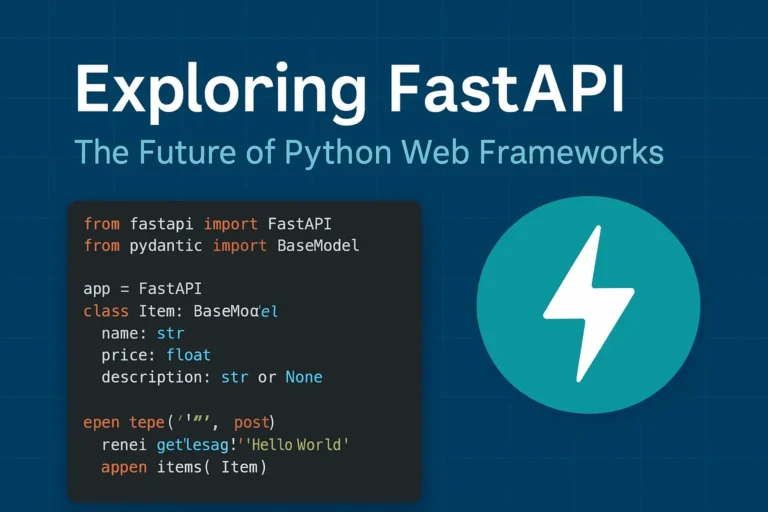
Exploring FastAPI: The Future of Python Web Frameworks

Why FastAPI is Taking the Python World by Storm In the rapidly evolving of Python web development, FastAPI has emerged as a game changing framework that’s reshaping how developers build modern APIs. Since its release in 2018, this innovative framework has gained massive adoption among developers worldwide, and for good reason. FastAPI combines the best of modern Python features with exceptional performance, making it an ideal choice for building production-ready APIs. Whether you’re a seasoned Python developer or just starting your web development journey, understanding FastAPI’s capabilities is crucial for staying ahead in today’s competitive development environment. What Makes FastAPI Special? Lightning-Fast Performance FastAPI lives up to its name by delivering exceptional speed that rivals frameworks written in Go and Node.js. Built on top of Starlette and Pydantic, FastAPI leverages Python’s async capabilities to handle thousands of concurrent requests efficiently. Performance benchmarks consistently show FastAPI outperforming traditional Python frameworks like Django and Flask by significant margins, making it perfect for high-traffic applications and microservices architectures. Automatic API Documentation One of FastAPI’s most beloved features is its automatic generation of interactive API documentation. Using the OpenAPI standard, FastAPI creates beautiful, interactive documentation that developers can use to test endpoints directly in the browser. This feature eliminates the tedious task of manually maintaining API documentation and ensures your documentation is always up-to-date with your code. Type Hints and Validation FastAPI leverages Python’s type hints to provide automatic request and response validation. This means fewer bugs, better IDE support, and more maintainable code. The framework uses Pydantic models to ensure data integrity and provide clear error messages when validation fails. Key Features That Set FastAPI Apart Modern Python Standards FastAPI is built with modern Python in mind, fully supporting: Built-in Security Features Security is paramount in modern web applications, and FastAPI provides robust built-in security features including: Developer Experience FastAPI prioritizes developer productivity with features like: Real-World Use Cases Microservices Architecture FastAPI excels in microservices environments due to its lightweight nature and fast startup times. Companies like Uber, Netflix, and Microsoft have adopted FastAPI for various microservices in their architecture. Machine Learning APIs The data science community has embraced FastAPI for deploying machine learning models as APIs. Its async capabilities and performance make it ideal for handling ML inference requests at scale. Traditional Web APIs From simple CRUD operations to complex business logic, FastAPI handles traditional web API development with elegance and efficiency. Getting Started with FastAPI Here’s a simple example of a FastAPI application: from fastapi import FastAPI from pydantic import BaseModel app = FastAPI() class Item(BaseModel): name: str price: float description: str = None @app.get(“/”) async def root(): return {“message”: “Hello World”} @app.post(“/items/”) async def create_item(item: Item): return {“item”: item} This simple example demonstrates FastAPI’s clean syntax and automatic validation through Pydantic models. FastAPI vs. Other Python Frameworks FastAPI vs. Django While Django remains excellent for full-stack web applications, FastAPI shines in API-first development with superior performance and modern async support. FastAPI vs. Flask Flask’s simplicity is appealing, but FastAPI offers better performance, automatic documentation, and built-in validation without sacrificing ease of use. FastAPI vs. Django REST Framework For pure API development, FastAPI provides better performance and developer experience compared to Django REST Framework, though DRF remains strong for Django-integrated projects. Best Practices for FastAPI Development Structure Your Project Organize your FastAPI project with clear separation of concerns: Performance Optimization Maximize your FastAPI application’s performance by: Testing and Documentation Ensure robust applications by: The Future of FastAPI FastAPI continues to evolve with regular updates and new features. The framework’s roadmap includes enhanced WebSocket support, improved performance optimizations, and better integration with modern deployment platforms. The growing ecosystem around FastAPI, including tools like FastAPI Users for authentication and FastAPI Cache for caching, demonstrates the framework’s bright future in Python web development. Conclusion: Is FastAPI Right for Your Next Project? FastAPI represents a significant leap forward in Python web development, combining high performance with developer-friendly features. If you’re building APIs that require speed, scalability, and maintainability, FastAPI should be at the top of your consideration list. The framework’s modern approach to Python development, combined with its excellent documentation and growing community support, makes it an excellent choice for both new projects and migrating existing applications. Whether you’re building microservices, machine learning APIs, or traditional web services, FastAPI provides the tools and performance needed to succeed in today’s competitive development landscape. If you like, please comment below for FastAPI’s more blogs:

Exploring FastAPI: The Future of Python Web Frameworks Read More »

WebSocket WebSocket WebSocket real-time real-time

WebSockets Guide: Real-Time Web Communication Explained

Introduction WebSocket is a game-changing technology that enables persistent, bidirectional communication between clients and servers. In today’s web development landscape, real-time communication is essential for building interactive and engaging user experiences. Whether it’s live chat, online gaming, collaborative tools, or live data feeds, traditional HTTP patterns often fall short—this is where WebSocket truly shines. What Are WebSockets? WebSocket is a communication protocol that provides full-duplex communication channels over a single TCP connection. Unlike traditional HTTP requests that follow a request-response pattern, WebSockets establish a persistent connection that allows both the client and server to send data at any time. The WebSocket protocol was standardized as RFC 6455 in 2011 and has since become a cornerstone technology for real-time web applications. It operates over TCP and uses the same ports as HTTP (80) and HTTPS (443), making it firewall-friendly and easy to deploy. How WebSockets Work The Handshake Process WebSockets begin with an HTTP handshake that upgrades the connection to the WebSocket protocol: Example Handshake Headers Client Request: GET /chat HTTP/1.1 Host: example.com Upgrade: websocket Connection: Upgrade Sec-WebSocket-Key: dGhlIHNhbXBsZSBub25jZZ== Sec-WebSocket-Version: 13 Server Response: HTTP/1.1 101 Switching Protocols Upgrade: websocket Connection: Upgrade Sec-WebSocket-Accept: s3pPLMBiTxaQ9kYGzzhZRbK+xOo= WebSockets vs. Traditional HTTP Aspect HTTP WebSockets Communication Request-Response Full-duplex Connection Stateless Persistent Overhead High (headers with each request) Low (after handshake) Real-time Requires polling Native support Server Push Complex (SSE, long polling) Simple Key Features and Benefits 1. Real-Time Communication WebSockets enable instant data exchange without the latency associated with HTTP polling or long-polling techniques. 2. Low Latency Once established, WebSocket connections have minimal overhead, resulting in faster data transmission compared to HTTP requests. 3. Bidirectional Communication Both client and server can initiate data transmission, enabling truly interactive applications. 4. Efficient Resource Usage Eliminates the need for constant HTTP polling, reducing server load and bandwidth consumption. 5. Cross-Origin Support WebSockets support Cross-Origin Resource Sharing (CORS), allowing connections from different domains when properly configured. Common Use Cases 1. Real-Time Chat Applications WebSockets are perfect for instant messaging systems where messages need to be delivered immediately to all participants. 2. Live Gaming Multiplayer games require low-latency communication for smooth gameplay and real-time state synchronization. 3. Financial Trading Platforms Stock prices, cryptocurrency values, and trading data need to be updated in real-time for accurate decision-making. 4. Collaborative Editing Tools Applications like Google Docs use WebSockets to sync changes across multiple users in real-time. 5. Live Sports Scores and News Sports applications deliver live scores, commentary, and updates as events happen. 6. IoT Device Monitoring Internet of Things devices can stream sensor data continuously for real-time monitoring and analysis. Implementation Examples Client-Side JavaScript // Establishing a WebSocket connection const socket = new WebSocket(‘ws://localhost:8080’); // Connection opened socket.addEventListener(‘open’, function (event) { console.log(‘Connected to WebSocket server’); socket.send(‘Hello Server!’); }); // Listen for messages socket.addEventListener(‘message’, function (event) { console.log(‘Message from server: ‘, event.data); }); // Handle errors socket.addEventListener(‘error’, function (event) { console.error(‘WebSocket error: ‘, event); }); // Connection closed socket.addEventListener(‘close’, function (event) { console.log(‘WebSocket connection closed’); }); // Sending data function sendMessage(message) { if (socket.readyState === WebSocket.OPEN) { socket.send(JSON.stringify({ type: ‘message’, data: message, timestamp: new Date().toISOString() })); } } Server-Side Implementation (Node.js with ws library) const WebSocket = require(‘ws’); const server = new WebSocket.Server({ port: 8080 }); server.on(‘connection’, function connection(ws) { console.log(‘New client connected’); // Send welcome message ws.send(JSON.stringify({ type: ‘welcome’, message: ‘Connected to WebSocket server’ })); // Handle incoming messages ws.on(‘message’, function incoming(data) { try { const message = JSON.parse(data); console.log(‘Received:’, message); // Broadcast to all clients server.clients.forEach(function each(client) { if (client !== ws && client.readyState === WebSocket.OPEN) { client.send(JSON.stringify(message)); } }); } catch (error) { console.error(‘Error parsing message:’, error); } }); // Handle connection close ws.on(‘close’, function close() { console.log(‘Client disconnected’); }); // Handle errors ws.on(‘error’, function error(err) { console.error(‘WebSocket error:’, err); }); }); WebSocket Security Considerations 1. Authentication and Authorization Implement proper authentication mechanisms before establishing WebSocket connections: // Client-side token-based authentication const token = localStorage.getItem(‘authToken’); const socket = new WebSocket(`ws://localhost:8080?token=${token}`); 2. Input Validation Always validate and sanitize incoming data to prevent injection attacks: ws.on(‘message’, function incoming(data) { try { const message = JSON.parse(data); // Validate message structure if (!message.type || !message.data) { throw new Error(‘Invalid message format’); } // Sanitize data const sanitizedData = sanitizeInput(message.data); // Process message processMessage(message.type, sanitizedData); } catch (error) { console.error(‘Invalid message:’, error); ws.close(1003, ‘Invalid message format’); } }); 3. Rate Limiting Implement rate limiting to prevent abuse: const rateLimiter = new Map(); ws.on(‘message’, function incoming(data) { const clientId = getClientId(ws); const now = Date.now(); const windowMs = 60000; // 1 minute const maxRequests = 100; if (!rateLimiter.has(clientId)) { rateLimiter.set(clientId, { count: 1, resetTime: now + windowMs }); } else { const clientData = rateLimiter.get(clientId); if (now > clientData.resetTime) { clientData.count = 1; clientData.resetTime = now + windowMs; } else { clientData.count++; if (clientData.count > maxRequests) { ws.close(1008, ‘Rate limit exceeded’); return; } } } // Process message processMessage(data); }); 4. CORS Configuration Configure Cross-Origin Resource Sharing properly: const server = new WebSocket.Server({ port: 8080, verifyClient: (info) => { const origin = info.origin; const allowedOrigins = [‘https://yourdomain.com’, ‘https://app.yourdomain.com’]; return allowedOrigins.includes(origin); } }); Advanced Features 1. Subprotocols WebSockets support subprotocols for specialized communication: // Client requesting specific subprotocol const socket = new WebSocket(‘ws://localhost:8080’, [‘chat’, ‘superchat’]); // Server handling subprotocols server.on(‘connection’, function connection(ws, request) { const protocol = ws.protocol; console.log(‘Client connected with protocol:’, protocol); if (protocol === ‘chat’) { handleChatProtocol(ws); } else if (protocol === ‘superchat’) { handleSuperChatProtocol(ws); } }); 2. Extensions WebSockets support extensions for compression and other features: // Per-message deflate compression const server = new WebSocket.Server({ port: 8080, perMessageDeflate: { zlibDeflateOptions: { level: 3 } } }); 3. Connection Management Implement heartbeat/ping-pong to detect broken connections: function heartbeat() { this.isAlive = true; } server.on(‘connection’, function connection(ws) { ws.isAlive = true; ws.on(‘pong’, heartbeat); }); // Ping all clients every 30 seconds setInterval(function ping() { server.clients.forEach(function each(ws) { if (ws.isAlive === false) { return ws.terminate(); } ws.isAlive = false; ws.ping(); }); }, 30000); Performance Optimization 1. Connection Pooling Manage connections efficiently to handle high loads: class WebSocketManager { constructor() { this.connections = new Map(); this.rooms =

WebSockets Guide: Real-Time Web Communication Explained Read More »

Scroll to Top