Postgresql

Top 20 SQL Interview Questions and Answers

SQL (Structured Query Language) remains one of the most in-demand skills for data analysts, database administrators, and backend developers. Whether you’re preparing for your first technical interview or brushing up on fundamentals, these 20 questions cover the essential concepts you’re likely to encounter. 1. What is SQL, and what are its different types? SQL is a standardized programming language used for managing and manipulating relational databases. There are several types of SQL commands: 2. What is the difference between DELETE and TRUNCATE? DELETE is a DML command that removes rows one at a time and logs each deletion, allowing you to use a WHERE clause to delete specific rows. It can be rolled back, and triggers are activated. TRUNCATE is a DDL command that removes all rows from a table at once without logging individual row deletions. It’s faster, cannot be rolled back (in most databases), doesn’t activate triggers, and resets identity columns. 3. Explain the different types of JOINs in SQL 4. What are a Primary Key and a Foreign Key? A Primary Key uniquely identifies each record in a table. It cannot contain NULL values, and each table can have only one primary key (which can consist of single or multiple columns). A Foreign Key is a column or set of columns in one table that references the primary key in another table. It establishes relationships between tables and helps maintain referential integrity. 5. What is the difference between WHERE and HAVING clauses? WHERE is used to filter rows before grouping occurs and cannot be used with aggregate functions. It works with individual rows. HAVING is used to filter groups after the GROUP BY clause has been applied and can be used with aggregate functions. For example, WHERE filters employees before calculating department averages, while HAVING filters departments after calculating those averages. 6. Explain SQL indexes and their types Indexes are database objects that improve query performance by providing faster data retrieval. Types include: 7. What is normalization, and what are its types? Normalization is the process of organizing data to reduce redundancy and improve data integrity. The normal forms are: 8. What are aggregate functions in SQL? Aggregate functions perform calculations on a set of values and return a single value. Common ones include COUNT (counts rows), SUM (adds numeric values), AVG (calculates average), MAX (finds maximum value), MIN (finds minimum value), and GROUP_CONCAT or STRING_AGG (concatenates strings from multiple rows). 9. What is a subquery, and what are its types? A subquery is a query nested inside another query. Types include: 10. Explain the difference between UNION and UNION ALL UNION combines result sets from multiple SELECT statements and removes duplicate rows, requiring additional processing. UNION ALL also combines result sets but keeps all rows, including duplicates, making it faster. Both require the same number of columns with compatible data types in the same order. 11. What are constraints in SQL? Constraints enforce rules on data in tables. Common ones include: 12. What is the difference between RANK, DENSE_RANK, and ROW_NUMBER? These are window functions used for ranking. ROW_NUMBER assigns unique sequential numbers (1, 2, 3, 4…) regardless of duplicates. RANK assigns the same rank to ties but skips subsequent ranks (1, 2, 2, 4…). DENSE_RANK assigns the same rank to ties without skipping ranks (1, 2, 2, 3…). 13. Explain transactions and ACID properties A transaction is a logical unit of work containing one or more SQL statements. ACID properties ensure reliable processing: 14. What is the difference between CHAR and VARCHAR? CHAR is a fixed-length data type that always uses the specified amount of storage, padding with spaces if necessary. It’s faster for fixed-length data. VARCHAR is a variable-length data type that uses only the space needed for the actual data plus overhead bytes. It’s more storage-efficient for varying lengths. 15. What are views in SQL? A view is a virtual table based on a SQL query. It doesn’t store data itself but displays data from one or more tables. Views simplify complex queries, provide security by restricting access to specific data, present data in different formats, and maintain logical data independence. Views can be either updatable or read-only, depending on their complexity. 16. Explain the GROUP BY clause GROUP BY groups rows with the same values in specified columns into summary rows. It’s typically used with aggregate functions to perform calculations on each group. For example, grouping sales by region to calculate total sales per region, or grouping employees by department to count employees per department. 17. What is a stored procedure, and what are its advantages? A stored procedure is a prepared SQL code that you can save and reuse. Advantages include improved performance through precompilation, reduced network traffic, enhanced security through access control, code reusability, easier maintenance, and the ability to encapsulate complex business logic. 18. What are triggers in SQL? Triggers are special stored procedures that automatically execute when specific events occur in a database. Types include BEFORE triggers (execute before an operation), AFTER triggers (execute after an operation), and INSTEAD OF triggers (replace the operation). They’re used for enforcing business rules, maintaining audit trails, validating data, and synchronizing tables. 19. Explain the difference between clustered and non-clustered indexes A clustered index determines the physical order of data storage in the table, meaning the table data is sorted according to the clustered index key. Only one clustered index can exist per table. A non-clustered index creates a separate structure that contains the indexed columns and a pointer to the actual data row. Multiple non-clustered indexes can exist on a table. 20. What is a CTE (Common Table Expression)? A CTE is a temporary named result set that exists within the scope of a single statement. Defined using the WITH clause, CTEs improve query readability, can be referenced multiple times in the same query, and support recursion. They’re useful for breaking down complex queries, performing recursive operations such as those found in organizational hierarchies, and making code more maintainable. Final

Top 20 SQL Interview Questions and Answers Read More »

Django Tenants

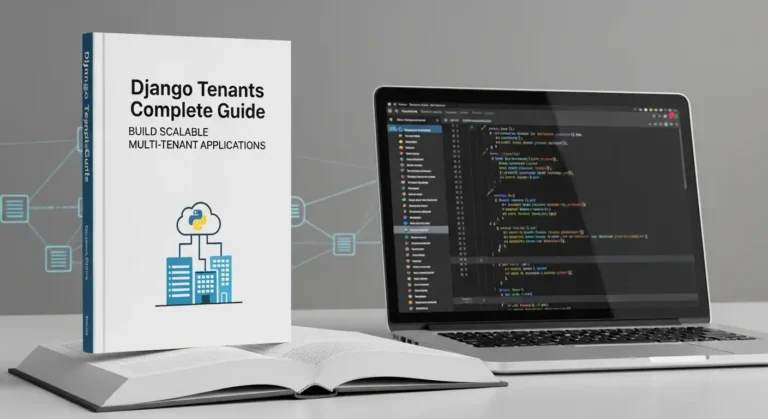
Django Tenants Complete Guide: Build Scalable Multi-Tenant Applications

Everyone is curious about how large companies manage their SaaS-based software. In this blog post, I will guide you through how to use the django-tenants library to implement multi-tenancy in Django. Multi-tenancy is a software architecture where a single application instance serves multiple customers (tenants), with each tenant’s data securely isolated from others. Django-tenants is a powerful and widely used library that makes implementing multi-tenancy in Django simple and scalable. In this complete guide, you’ll learn everything you need to get started with Django Tenants—from basic concepts to practical implementation. What is Multi-Tenancy? Multi-tenancy allows you to run multiple organizations or clients on a single application deployment. Each tenant has its own isolated database schema, ensuring complete data separation while sharing the same codebase and infrastructure. Common use cases include SaaS applications, HRMS, e-learning platforms, e-commerce marketplaces, and enterprise management systems, where each client needs their own isolated environment. Real-World Companies Using Multi-Tenancy Many leading companies rely on multi-tenant architecture, including Salesforce (CRM), Shopify (e-commerce), and Slack (team communication).Internally, what they use the company didn’t do to reveal, but django Tenancy provides the same architecture Why Django-Tenants? Django-tenants provides schema-based multi-tenancy using PostgreSQL schemas. Each tenant gets their own database schema, providing strong data isolation while being more efficient than separate databases. The library handles tenant identification, routing, and database operations automatically. Prerequisites Before starting, ensure you have Python 3.8 or higher, PostgreSQL 10 or higher installed, and basic knowledge of Django. Django-tenants works best with PostgreSQL due to its schema support. Installation First, install the required packages: Create a new Django project if you haven’t already: Configuration Update your settings.py file with the following configurations. Start by modifying the database settings to use PostgreSQL: Add django-tenants to your installed apps. The order is crucial here: Configure the tenant model and middleware: Specify which apps are shared across all tenants and which are tenant-specific: Set the public schema name: Creating Tenant Models Create your tenant and domain models in tenants/models.py: The TenantMixin provides essential fields like schema_name and is_active. The auto_create_schema attribute automatically creates the database schema when a new tenant is created. Running Migrations Django-tenants requires a special migration process. First, create migrations: Run migrations for the shared apps (public schema): This creates the public schema and shared tables. Now you’re ready to create tenants. Creating Your First Tenant Create a management command or use the Django shell to create tenants. Here’s an example using the shell: Testing Your Multi-Tenant Setup Start the development server: To test different tenants, you’ll need to modify your hosts file or use different domains. For local development, add entries to your hosts file: Now you can access different tenants at tenant1.localhost:8000 and tenant2.localhost:8000. Creating Tenant-Specific Views Create views that automatically work with the current tenant’s data: The request object includes a tenant attribute that gives you access to the current tenant information. Best Practices Keep tenant-specific data in TENANT_APPS and shared data like user authentication in SHARED_APPS. Use descriptive schema names that are URL-safe and unique. Always test tenant isolation to ensure data doesn’t leak between tenants. Implement proper error handling for missing or invalid tenants. Use database connection pooling to handle multiple tenant connections efficiently. Consider implementing tenant creation workflows with proper validation. Advanced Features Django-tenants supports custom tenant routing, allowing you to use subdomains, custom domains, or path-based routing. You can implement tenant-specific settings by overriding settings based on the current tenant. The library also supports tenant cloning for quickly setting up new tenants with existing data structures. Common Pitfalls Avoid forgetting to run migrate_schemas for both shared and tenant apps. Don’t use absolute imports that bypass tenant middleware. Be careful with static files and media files, ensuring they’re properly scoped per tenant when needed. Always test migrations on a copy of your production database before deploying. Conclusion Django-tenants provides a robust solution for building multi-tenant Django applications. By following this guide, you’ve learned how to set up schema-based multi-tenancy, create and manage tenants, and build tenant-aware applications. The library handles the complexity of tenant routing and database isolation, allowing you to focus on building great features for your users. Read More on official docs.

Django Tenants Complete Guide: Build Scalable Multi-Tenant Applications Read More »

Scroll to Top