Python development

Illustration of Python virtual environments with Python logo, terminal, and folder icons, representing project isolation and dependency management.

Everything You Need to Know About Python Virtual Environments

When I first started coding in Python, I kept running into this frustrating problem. I’d install a package for one project, then start another project that needed a different version of the same package, and suddenly nothing worked anymore. Sound familiar? That’s when I discovered virtual environments, and honestly, they changed everything about how I work with Python. What Exactly Is a Virtual Environment? Think of a virtual environment as a separate, isolated workspace for each of your Python projects. It’s like having different toolboxes for different jobs – you wouldn’t use the same tools to fix a bike and bake a cake, right? Each virtual environment has its own Python interpreter and its own set of installed packages, completely independent from your system Python and other environments. Before I understood this, I was installing everything globally on my system. Big mistake. I once spent an entire afternoon trying to figure out why my Django app suddenly broke, only to realize I’d updated a package for a completely different project. Never again. Why You Actually Need Virtual Environments Let me paint you a picture. You’re working on Project A that needs Django 3.2, and everything’s running smoothly. Then you start Project B that requires Django 4.0. Without virtual environments, you’d have to constantly uninstall and reinstall different versions, or worse, try to make both projects work with the same version. It’s a nightmare I wouldn’t wish on anyone. Here’s what virtual environments solve: Dependency conflicts: Each project gets exactly the versions it needs. No more “but it works on my machine” situations. Clean development: You know exactly what packages each project uses. No mysterious dependencies floating around from old projects you forgot about. Reproducibility: When you share your project, others can recreate your exact environment. This has saved me countless hours of debugging with teammates. System protection: You’re not messing with your system Python. I learned this the hard way when I accidentally broke my system package manager by upgrading pip globally. Creating Your First Virtual Environment Python makes this surprisingly easy. Since Python 3.3, the venv module comes built-in, so you don’t need to install anything extra. Here’s how I typically set up a new project: First, navigate to your project directory and run: python -m venv myenv This creates a new folder called myenv (you can name it whatever you want) containing your virtual environment. I usually stick with venv or .venv As the name suggests, the dot makes it hidden on Unix systems, which keeps things tidy. Activating and Using Your Environment Creating the environment is just the first step. You need to activate it to actually use it. This part confused me at first because the command differs depending on your operating system. On Windows: myenv\Scripts\activate On macOS and Linux: source myenv/bin/activate Once activated, you’ll usually see the environment name in parentheses at the beginning of your command prompt, like (myenv). This is your confirmation that you’re working in the virtual environment. Everything you install with pip now goes into this environment only. To deactivate when you’re done: deactivate Simple as that. The environment still exists; you’re just not using it anymore. Managing Packages Like a Pro Here’s something that took me way too long to learn: always create a requirements file. Seriously, do this from day one of your project. After installing your packages, run: pip freeze > requirements.txt This creates a file listing all installed packages and their versions. When someone else (or future you) needs to recreate the environment, they just run: pip install -r requirements.txt I can’t tell you how many times this has saved me when moving projects between computers or deploying to production. Alternative Tools Worth Knowing While venv It’s great for most cases, but other tools might suit your workflow better: virtualenv: The original virtual environment tool. It works with older Python versions and has a few more features than venv. I still use this for legacy projects. conda: Popular in data science circles. It can manage non-Python dependencies too, which is handy for packages like NumPy that rely on C libraries. pipenv: Combines pip and virtualenv, and adds some nice features like automatic loading of environment variables. Some people love it; I find it a bit slow for my taste. poetry: My current favorite for serious projects. It handles dependency resolution better than pip and makes packaging your project much easier. Common Pitfalls and How to Avoid Them After years of using virtual environments, here are the mistakes I see people make most often: Forgetting to activate: I still do this sometimes. You create the environment, get excited to start coding, and forget to activate it. Then you wonder why your imports aren’t working. Committing the environment to Git: Please don’t do this. Add your environment folder to .gitignore. The requirements.txt file is all you need to recreate it. Using the wrong Python version: When creating an environment, it uses whatever Python version you call it with. Make sure you’re using the right one from the start. Not updating pip: First thing I do in a new environment is run pip install –upgrade pip. An outdated pip can cause weird installation issues. Copy-pasting a venv folder between projects usually breaks because: Instead, you should always recreate a new virtual environment for each project and install dependencies from requirements.txt or a lock file. Real-World Workflow Here’s my typical workflow when starting a new project: For existing projects, I clone the repo, create a fresh environment, and install from requirements.txt. Clean and simple. When Things Go Wrong Sometimes virtual environments get messy. Maybe you installed the wrong package, or something got corrupted. The beautiful thing is, you can just delete the environment folder and start fresh. Your code is safe, and recreating the environment from requirements.txt takes just minutes. If you’re getting permission errors on Mac or Linux, avoid using sudo it with pip. If you need to use sudo, you’re probably trying to install globally by mistake. Check

Everything You Need to Know About Python Virtual Environments Read More »

Top 20 Python Libraries

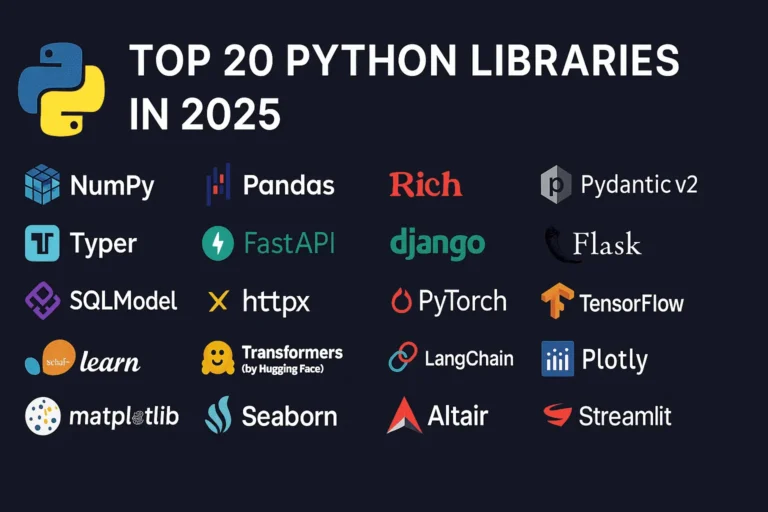
Top 20 Python Libraries for 2025

Python continues to dominate the programming landscape in 2025, and much of its success stems from its incredible ecosystem of libraries. Whether you’re building web applications, diving into machine learning, or creating stunning data visualizations, there’s a Python library that can accelerate your development process. In this comprehensive guide, we’ll explore the 20 most essential Python libraries that every developer should know about in 2025, organized by their primary use cases. General Purpose & Utilities 1. NumPy – The Foundation of Scientific Computing NumPy remains the bedrock of Python’s scientific computing ecosystem. It provides support for large, multi-dimensional arrays and matrices, along with a collection of mathematical functions to operate on these arrays efficiently. Why it matters in 2025: Use cases: Scientific computing, data analysis, image processing, financial modeling 2. Pandas – Data Manipulation Made Easy Pandas is the go-to library for data analysis and manipulation. It provides data structures like DataFrames and Series that make working with structured data intuitive and powerful. Key features: Use cases: Data cleaning, exploratory data analysis, financial analysis, business intelligence 3. Rich – Beautiful Terminal Output Rich has revolutionized how we think about terminal applications. It brings rich text, tables, progress bars, and even images to the command line. What makes it special: Use cases: CLI applications, debugging output, terminal dashboards, developer tools 4. Pydantic v2 – Type-Safe Data Validation Pydantic v2 represents a major leap forward in Python data validation. Built on Rust for performance, it uses Python type hints to validate data at runtime. Why developers love it: Use cases: API development, configuration management, data parsing, form validation 5. Typer – Modern CLI Development Typer makes creating command-line applications as easy as writing functions. From the creators of FastAPI, it brings the same elegant design philosophy to CLI development. Standout features: Use cases: Command-line tools, automation scripts, developer utilities, system administration Web Development 6. FastAPI – The Future of Web APIs FastAPI has quickly become the preferred choice for building modern web APIs. It combines high performance with developer-friendly features and automatic API documentation. What sets it apart: Use cases: REST APIs, microservices, real-time applications, machine learning APIs 7. Django – The Web Framework for Perfectionists Django remains a powerhouse for full-stack web development. Its “batteries included” philosophy and robust ecosystem make it ideal for complex applications. Core strengths: Use cases: Content management systems, e-commerce platforms, social networks, enterprise applications 8. Flask – Lightweight and Flexible Flask continues to be popular for developers who prefer a minimalist approach. Its simplicity and flexibility make it perfect for smaller applications and microservices. Why it endures: Use cases: Microservices, API prototypes, small to medium web applications, educational projects 9. SQLModel – The Modern ORM SQLModel represents the evolution of database interaction in Python. Created by the FastAPI team, it combines the best of SQLAlchemy and Pydantic. Revolutionary features: Use cases: Modern web APIs, type-safe database operations, FastAPI applications 10. httpx – Async HTTP Client httpx is the modern replacement for the requests library, bringing full async support and HTTP/2 capabilities to Python HTTP clients. Advanced capabilities: Use cases: Async web scraping, API integrations, microservice communication, concurrent HTTP requests Machine Learning & AI 11. PyTorch – Deep Learning PyTorch has established itself as the leading deep learning framework, particularly in research communities. Its dynamic computation graphs and Pythonic design make it incredibly intuitive. Key advantages: Use cases: Deep learning research, computer vision, natural language processing, reinforcement learning 12. TensorFlow – Production-Ready ML TensorFlow remains a cornerstone of machine learning, especially for production deployments. Google’s backing and comprehensive ecosystem make it a solid choice for enterprise ML. Enterprise features: Use cases: Production ML systems, mobile ML applications, large-scale deployments, computer vision 13. scikit-learn – Traditional ML scikit-learn is the gold standard for traditional machine learning algorithms. Its consistent API and comprehensive documentation make it accessible to beginners and powerful for experts. Comprehensive toolkit: Use cases: Traditional ML projects, data science competitions, academic research, business analytics 14. Transformers (Hugging Face) – NLP Revolution Transformers has democratized access to state-of-the-art NLP models. The library provides easy access to pre-trained models like BERT, GPT, and T5. Game-changing features: Use cases: Text classification, language generation, question answering, sentiment analysis 15. LangChain – LLM Application Framework LangChain is the go-to framework for building applications powered by large language models. It provides abstractions for chaining LLM calls and building complex AI workflows. Powerful abstractions: Use cases: Chatbots, document analysis, AI agents, question-answering systems Data Visualization 16. Plotly – Interactive Visualization Plotly leads the way in interactive data visualization. Its ability to create publication-quality plots that work seamlessly in web browsers makes it invaluable for modern data science. Interactive capabilities: Use cases: Dashboard creation, scientific publications, financial analysis, interactive reports 17. Matplotlib – The Visualization Foundation Matplotlib remains the foundation of Python visualization. While other libraries offer more modern interfaces, matplotlib’s flexibility and comprehensive feature set keep it relevant. Enduring strengths: Use cases: Scientific publications, custom visualizations, academic research, detailed plot customization 18. Seaborn – Statistical Graphics Made Beautiful Seaborn builds on matplotlib to provide a high-level interface for creating attractive statistical graphics. It’s particularly strong for exploratory data analysis. Statistical focus: Use cases: Exploratory data analysis, statistical reporting, correlation analysis, distribution visualization 19. Altair – Grammar of Graphics Altair brings the grammar of graphics to Python, allowing for declarative statistical visualization. It’s particularly powerful for quick data exploration. Declarative approach: Use cases: Rapid prototyping, data exploration, statistical analysis, simple interactive plots 20. Streamlit – Data Apps in Minutes Streamlit has revolutionized how data scientists share their work. It allows you to create beautiful web applications with just Python code, no web development experience required. I have created a dashboard with Streamlit blog, please see here. Rapid development features: Use cases: Data science prototypes, ML model demos, internal tools, executive dashboards Choosing the Right Libraries for Your Project When selecting libraries for your Python projects in 2025, consider these factors: Web Development: Data Science: AI Applications: CLI Tools: The Future of Python Libraries

Top 20 Python Libraries for 2025 Read More »

Scroll to Top