Python Programming

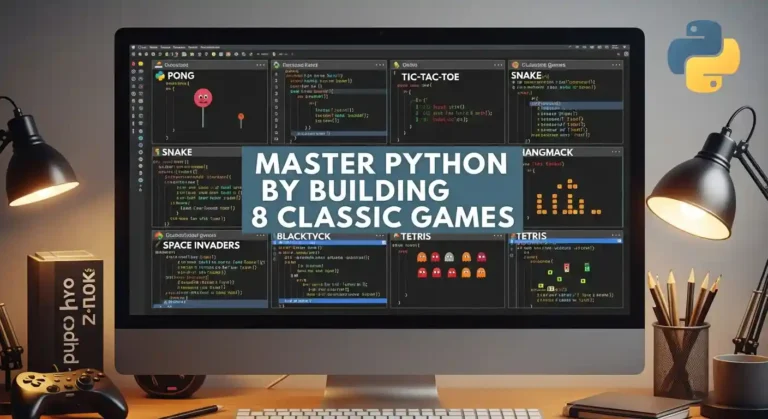
Master Python by Building 8 Classic Games

Learning Python by building games is one of the most effective ways to develop real programming skills. Each game teaches specific concepts while keeping you engaged and motivated. This roadmap will guide you from a beginner to a confident Python developer. Solutions will not be provided directly—you are encouraged to struggle, think, and build your own logic. This is where real learning happens. Avoid using AI to solve the problems; do it yourself to truly master Python. 1. Hangman What it teaches: String manipulation, lists, loops, basic I/O The game: Player guesses letters to reveal a hidden word. Each wrong guess adds a body part to the hangman. Six wrong guesses = game over. How to start: Key hint: Store the display as a list of characters, making it easy to reveal letters: [‘_’, ‘_’, ‘t’, ‘_’, ‘o’, ‘_’] 2. Rock Paper Scissors What it teaches: Random module, dictionaries for logic, game loops The game: Player picks rock, paper, or scissors. The computer picks randomly. Winner determined by classic rules. How to start: Key hint: Use a dictionary to encode what each choice beats instead of nested if-statements. This makes adding Lizard and Spock trivial. 3. Quiz Game What it teaches: Lists of dictionaries, file I/O, data organization The game: Present multiple-choice questions, track correct answers, show final score, and percentage. How to start: Key hint: Use a list of dictionaries to store questions. Later, read from a JSON file for easy question management. 4. Blackjack (21) What it teaches: Classes, complex state management, multiple functions The game: Get closer to 21 than the dealer without going over. Aces count as 1 or 11. Dealer hits to 16, stands on 17+. How to start: Key hint: Handle aces by starting them as 11, then converting to 1 if the hand busts. Use a function to calculate hand value. 5. Tic-Tac-Toe What it teaches: 2D lists, pattern checking, basic AI The game: Two players alternate placing X and O on a 3×3 grid. First to get three in a row wins. How to start: Key hint: Check win conditions by examining all rows, then all columns, then two diagonals. For AI, start with random moves, then add logic to block the opponent. 6. Mastermind What it teaches: Counting algorithms, feedback systems, careful logic The game: The computer picks a secret code of 4 colors. Player guesses, gets feedback on exact matches (right color, right position) and partial matches (right color, wrong position). How to start: Key hint: Calculate exact matches first, then count remaining colors that appear in both secret and guess for partial matches. 7. Dice Rolling Game (Yahtzee) What it teaches: Counter class, scoring logic, categorization The game: Roll 5 dice, choose which to keep, re-roll others (up to 3 rolls). Score based on combinations: three of a kind, full house, straight, etc. How to start: Key hint: Use collections.Counter to count dice values. Each scoring rule is a separate function that takes the dice list. 8. Battleship What it teaches: Multiple grids, coordinate systems, validation, and hidden information The game: Player and computer each place ships on a 10×10 grid. Take turns guessing coordinates to sink the opponent’s ships. How to start: Key hint: Use separate grids for the player’s board, the computer’s board, and tracking guesses. Convert input like “B4” to coordinates: row = ord(‘B’) – ord(‘A’), col = 3. Quick Start Guide Project Order Recommendation Beginner: Start with Hangman → Rock Paper Scissors → Quiz Game Intermediate: Tic-Tac-Toe → Mastermind → Blackjack Advanced: Dice Game → Battleship By the time you complete all eight games, you’ll have solid Python fundamentals and a portfolio of working projects. Now pick your first game and start coding!

Master Python by Building 8 Classic Games Read More »

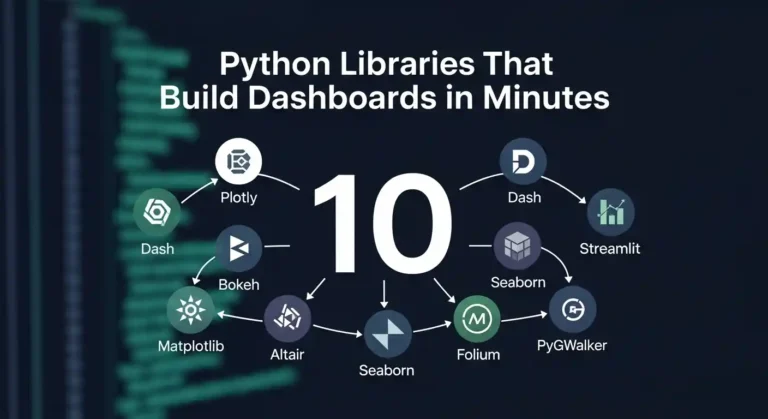
10 Python Libraries That Build Dashboards in Minutes

Let me tell you something—I’ve wasted countless hours building dashboards from scratch, wrestling with JavaScript frameworks, and questioning my life choices. Then I discovered these Python libraries, and honestly? My life got so much easier. If you’re a data person who just wants to visualize your work without becoming a full-stack developer, this post is for you. 1. Streamlit I’ll be honest—Streamlit changed everything for me. You literally write Python scripts and get beautiful web apps. No HTML, no CSS, no JavaScript headaches. That’s it. That’s the tweet. Three lines and you’ve got an interactive dashboard. It’s perfect for quick prototypes and sharing models with non-technical stakeholders who just want to click buttons and see results. 2. Dash by Plotly When I need something more production-ready, I reach for Dash. It’s built on top of Flask, Plotly, and React, but you don’t need to know any of that. You just write Python and get gorgeous, interactive dashboards. The learning curve is slightly steeper than Streamlit, but the customization options are incredible. I’ve built entire analytics platforms with this thing. 3. Panel Panel is my go-to when I’m already working in Jupyter notebooks and don’t want to rewrite everything. It works seamlessly with practically any visualization library you’re already using—matplotlib, bokeh, plotly, you name it. What I love is that I can develop right in my notebook and then deploy it as a standalone app. No context switching, no rewriting code. 4. Gradio If you’re doing anything with machine learning models, Gradio is a gift from the tech gods. I’ve used it to demo models to clients, and the “wow factor” is real. You can wrap your model in a UI with literally 3 lines of code. Image classification? Text generation? Audio processing? Gradio handles it all and makes you look like a wizard. 5. Voilà Sometimes I just want to turn my Jupyter notebook into a dashboard without changing a single line of code. That’s where Voilà comes in. It renders your notebook as a standalone web app, hiding all the code cells. I use this all the time for presenting analysis to my team. They get to see the results and interact with widgets, but they don’t have to wade through my messy code. 6. Plotly Express Okay, technically Plotly Express isn’t a dashboard library—it’s a visualization library. But hear me out. The charts it creates are so interactive and beautiful that sometimes you don’t even need a full dashboard framework. I’ve literally built entire reports with just Plotly Express charts embedded in simple HTML. One-liners that create publication-ready visualizations? Yes please. 7. Bokeh Bokeh is for when I need fine-grained control but still want everything in Python. It’s great for creating custom interactive visualizations that feel professional and polished. The server component lets you build full applications, and I’ve used it for real-time monitoring dashboards. It handles streaming data beautifully. 8. Taipy I only recently discovered Taipy, but I’m kicking myself for not finding it sooner. It’s designed specifically for data scientists who need to build production applications. What sets it apart is how it handles scenarios and pipelines. If your dashboard needs to run complex workflows or manage different data scenarios, Taipy makes it surprisingly straightforward. 9. Solara Solara is all about reactive programming—your dashboard automatically updates when your data changes. It’s built on top of React but you never touch JavaScript. I love using this for dashboards that need to feel really responsive and modern. The component-based approach makes it easy to build complex interfaces without losing your mind. 10. Shiny for Python If you’re coming from the R world, as I did, Shiny for Python will feel like coming home. It brings the reactive programming model of R Shiny to Python, and it works beautifully. I appreciate how it encourages you to think about reactivity and state management from the start. The resulting dashboards feel polished and professional. My Honest Take Here’s what I’ve learned after building dashboards with all of these: there’s no “best” library. It depends on what you’re trying to do. The beautiful thing is that they’re all Python. You don’t need to become a web developer to build impressive, interactive dashboards. You just need to know Python and have something interesting to show. So pick one, build something, and stop overthinking it. I spent way too long agonizing over which library to learn first. Just start with Streamlit, you’ll have something running in 10 minutes, and you can always learn the others later. Now go build something cool and show it off. The world needs more data people who can actually visualize their insights.

10 Python Libraries That Build Dashboards in Minutes Read More »

Global Interpreter Lock in Python

What is Global Interpreter Lock in Python?

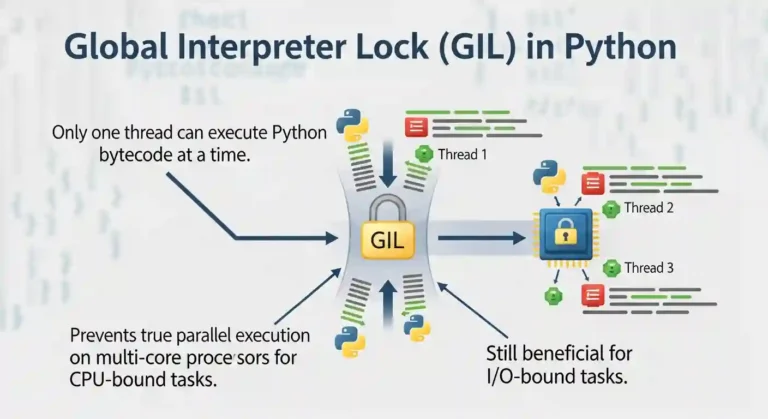
Hey everyone! Today I want to talk about something that’s been bugging me for a while – the Global Interpreter Lock, or GIL as everyone calls it. If you’ve ever wondered why your multi-threaded Python program doesn’t run as fast as you expected, well, the GIL is probably the culprit. So What Exactly is This GIL Thing? Okay, so here’s the deal. The Global Interpreter Lock is basically a mutex (a lock) that protects access to Python objects. It prevents multiple threads from executing Python bytecode at the same time. Even if you have multiple CPU cores, only ONE thread can execute Python code at any given moment. Why Does Python Even Have This? When I first learned about the GIL, my immediate reaction was “Why would anyone design it this way?” But there’s actually a good reason behind it. Python uses reference counting for memory management. Every object keeps track of how many references point to it, and when that count hits zero, the memory gets freed. The problem is that this reference count needs to be protected from race conditions where two threads try to modify it simultaneously. The GIL was the simple solution – just make sure only one thread runs at a time, and boom, no race conditions. It made the CPython implementation simpler and actually made single-threaded programs faster because there’s less overhead. When Does the GIL Actually Slowdown Performance? Here’s where it gets interesting. The GIL is only a problem for CPU-bound tasks. If your program is doing heavy calculations, processing data, or anything that keeps the CPU busy, the GIL will throttle your performance because threads can’t run in parallel. But here’s the good news – if you’re doing I/O-bound work (reading files, making network requests, waiting for database queries), the GIL isn’t really an issue. That’s because when a thread is waiting for I/O, it releases the GIL so other threads can run. I’ve worked on web scrapers and API clients where threading worked perfectly fine because most of the time was spent waiting for responses, not actually processing data. How I Deal With the GIL When I need actual parallelism for CPU-intensive tasks, I use the multiprocessing module instead of threading. Each process gets its own Python interpreter and its own GIL, so they can truly run in parallel. The downside? Processes are heavier than threads, and you can’t share memory as easily. But when you need real parallel processing, it’s worth it. Is There Hope for a GIL-Free Future? There have been attempts to remove the GIL over the years, but it’s tricky. Removing it would require massive changes to CPython’s internals and could break many existing C extensions that depend on the GIL’s behavior. That said, there are Python implementations, such as Jython and IronPython, that don’t have a GIL at all. And lately, there’s been renewed interest in making CPython work without the GIL, so who knows what the future holds? My Final Thoughts The GIL is one of those things that seems annoying at first, but once you understand it, you learn to work with it. For most of my day-to-day Python programming, it’s honestly not a problem. And when it is, I’ve got workarounds. The key is knowing what kind of problem you’re solving. CPU-bound? Use multiprocessing. I/O-bound? Threading works great. Once you’ve got that down, the GIL becomes just another quirk of Python that you deal with.

What is Global Interpreter Lock in Python? Read More »

Real questions from my recent Python Developer interview

Python Interview Questions and Answers

Recently, I appeared for an interview, and I am sharing the questions and answers that were asked during the session. 1. Fibonacci Series in Python The Fibonacci series is a sequence in which each number is the sum of the two preceding numbers. Example (Loop Method): Example (List Generation): 2. List Comprehension vs Tuple Comprehension List Comprehension A concise way to create a list. ✔ Stores all values in memory. Tuple Comprehension (Generator Expression) Python does not have tuple comprehension. But you can write: This creates a generator, not a tuple.To convert to a tuple: 3. What is a Generator? A generator is a function or expression that returns values one at a time using the yield keyword. Example: Why Generators? 4. SQL Query to Find 2nd Highest Salary Method 1: Using ORDER BY + LIMIT (MySQL/PostgreSQL) Method 2: Using MAX() Function If the salary table is separate 5. How Python Manages Memory? Python uses multiple internal systems: Private Heap Memory All Python objects and data structures live in a private heap. Memory Manager Allocates space for objects automatically. Garbage Collector Uses: When no reference objects are deleted. Object Caching Mechanism Python caches: To improve performance. 6. How to Use Oracle Database with Python To connect Python with Oracle, use the cx_Oracle module. Install the library: Connection Example: Why cx_Oracle? 7. How do you handle if the Django Project suddenly gets high traffic? When Django receives sudden high traffic, I handle it by using caching to reduce server load, adding a load balancer to distribute requests, and scaling the application by running multiple instances. I also optimize database queries, move heavy tasks to background workers, use a CDN for static files, and monitor the system to detect issues early.

Python Interview Questions and Answers Read More »

django sped up image

How I made my Django project almost as fast as FastAPI

FastAPI runs on Uvicorn, an ASGI server made for Python code that runs at the same time. Django is older and has more features, but from version 3.0, it can also operate on ASGI with Uvicorn. Once you set up Django on Uvicorn and make queries and caching work better, you can get the same speed for most things. 1. Start Django with Uvicorn The best way to improve performance is to switch to an ASGI server. Install Uvicorn Make sure your project has a asgi.py file, which is made automatically in Django 3+. Then turn on the server: uvicorn myproject.asgi:application –host 0.0.0.0 –port 8000 –workers 4 Why Uvicorn If you use a process manager like Supervisor or systemd, you can add: 2. Use async views where possible Why use httpx instead of requests: It lets you send HTTP requests (GET, POST, etc.) and handle responses, similar to requests, but it also supports asynchronous programming (async/await). That means you can make many API calls at once without blocking your Django or FastAPI app, ideal for performance and concurrency. import httpx from django.http import JsonResponse async def price_view(request): async with httpx.AsyncClient() as client: r = await client.get(‘https://api.example.com/price’) return JsonResponse(r.json()) For ORM queries, still use sync code or wrap it with sync_to_async: from asgiref.sync import sync_to_async from django.contrib.auth.models import User @sync_to_async def get_user(pk): return User.objects.get(pk=pk) async def user_view(request): user = await get_user(1) return JsonResponse({‘username’: user.username}) 3. Optimize your database Example: posts = Post.objects.select_related(‘author’).all() 4. Enable caching with Redis Install Redis and configure Django: pip install django-redis Add this to settings.py: CACHES = { ‘default’: { ‘BACKEND’: ‘django_redis.cache.RedisCache’, ‘LOCATION’: ‘redis://127.0.0.1:6379/1’, ‘OPTIONS’: { ‘CLIENT_CLASS’: ‘django_redis.client.DefaultClient’, } } } Cache heavy views: from django.views.decorators.cache import cache_page @cache_page(60) def home(request): return render(request, ‘home.html’) 5. Offload background work Use Celery or Dramatiq to handle slow tasks like emails or large file uploads asynchronously. 6. Serve static files efficiently Use WhiteNoise for small deployments or a CDN (Cloudflare, S3 + CloudFront) for large ones. MIDDLEWARE = [ ‘django.middleware.security.SecurityMiddleware’, ‘whitenoise.middleware.WhiteNoiseMiddleware’, # … ] 7. Monitor performance Example Benchmark Running the same Django app under Uvicorn vs Gunicorn (WSGI): Server Avg Latency Req/s Gunicorn (WSGI) 90 ms 700 Uvicorn (ASGI) 40 ms 1400 Final Thoughts FastAPI may always win in pure async benchmarks, but Django + Uvicorn can be nearly as fast for most production workloads — and you keep Django’s ORM, admin, and ecosystem. Checklist:

How I made my Django project almost as fast as FastAPI Read More »

Unlocking the Power of Python Collections Library – feature image with Python logo and data structures

Unlocking the Power of Python Collections Library

As a Python developer, I’ve always been fascinated by how the language provides elegant solutions to common programming challenges. One library that consistently amazes me is the collections module. It’s like having a Swiss Army knife for data structures – packed with specialized tools that can make your code cleaner, more efficient, and surprisingly readable. Today, I want to share my journey of discovering the hidden gems in Python’s collections library and show you how these powerful data structures can transform your code. The best part? You don’t need to install anything extra — collections is a built-in Python module, ready to use out of the box. Why Collections Matter Before we dive in, let me ask you something: How many times have you written code to count occurrences of items in a list? Or struggled with creating a dictionary that has default values? I’ve been there too, and that’s exactly where the collections library shines. The collections module provides specialized container datatypes that are alternatives to Python’s general-purpose built-in containers like dict, list, set, and tuple. These aren’t just fancy alternatives – they solve real problems that we encounter in everyday programming. Counter: The Item Counting Superhero Let’s start with my personal favorite – Counter. This little gem has saved me countless lines of code. The Old Way vs The Counter Way Here’s how I used to count items: # The tedious way words = [‘apple’, ‘banana’, ‘apple’, ‘cherry’, ‘banana’, ‘apple’] word_count = {} for word in words: if word in word_count: word_count[word] += 1 else: word_count[word] = 1 Now, with Counter: from collections import Counter words = [‘apple’, ‘banana’, ‘apple’, ‘cherry’, ‘banana’, ‘apple’] word_count = Counter(words) print(word_count) # Counter({‘apple’: 3, ‘banana’: 2, ‘cherry’: 1}) The difference is night and day! But Counter isn’t just about counting – it’s packed with useful methods. Counter’s Hidden Powers from collections import Counter # Most common items sales_data = Counter({‘product_A’: 150, ‘product_B’: 89, ‘product_C’: 200, ‘product_D’: 45}) top_products = sales_data.most_common(2) print(top_products) # [(‘product_C’, 200), (‘product_A’, 150)] # Mathematical operations counter1 = Counter([‘a’, ‘b’, ‘c’, ‘a’]) counter2 = Counter([‘a’, ‘b’, ‘b’, ‘d’]) print(counter1 + counter2) # Addition print(counter1 – counter2) # Subtraction print(counter1 & counter2) # Intersection print(counter1 | counter2) # Union I use Counter extensively in data analysis projects. It’s incredibly handy for generating quick frequency distributions and finding patterns in datasets. defaultdict: Say Goodbye to KeyError How many times have you written code like this? # Grouping items by category items = [(‘fruit’, ‘apple’), (‘vegetable’, ‘carrot’), (‘fruit’, ‘banana’), (‘vegetable’, ‘broccoli’)] groups = {} for category, item in items: if category not in groups: groups[category] = [] groups[category].append(item) With defaultdict, it becomes elegant: from collections import defaultdict items = [(‘fruit’, ‘apple’), (‘vegetable’, ‘carrot’), (‘fruit’, ‘banana’), (‘vegetable’, ‘broccoli’)] groups = defaultdict(list) for category, item in items: groups[category].append(item) print(dict(groups)) # {‘fruit’: [‘apple’, ‘banana’], ‘vegetable’: [‘carrot’, ‘broccoli’]} Real-World defaultdict Magic I recently used defaultdict to build a simple caching system: from collections import defaultdict import time # Simple cache with automatic list creation cache = defaultdict(list) def log_access(user_id, action): timestamp = time.time() cache[user_id].append((action, timestamp)) log_access(‘user123’, ‘login’) log_access(‘user123’, ‘view_page’) log_access(‘user456’, ‘login’) print(dict(cache)) No more checking if keys exist – defaultdict handles it automatically! namedtuple: Structured Data Made Simple Regular tuples are great, but they lack readability. What does person[1] represent? Is it age? Name? namedtuple solves this beautifully. from collections import namedtuple # Define a Person structure Person = namedtuple(‘Person’, [‘name’, ‘age’, ‘city’]) # Create instances alice = Person(‘Alice’, 30, ‘New York’) bob = Person(‘Bob’, 25, ‘San Francisco’) # Access data meaningfully print(f”{alice.name} is {alice.age} years old and lives in {alice.city}”) # namedtuples are still tuples! name, age, city = alice print(f”Unpacked: {name}, {age}, {city}”) Why I Love namedtuple I use namedtuple for representing database records, API responses, and configuration objects. deque: The Double-Ended Queue Champion When you need efficient appends and pops from both ends of a sequence, deque (pronounced “deck”) is your friend. from collections import deque # Creating a deque queue = deque([‘a’, ‘b’, ‘c’]) # Efficient operations at both ends queue.appendleft(‘z’) # Add to left queue.append(‘d’) # Add to right print(queue) # deque([‘z’, ‘a’, ‘b’, ‘c’, ‘d’]) queue.popleft() # Remove from left queue.pop() # Remove from right print(queue) # deque([‘a’, ‘b’, ‘c’]) Real-World deque Usage I’ve used a deque for implementing sliding window algorithms: from collections import deque def sliding_window_max(arr, window_size): “””Find maximum in each sliding window””” result = [] window = deque() for i, num in enumerate(arr): # Remove elements outside current window while window and window[0] <= i – window_size: window.popleft() # Remove smaller elements from rear while window and arr[window[-1]] <= num: window.pop() window.append(i) # Add to result if window is complete if i >= window_size – 1: result.append(arr[window[0]]) return result numbers = [1, 3, -1, -3, 5, 3, 6, 7] print(sliding_window_max(numbers, 3)) # [3, 3, 5, 5, 6, 7] OrderedDict: When Order Matters While modern Python dictionaries maintain insertion order, OrderedDict provides additional functionality when you need fine-grained control over ordering. from collections import OrderedDict # LRU Cache implementation using OrderedDict class LRUCache: def __init__(self, capacity): self.capacity = capacity self.cache = OrderedDict() def get(self, key): if key in self.cache: # Move to end (most recently used) self.cache.move_to_end(key) return self.cache[key] return None def put(self, key, value): if key in self.cache: self.cache.move_to_end(key) elif len(self.cache) >= self.capacity: # Remove least recently used (first item) self.cache.popitem(last=False) self.cache[key] = value # Usage cache = LRUCache(3) cache.put(‘a’, 1) cache.put(‘b’, 2) cache.put(‘c’, 3) print(cache.get(‘a’)) # 1, moves ‘a’ to end cache.put(‘d’, 4) # Removes ‘b’ (least recently used) ChainMap: Combining Multiple Mappings ChainMap It is perfect when you need to work with multiple dictionaries as a single mapping: from collections import ChainMap # Configuration hierarchy defaults = {‘timeout’: 30, ‘retries’: 3, ‘debug’: False} user_config = {‘timeout’: 60, ‘debug’: True} environment = {‘debug’: False} # Chain them together (first match wins) config = ChainMap(environment, user_config, defaults) print(config[‘timeout’]) # 60 (from user_config) print(config[‘retries’]) # 3 (from defaults) print(config[‘debug’]) # False (from environment) # Add new mapping to front config = config.new_child({‘timeout’: 10}) print(config[‘timeout’]) # 10 (from

Unlocking the Power of Python Collections Library Read More »

The Power of Python: Real-World Project Ideas illustrated with laptop, Python logo, and project icons.

The Power of Python: Real-World Project Ideas

When people ask why I love Python, my answer is simple: it’s not just a programming language, it’s a toolbox for turning my ideas into reality. Python is beginner-friendly, versatile, and powerful enough to run everything from a tiny script on your laptop to large-scale systems powering global companies. But here’s the catch: learning Python by just reading syntax or following tutorials can feel… incomplete. The real magic happens when you build real-time projects, things you can see, use, and maybe even share with others. Projects push you to connect concepts, face real challenges, and gain the confidence that you’re not just “learning Python,” you’re using it. So, let’s talk about some real-world project ideas you can start with, depending on your interests. Use FastAPI for real-time chat, and django is the best framework for other projects. 1. Email and file automation Repetitive tasks are the enemy of productivity. Luckily, Python is perfect for automating them. You’ll be surprised at how empowering it feels when your code saves you time in the real world. 2. Blog Website Every developer needs a place to share their thoughts, projects, and journey. Why not build your own blog? The bonus? You learn backend logic and how to make something visually appealing. Plus, it doubles as your portfolio. 3. E-Commerce with Payment Integration Imagine running your mini Amazon-style site built with Python! This type of project will expose you to real-world concepts like authentication, databases, and secure transactions, things every serious developer should know. 4. Social Media App Social media powers our world. Building even a simplified version teaches you so much. You don’t need to reinvent Instagram or Twitter. Even a basic version is a fantastic learning experience in how large-scale platforms actually work. 5. Real-Time Chat App with WebSockets Chat apps are a perfect introduction to real-time communication. It’s one of those projects that feels “alive” because you’re building something interactive. 6. Data Analysis & Visualization Python shines when it comes to working with data. This isn’t just coding—it’s storytelling with data. Use streamlit for data visualization. 7. Movie Recommendation System This one’s always a crowd pleaser. It’s a cool project because people can actually interact with it, and it’s a great intro to AI without being overwhelming. 8. Fun & Creative Projects Not every project has to be “serious.” Some of the best learning happens when you’re just having fun. Quirky projects often keep you motivated when the “serious” ones get too heavy. Final Thoughts Python is powerful not because it’s the fastest or most complex language, but because it’s accessible and opens doors to so many areas of automation, web, data, AI, and even fun side projects. The best advice I can give is this: start small, but start today. Pick one idea from the list above and build it. It doesn’t have to be perfect; in fact, it won’t be perfect. And that’s the point. Every project teaches you something new. Before long, you’ll have a portfolio that doesn’t just show code, it shows creativity, problem-solving. Let me know which project you’re creating.

The Power of Python: Real-World Project Ideas Read More »

Mastering Python: 17 Tips, Tricks, and Best Practices That Will Transform Your Code.

Mastering Python: 17 Tips, Tricks & Best Practices

After five years of wrestling with Python code, debugging countless scripts, and building everything from web scrapers to machine learning models, I’ve learned that mastering Python isn’t just about memorizing syntax—it’s about developing the right mindset and knowing which tools to reach for when. Today, I’m sharing the practical tips, clever tricks, and battle-tested best practices that transformed me from a struggling beginner into a confident Python developer. Whether you’re just starting or looking to level up your existing skills, these insights will save you hours of frustration and help you write cleaner, more efficient code. Why Python Mastery Matters More Than Ever Python has become the Swiss Army Knife of programming languages. Python powers some of the world’s most innovative companies, from data science and web development to automation and AI. But here’s the thing I wish someone had told me earlier: knowing Python syntax is just the beginning. The real magic happens when you understand how to write Pythonic code that’s readable, maintainable, and efficient. Understanding Pythonic Thinking 1. Embrace the Zen of Python Remember when you first discovered import this? Those 19 lines aren’t just philosophy—they’re your roadmap to better code. “Simple is better than complex” and “Readability counts” have saved me from countless over-engineered solutions. My favorite principle in action: # Don’t do this result = [] for item in my_list: if item > 5: result.append(item * 2) # Do this instead result = [item * 2 for item in my_list if item > 5] 2. Master List Comprehensions (But Don’t Overdo It) List comprehensions are Python’s secret weapon for writing concise, readable code. But I learned the hard way that complex nested comprehensions can become unreadable nightmares. List comprehensions make it slightly faster than the normal append function. The sweet spot: # Perfect for simple transformations squares = [x**2 for x in range(10)] # Great with conditions even_squares = [x**2 for x in range(10) if x % 2 == 0] # But avoid this complexity nested_mess = [[y for y in x if condition(y)] for x in matrix if filter_func(x)] Game-Changing Python Tricks I Wish I’d Known Earlier 3. The Power of Enumerate and Zip Stop using range(len(list))! This was one of my biggest early mistakes. Python gives you better tools. # Instead of this amateur hour code for i in range(len(items)): print(f”{i}: {items[i]}”) # Write this like a pro for i, item in enumerate(items): print(f”{i}: {item}”) # And combine lists elegantly be careful while using zip both list lenght should be same. names = [‘Alice’, ‘Bob’, ‘Charlie’] ages = [25, 30, 35] for name, age in zip(names, ages): print(f”{name} is {age} years old”) 4. Context Managers: Your New Best Friend Context managers changed how I handle resources. No more forgotten file handles or database connections! # The old way (prone to errors) file = open(‘data.txt’, ‘r’) content = file.read() file.close() # Easy to forget! # The Pythonic way with open(‘data.txt’, ‘r’) as file: content = file.read() # File automatically closed, even if an exception occurs 5. Dictionary Magic with get() and setdefault() Dictionaries are Python’s crown jewel, but I spent too long writing clunky if-statements before discovering these gems. # Avoid KeyError headaches user_data = {‘name’: ‘John’, ‘age’: 30} email = user_data.get(’email’, ‘No email provided’) # Build dictionaries dynamically word_count = {} for word in text.split(): word_count.setdefault(word, 0) word_count[word] += 1 # Or use defaultdict for even cleaner code from collections import defaultdict word_count = defaultdict(int) for word in text.split(): word_count[word] += 1 Best Practices That Will Make Your Code Shine 6. Write Self-Documenting Code with Descriptive Names I used to write code like this: def calc(x, y). Don’t be past me. Your future self will thank you for clear, descriptive names. # Vague and confusing def process(data): result = [] for item in data: if item > threshold: result.append(item * factor) return result # Clear and self-documenting def filter_and_scale_values(measurements, min_threshold=10, scale_factor=1.5): “””Filter measurements above threshold and apply scaling factor.””” scaled_values = [] for measurement in measurements: if measurement > min_threshold: scaled_values.append(measurement * scale_factor) return scaled_values 7. Exception Handling: Be Specific, Not Lazy Generic except: Statements are a code smell. Be specific about what you’re catching and why. # Too broad – hides important errors try: result = risky_operation() except: print(“Something went wrong”) # Better – handle specific exceptions try: result = divide_numbers(a, b) except ZeroDivisionError: print(“Cannot divide by zero”) result = None except TypeError: print(“Invalid input types for division”) result = None 8. Use Type Hints for Better Code Documentation Type hints transformed how I write and maintain Python code. They’re not just for the compiler—they’re documentation for humans. from typing import List, Optional, Dict def calculate_average(numbers: List[float]) -> Optional[float]: “””Calculate the average of a list of numbers.””” if not numbers: return None return sum(numbers) / len(numbers) def group_by_category(items: List[Dict[str, str]]) -> Dict[str, List[str]]: “””Group items by their category field.””” groups = {} for item in items: category = item.get(‘category’, ‘uncategorized’) groups.setdefault(category, []).append(item[‘name’]) return groups Advanced Techniques for Python Mastery 9. Generators: Memory-Efficient Data Processing Generators were a revelation when I started working with large datasets. They process data lazily, using minimal memory. # Memory-heavy approach def read_large_file_bad(filename): with open(filename) as f: return [line.strip() for line in f] # Memory-efficient approach def read_large_file_good(filename): with open(filename) as f: for line in f: yield line.strip() # Use it like any iterable for line in read_large_file_good(‘huge_file.txt’): process_line(line) # Process one line at a time 10. Decorators: Clean and Reusable Code Enhancement Decorators seemed like magic when I first encountered them. Now they’re essential tools in my Python toolkit. wraps is a decorator from Python’s functools module that preserves the original function’s name, docstring, and other metadata when it’s wrapped by another function (like in a decorator). Below is a simple example. import time from functools import wraps def timing_decorator(func): “””Measure and print the execution time of a function.””” @wraps(func) def wrapper(*args, **kwargs): start_time = time.time() result = func(*args, **kwargs) end_time = time.time() print(f”{func.__name__} took {end_time – start_time:.4f} seconds”) return result return wrapper @timing_decorator def slow_function(): time.sleep(2) return “Done!”

Mastering Python: 17 Tips, Tricks & Best Practices Read More »

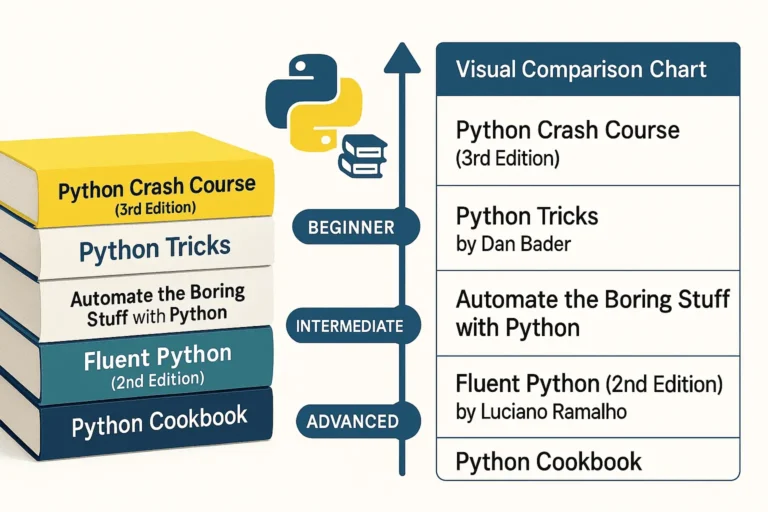
Five essential Python programming books stacked together - Python Crash Course, Python Tricks, Automate the Boring Stuff, Fluent Python, and Python Cookbook

5 Best Python Books for Beginners

Python has become one of the most popular programming languages in the world, and with good reason. To begin with, its clean syntax, versatility, and massive ecosystem make it perfect for everything from web development to data science to automation. Its wide range of applications attracts both beginners and professionals alike. Therefore, whether you are just starting your Python journey or looking to deepen your expertise, these five books offer invaluable insights and practical knowledge. 1. Python Crash Course (3rd Edition) by Eric Matthes Perfect for: Complete beginners and those wanting a comprehensive introduction Python Crash Course is widely regarded as one of the best introductory Python books available. The third edition keeps pace with modern Python development practices while maintaining its accessible approach. What makes it special: Who should read it: 2. Python Tricks by Dan Bader Perfect for: Intermediate developers wanting to write more Pythonic code Dan Bader’s Python Tricks bridges the gap between basic skills and pro-level code. In particular, it explains the “how” and “why” behind Python’s unique features, helping you write cleaner and smarter programs. What makes it special: Key areas covered: Who should read it: 3. Automate the Boring Stuff with Python by Al Sweigart Perfect for: Anyone who wants to use Python for practical automation This book takes a unique approach by focusing on practical automation tasks that can immediately improve your productivity, regardless of your profession. What makes it special: Skills you’ll gain: Who should read it: 4. Fluent Python (2nd Edition) by Luciano Ramalho Perfect for: Intermediate to advanced developers who want deep Python mastery Fluent Python is considered the definitive guide to writing effective, idiomatic Python code. In fact, the second edition has been updated for Python 3.10+ and includes new chapters on pattern matching as well as async programming. What makes it special: Advanced topics covered: Who should read it: 5. Python Cookbook (3rd Edition) by David Beazley and Brian K. Jones Perfect for: Experienced developers looking for solutions to specific problems The Python Cookbook is a recipe-based reference that provides solutions to common (and not-so-common) Python programming challenges. It’s designed to be a practical resource you’ll return to throughout your Python career. What makes it special: Key recipe categories: Who should read it: How to Choose the Right Book for Your Journey If you’re a complete beginner: Start with Python Crash Course. Its project-based approach will give you both foundational knowledge and practical experience. If you know the basics: Python Tricks will help you write more professional, Pythonic code, while Automate the Boring Stuff will show you immediate practical applications. If you’re ready for advanced topics: Fluent Python provides deep insights into Python’s design and advanced features, perfect for developers who want a mastery-level understanding. If you need a reference: Therefore, keep the Python Cookbook handy for specific solutions to programming challenges you’ll encounter in real projects. Building Your Python Library Consider building your Python book collection gradually: Final Thoughts Each of these books offers a unique perspective on Python programming. To begin with, the key is to choose books that match your current skill level and goals, and then apply what you learn through hands-on practice. After all, Python’s strength lies in its syntax and philosophy of clear, readable code—something these books will help you master. Moreover, whether you’re automating your daily tasks, building web applications, or diving deep into Python’s advanced features, these books provide the knowledge and insights you need to become a more effective Python developer. Ultimately, remember: the best Python book is the one you read and apply. Therefore, choose based on your goals, commit to working through the examples, and don’t be afraid to write lots of code along the way.

5 Best Python Books for Beginners Read More »

python interview question

Top 30 Python Interview Questions and Answers (2025)

In this blog, I’ll share 30+ real-world Python interview questions and answers — carefully curated from actual company interviews, including those from startups and top tech firms. Whether you’re just starting out or preparing for your next big opportunity, these questions will help you build confidence, sharpen your problem-solving skills, and stand out in competitive hiring rounds. Moreover, they are tailored to match what companies are asking in 2025, making this a practical and up-to-date resource for your next Python coding interview. I’ve included beginner to advanced Python concepts, covering OOP, data structures, algorithms, and Python libraries commonly asked about by recruiters. If you find this helpful, comment below—I’ll post an advanced Python Q&A series next! 1. What is the Difference Between a List and a Tuple? l = [1, 2, 3] # list t = (1, 2, 3) # tuple 2. Difference Between List Comprehension and Dict Comprehension # List squares = [x*x for x in range(5)] # Dict square_dict = {x: x*x for x in range(5)} 3. What is a Lambda Function in Python? A Lambda function in Python is a small, anonymous function that can have any number of arguments but can only have one expression. It’s a concise way to create simple functions without using the def keyword. add = lambda a, b: a + b 4. Examples of Mutable and Immutable Datatypes in Python Basic Difference: # Value equality with == a = [1, 2, 3] b = [1, 2, 3] print(a == b) # True – same values print(a is b) # False – different objects # Identity with is c = a print(a is c) # True – same object print(a == c) # True – same values 5. What is the Difference Between is and ==? a = [1, 2] b = a c = [1, 2] a is b # True a == c # True a is c # False 6. How Are Variables and Objects Stored in Python? In Python, variables and objects are stored using a combination of namespaces and memory management through references. Objects → Stored in Heap MemoryVariables (Names) → Stored in Stack Memory 7. What is a Decorator in Python? A function that modifies another function without changing its structure. def decorator(func): def wrapper(): print(“Before function”) func() print(“After function”) return wrapper @decorator def greet(): print(“Hello”) greet() 8. Difference Between Generators and Iterators def gen(): yield 1 yield 2 9. Difference Between Pickling and Unpickling? import pickle data = pickle.dumps({‘a’: 1}) obj = pickle.loads(data) 10. Difference Between Shallow Copy and Deep Copy import copy copy.copy(obj) # shallow copy.deepcopy(obj) # deep 11. Multiprocessing vs Multithreading in Python 12. How is Memory Managed in Python? Memory management in Python is handled by the Python memory manager, which includes a private heap, automatic garbage collection, and dynamic memory allocation using reference counting and a cyclic garbage collector. 13. What is the Garbage Collector in Python? The garbage collector in Python is a built-in mechanism that automatically frees up memory by reclaiming objects that are no longer in use, primarily using reference counting and cyclic garbage collection. 14. What is GIL (Global Interpreter Lock)? A mutex that allows only one thread to execute Python bytecode at a time, preventing race conditions in CPython. 15. What is a First-Class Function in Python? First-Class Function: In Python, functions are first-class objects, meaning they can be treated like any other data type. They can be: This allows for powerful programming patterns like higher-order functions, decorators, and functional programming techniques. Functions have the same privileges as other objects in Python. 16. What is a Closure in Python? Closure: A closure is a function that captures and retains access to variables from its outer (enclosing) scope, even after the outer function has finished executing. The inner function “closes over” these variables, keeping them alive in memory. def outer_function(message): def inner_function(): print(f”Message: {message}”) return inner_function # Create a closure my_closure = outer_function(“Hello from closure!”) # Call the inner function my_closure() Key characteristics: This enables data encapsulation and creates functions with persistent local state. 17. Different Ways to Read/Write a File in Python # Read with open(‘file.txt’, ‘r’) as f: data = f.read() # Write with open(‘file.txt’, ‘w’) as f: f.write(“Hello”) 18. What is a Context Manager in Python? Context Manager: An object that defines methods to be used with Python’s with statement. It ensures proper resource management by automatically handling setup and cleanup operations, even if an exception occurs. Key Methods: Purpose: Provides a clean way to manage resources like files, database connections, or locks by ensuring they are properly acquired and released, preventing resource leaks and ensuring cleanup code always runs. 19. Types of Inheritance in Python 20. Difference Between Abstraction and Encapsulation Abstraction: The process of hiding complex implementation details and showing only the essential features of an object. It focuses on what an object does rather than how it does it. Achieved through abstract classes, interfaces, and methods that provide a simplified view of functionality. Encapsulation: The bundling of data (attributes) and methods that operate on that data within a single unit (class), while restricting direct access to internal components. It focuses on hiding the internal state and requiring interaction through well-defined interfaces using access modifiers (private, protected, public). Key Difference: Abstraction is about simplifying complexity by hiding unnecessary details, while encapsulation is about protecting data integrity by controlling access to internal components. 21. What is Polymorphism in Python? Polymorphism: The ability of different objects to respond to the same interface or method call in their specific way. It allows objects of different types to be treated uniformly while exhibiting different behaviors based on their actual type. Key Characteristics: Types in Python: This enables writing generic code that can work with various object types without knowing their specific implementation details. 22. What is Function Overloading? Multiple functions with the same name but different parameters (Not natively supported in Python). 23. What is Function Overriding? Function Overriding: The ability of a child class

Top 30 Python Interview Questions and Answers (2025) Read More »

Scroll to Top