Tarun

Hi, I'm Tarun Kumar — a passionate Software Developer with 4+ years of experience specializing in Python, Django, Django REST Framework, and modern web technologies. I've built scalable applications for both government and private sectors, including ERP systems, HRMS, and digital platforms for Indian Railways. I thrive at the intersection of backend engineering and user-centric design, integrating tools like MongoDB, PostgreSQL, AWS EC2, and jQuery. I'm also the creator of pythonjournals.com, where I share insights, tutorials, and automation scripts to help developers grow. When I'm not coding, I mentor interns, explore AI/ML in geospatial analysis, and work on projects that bridge technology with real-world impact.

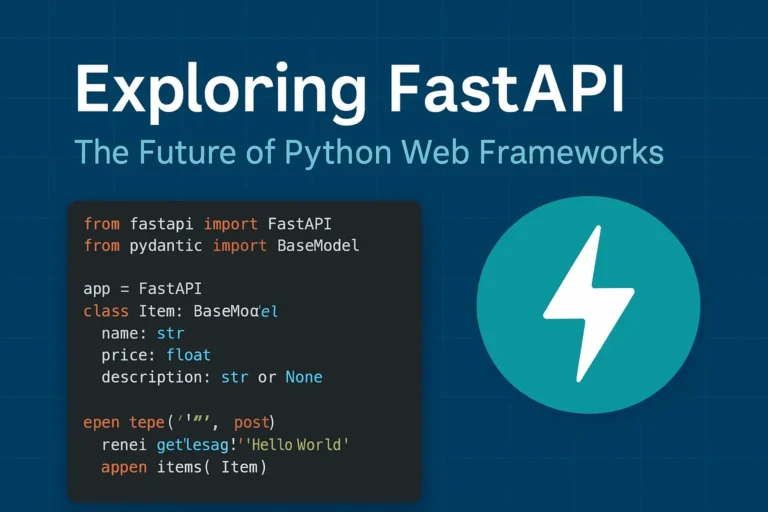
FastAPI Python web framework for high-performance API development

Exploring FastAPI: The Future of Python Web Frameworks

Why FastAPI is Taking the Python World by Storm In the rapidly evolving of Python web development, FastAPI has emerged as a game changing framework that’s reshaping how developers build modern APIs. Since its release in 2018, this innovative framework has gained massive adoption among developers worldwide, and for good reason. FastAPI combines the best of modern Python features with exceptional performance, making it an ideal choice for building production-ready APIs. Whether you’re a seasoned Python developer or just starting your web development journey, understanding FastAPI’s capabilities is crucial for staying ahead in today’s competitive development environment. What Makes FastAPI Special? Lightning-Fast Performance FastAPI lives up to its name by delivering exceptional speed that rivals frameworks written in Go and Node.js. Built on top of Starlette and Pydantic, FastAPI leverages Python’s async capabilities to handle thousands of concurrent requests efficiently. Performance benchmarks consistently show FastAPI outperforming traditional Python frameworks like Django and Flask by significant margins, making it perfect for high-traffic applications and microservices architectures. Automatic API Documentation One of FastAPI’s most beloved features is its automatic generation of interactive API documentation. Using the OpenAPI standard, FastAPI creates beautiful, interactive documentation that developers can use to test endpoints directly in the browser. This feature eliminates the tedious task of manually maintaining API documentation and ensures your documentation is always up-to-date with your code. Type Hints and Validation FastAPI leverages Python’s type hints to provide automatic request and response validation. This means fewer bugs, better IDE support, and more maintainable code. The framework uses Pydantic models to ensure data integrity and provide clear error messages when validation fails. Key Features That Set FastAPI Apart Modern Python Standards FastAPI is built with modern Python in mind, fully supporting: Built-in Security Features Security is paramount in modern web applications, and FastAPI provides robust built-in security features including: Developer Experience FastAPI prioritizes developer productivity with features like: Real-World Use Cases Microservices Architecture FastAPI excels in microservices environments due to its lightweight nature and fast startup times. Companies like Uber, Netflix, and Microsoft have adopted FastAPI for various microservices in their architecture. Machine Learning APIs The data science community has embraced FastAPI for deploying machine learning models as APIs. Its async capabilities and performance make it ideal for handling ML inference requests at scale. Traditional Web APIs From simple CRUD operations to complex business logic, FastAPI handles traditional web API development with elegance and efficiency. Getting Started with FastAPI Here’s a simple example of a FastAPI application: from fastapi import FastAPI from pydantic import BaseModel app = FastAPI() class Item(BaseModel): name: str price: float description: str = None @app.get(“/”) async def root(): return {“message”: “Hello World”} @app.post(“/items/”) async def create_item(item: Item): return {“item”: item} This simple example demonstrates FastAPI’s clean syntax and automatic validation through Pydantic models. FastAPI vs. Other Python Frameworks FastAPI vs. Django While Django remains excellent for full-stack web applications, FastAPI shines in API-first development with superior performance and modern async support. FastAPI vs. Flask Flask’s simplicity is appealing, but FastAPI offers better performance, automatic documentation, and built-in validation without sacrificing ease of use. FastAPI vs. Django REST Framework For pure API development, FastAPI provides better performance and developer experience compared to Django REST Framework, though DRF remains strong for Django-integrated projects. Best Practices for FastAPI Development Structure Your Project Organize your FastAPI project with clear separation of concerns: Performance Optimization Maximize your FastAPI application’s performance by: Testing and Documentation Ensure robust applications by: The Future of FastAPI FastAPI continues to evolve with regular updates and new features. The framework’s roadmap includes enhanced WebSocket support, improved performance optimizations, and better integration with modern deployment platforms. The growing ecosystem around FastAPI, including tools like FastAPI Users for authentication and FastAPI Cache for caching, demonstrates the framework’s bright future in Python web development. Conclusion: Is FastAPI Right for Your Next Project? FastAPI represents a significant leap forward in Python web development, combining high performance with developer-friendly features. If you’re building APIs that require speed, scalability, and maintainability, FastAPI should be at the top of your consideration list. The framework’s modern approach to Python development, combined with its excellent documentation and growing community support, makes it an excellent choice for both new projects and migrating existing applications. Whether you’re building microservices, machine learning APIs, or traditional web services, FastAPI provides the tools and performance needed to succeed in today’s competitive development landscape. If you like, please comment below for FastAPI’s more blogs:

Exploring FastAPI: The Future of Python Web Frameworks Read More »

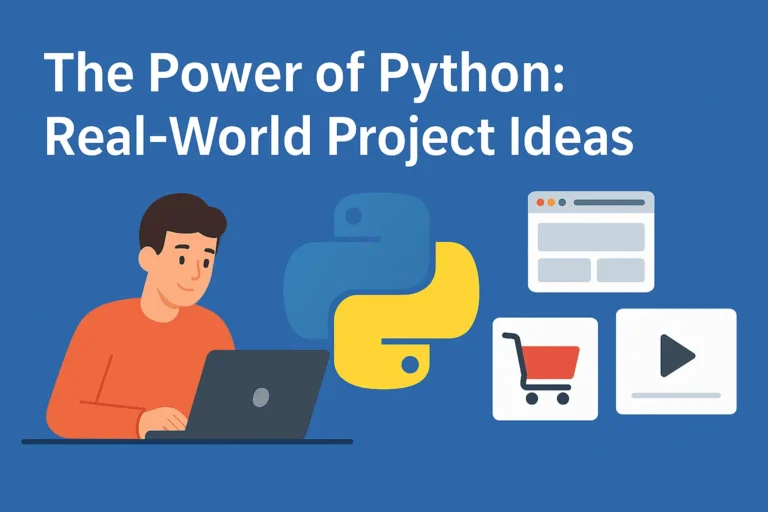
The Power of Python: Real-World Project Ideas illustrated with laptop, Python logo, and project icons.

The Power of Python: Real-World Project Ideas

When people ask why I love Python, my answer is simple: it’s not just a programming language, it’s a toolbox for turning my ideas into reality. Python is beginner-friendly, versatile, and powerful enough to run everything from a tiny script on your laptop to large-scale systems powering global companies. But here’s the catch: learning Python by just reading syntax or following tutorials can feel… incomplete. The real magic happens when you build real-time projects, things you can see, use, and maybe even share with others. Projects push you to connect concepts, face real challenges, and gain the confidence that you’re not just “learning Python,” you’re using it. So, let’s talk about some real-world project ideas you can start with, depending on your interests. Use FastAPI for real-time chat, and django is the best framework for other projects. 1. Email and file automation Repetitive tasks are the enemy of productivity. Luckily, Python is perfect for automating them. You’ll be surprised at how empowering it feels when your code saves you time in the real world. 2. Blog Website Every developer needs a place to share their thoughts, projects, and journey. Why not build your own blog? The bonus? You learn backend logic and how to make something visually appealing. Plus, it doubles as your portfolio. 3. E-Commerce with Payment Integration Imagine running your mini Amazon-style site built with Python! This type of project will expose you to real-world concepts like authentication, databases, and secure transactions, things every serious developer should know. 4. Social Media App Social media powers our world. Building even a simplified version teaches you so much. You don’t need to reinvent Instagram or Twitter. Even a basic version is a fantastic learning experience in how large-scale platforms actually work. 5. Real-Time Chat App with WebSockets Chat apps are a perfect introduction to real-time communication. It’s one of those projects that feels “alive” because you’re building something interactive. 6. Data Analysis & Visualization Python shines when it comes to working with data. This isn’t just coding—it’s storytelling with data. Use streamlit for data visualization. 7. Movie Recommendation System This one’s always a crowd pleaser. It’s a cool project because people can actually interact with it, and it’s a great intro to AI without being overwhelming. 8. Fun & Creative Projects Not every project has to be “serious.” Some of the best learning happens when you’re just having fun. Quirky projects often keep you motivated when the “serious” ones get too heavy. Final Thoughts Python is powerful not because it’s the fastest or most complex language, but because it’s accessible and opens doors to so many areas of automation, web, data, AI, and even fun side projects. The best advice I can give is this: start small, but start today. Pick one idea from the list above and build it. It doesn’t have to be perfect; in fact, it won’t be perfect. And that’s the point. Every project teaches you something new. Before long, you’ll have a portfolio that doesn’t just show code, it shows creativity, problem-solving. Let me know which project you’re creating.

The Power of Python: Real-World Project Ideas Read More »

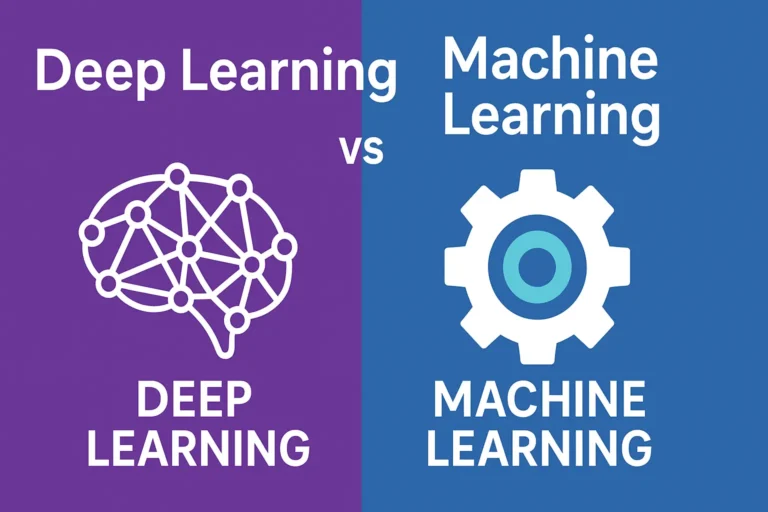
Infographic comparing Deep Learning and Machine Learning with icons of a brain and a gear, highlighting the differences between the two AI approaches

Deep Learning vs Machine Learning: Key Differences You Must Know

Are you usually confused about the difference between deep learning and machine learning? You’re not alone! These terms are frequently used interchangeably, but they are not the same. Understanding the distinctions is essential whether you’re a beginner stepping into AI or a professional aiming to sharpen your expertise. Let’s break it down everything you need to know about deep learning vs machine learning in clear, simple terms. What is Machine Learning? Machine learning is essentially about teaching a computer to recognize patterns in data without explicitly coding every rule. Think of it as showing a child hundreds of pictures of cats and dogs until they can figure out which is which on their own. Key characteristics of machine learning: Types of Machine Learning What is Deep Learning? Deep learning is a subset of machine learning, but it takes inspiration from how the human brain works. It uses artificial neural networks with many layers (hence the word “deep”) to process information. Imagine how your brain processes visual input. It passes through multiple layers of neurons, each detecting different features. Deep learning functions in a very similar way. Key characteristics of deep learning: Deep Learning vs Machine Learning: The Core Differences 1. Data Requirements 2. Feature Engineering 3. Hardware Requirements 4. Interpretability 5. Training Time When to Use Machine Learning vs Deep Learning Choose Machine Learning When: Choose Deep Learning When: Real-World Applications Machine Learning Examples: Deep Learning Examples: The Performance Factor Here’s an important insight: machine learning often outperforms deep learning on smaller datasets. But as the data gets bigger, deep learning tends to take the lead. Think of it like this: Getting Started: Which Path Should You Take? If you’re just beginning your journey in AI, start with machine learning first. Here’s why: Once you’re comfortable, you can dive into deep learning with confidence. Future Trends: What’s Next? The boundary between machine learning and deep learning continues to blur. Some exciting trends include: Conclusion Both machine learning and deep learning play vital roles in the AI landscape. The right choice depends on your data, resources, and goals. The key is to define your problem clearly before picking a tool. Don’t fall into the trap of using deep learning just because it’s trendy sometimes the simplest machine learning algorithm is exactly what you need. So, what’s your experience with machine learning vs deep learning? Have you found one more effective in your projects? Share your thoughts, I’d love to hear them!

Deep Learning vs Machine Learning: Key Differences You Must Know Read More »

100 linux command for vps setup

Learn 100+ Essential Linux Commands to Set Up a Fresh VPS with Python, PostgreSQL, MySQL, and MongoDB

For a developer, setting up a VPS for production can be one of the most challenging tasks. Here’s a basic setup guide to get your server ready for deployment. Whether you’re hosting a Django app, Node.js API, or Laravel website, you’ll need a reliable set of Linux commands to prepare your environment. In this post, I’m sharing 100+ essential Linux commands that I personally use when setting up a fresh VPS. These commands cover everything from server access and file management to firewall configuration, database installation, and much more—making your VPS deployment smooth and production-ready. 1. Server Access & Session Management 2. System Info & Monitoring 3. User & Permission Management 4. File & Directory Management 5. Networking & Firewall 6. Package Management (Debian/Ubuntu) 7. Git & Code Deployment 8. Web Server Setup 9. Process & Service Management Bonus command This is for running the development server only. If you want to run a production server, use Gunicorn or uWSGI. View my previous blog on how to deploy Django on AWS. Here’s a step-by-step guide on how to run a Django project on a server in the background using screen: 1. Install screen (if not already installed) sudo apt updatesudo apt install screen -y On CentOS/RHEL: sudo yum install screen -y 2. Start a new screen session django_server Just name whatever you want; you can make it. screen -S django_server 3. Activate your virtual environment source venv/bin/activate Create your virtual environment folder 4. Navigate to your Django project cd /path/to/your/project 5. Run the Django development server python3 manage.py runserver 0.0.0.0:8000 6. Detach from the screen session Press this command: CTRL + A then D 7. List all screen sessions screen -ls 8. Reattach to the session screen -r django_server 9. Kill the screen session (stop the server) screen -X -S django_server quit Please comment below if you guys like my post.

Learn 100+ Essential Linux Commands to Set Up a Fresh VPS with Python, PostgreSQL, MySQL, and MongoDB Read More »

Mastering Python: 17 Tips, Tricks, and Best Practices That Will Transform Your Code.

Mastering Python: 17 Tips, Tricks & Best Practices

After five years of wrestling with Python code, debugging countless scripts, and building everything from web scrapers to machine learning models, I’ve learned that mastering Python isn’t just about memorizing syntax—it’s about developing the right mindset and knowing which tools to reach for when. Today, I’m sharing the practical tips, clever tricks, and battle-tested best practices that transformed me from a struggling beginner into a confident Python developer. Whether you’re just starting or looking to level up your existing skills, these insights will save you hours of frustration and help you write cleaner, more efficient code. Why Python Mastery Matters More Than Ever Python has become the Swiss Army Knife of programming languages. Python powers some of the world’s most innovative companies, from data science and web development to automation and AI. But here’s the thing I wish someone had told me earlier: knowing Python syntax is just the beginning. The real magic happens when you understand how to write Pythonic code that’s readable, maintainable, and efficient. Understanding Pythonic Thinking 1. Embrace the Zen of Python Remember when you first discovered import this? Those 19 lines aren’t just philosophy—they’re your roadmap to better code. “Simple is better than complex” and “Readability counts” have saved me from countless over-engineered solutions. My favorite principle in action: # Don’t do this result = [] for item in my_list: if item > 5: result.append(item * 2) # Do this instead result = [item * 2 for item in my_list if item > 5] 2. Master List Comprehensions (But Don’t Overdo It) List comprehensions are Python’s secret weapon for writing concise, readable code. But I learned the hard way that complex nested comprehensions can become unreadable nightmares. List comprehensions make it slightly faster than the normal append function. The sweet spot: # Perfect for simple transformations squares = [x**2 for x in range(10)] # Great with conditions even_squares = [x**2 for x in range(10) if x % 2 == 0] # But avoid this complexity nested_mess = [[y for y in x if condition(y)] for x in matrix if filter_func(x)] Game-Changing Python Tricks I Wish I’d Known Earlier 3. The Power of Enumerate and Zip Stop using range(len(list))! This was one of my biggest early mistakes. Python gives you better tools. # Instead of this amateur hour code for i in range(len(items)): print(f”{i}: {items[i]}”) # Write this like a pro for i, item in enumerate(items): print(f”{i}: {item}”) # And combine lists elegantly be careful while using zip both list lenght should be same. names = [‘Alice’, ‘Bob’, ‘Charlie’] ages = [25, 30, 35] for name, age in zip(names, ages): print(f”{name} is {age} years old”) 4. Context Managers: Your New Best Friend Context managers changed how I handle resources. No more forgotten file handles or database connections! # The old way (prone to errors) file = open(‘data.txt’, ‘r’) content = file.read() file.close() # Easy to forget! # The Pythonic way with open(‘data.txt’, ‘r’) as file: content = file.read() # File automatically closed, even if an exception occurs 5. Dictionary Magic with get() and setdefault() Dictionaries are Python’s crown jewel, but I spent too long writing clunky if-statements before discovering these gems. # Avoid KeyError headaches user_data = {‘name’: ‘John’, ‘age’: 30} email = user_data.get(’email’, ‘No email provided’) # Build dictionaries dynamically word_count = {} for word in text.split(): word_count.setdefault(word, 0) word_count[word] += 1 # Or use defaultdict for even cleaner code from collections import defaultdict word_count = defaultdict(int) for word in text.split(): word_count[word] += 1 Best Practices That Will Make Your Code Shine 6. Write Self-Documenting Code with Descriptive Names I used to write code like this: def calc(x, y). Don’t be past me. Your future self will thank you for clear, descriptive names. # Vague and confusing def process(data): result = [] for item in data: if item > threshold: result.append(item * factor) return result # Clear and self-documenting def filter_and_scale_values(measurements, min_threshold=10, scale_factor=1.5): “””Filter measurements above threshold and apply scaling factor.””” scaled_values = [] for measurement in measurements: if measurement > min_threshold: scaled_values.append(measurement * scale_factor) return scaled_values 7. Exception Handling: Be Specific, Not Lazy Generic except: Statements are a code smell. Be specific about what you’re catching and why. # Too broad – hides important errors try: result = risky_operation() except: print(“Something went wrong”) # Better – handle specific exceptions try: result = divide_numbers(a, b) except ZeroDivisionError: print(“Cannot divide by zero”) result = None except TypeError: print(“Invalid input types for division”) result = None 8. Use Type Hints for Better Code Documentation Type hints transformed how I write and maintain Python code. They’re not just for the compiler—they’re documentation for humans. from typing import List, Optional, Dict def calculate_average(numbers: List[float]) -> Optional[float]: “””Calculate the average of a list of numbers.””” if not numbers: return None return sum(numbers) / len(numbers) def group_by_category(items: List[Dict[str, str]]) -> Dict[str, List[str]]: “””Group items by their category field.””” groups = {} for item in items: category = item.get(‘category’, ‘uncategorized’) groups.setdefault(category, []).append(item[‘name’]) return groups Advanced Techniques for Python Mastery 9. Generators: Memory-Efficient Data Processing Generators were a revelation when I started working with large datasets. They process data lazily, using minimal memory. # Memory-heavy approach def read_large_file_bad(filename): with open(filename) as f: return [line.strip() for line in f] # Memory-efficient approach def read_large_file_good(filename): with open(filename) as f: for line in f: yield line.strip() # Use it like any iterable for line in read_large_file_good(‘huge_file.txt’): process_line(line) # Process one line at a time 10. Decorators: Clean and Reusable Code Enhancement Decorators seemed like magic when I first encountered them. Now they’re essential tools in my Python toolkit. wraps is a decorator from Python’s functools module that preserves the original function’s name, docstring, and other metadata when it’s wrapped by another function (like in a decorator). Below is a simple example. import time from functools import wraps def timing_decorator(func): “””Measure and print the execution time of a function.””” @wraps(func) def wrapper(*args, **kwargs): start_time = time.time() result = func(*args, **kwargs) end_time = time.time() print(f”{func.__name__} took {end_time – start_time:.4f} seconds”) return result return wrapper @timing_decorator def slow_function(): time.sleep(2) return “Done!”

Mastering Python: 17 Tips, Tricks & Best Practices Read More »

top 5 best AI coding tools in 2025

Top 5 Best AI Coding Tools in 2025

The world of software development is changing faster than ever, and AI coding tools are leading the charge in 2025. These powerful assistants can help you write cleaner code, debug faster, and even plan entire architectures. Whether you’re a beginner learning your first language or a senior developer managing complex projects, the right AI tool can supercharge your productivity. Here are my top picks after years of hands-on use. 1. Claude AI – Best for Frontend Design Why it’s great for developers: Claude’s latest models (Claude 4) are exceptional at understanding project context and producing elegant, maintainable code. This is my favorite AI. It has some limits on the free plan, but it’s excellent for front-end design — incredibly creative when building UI layouts. Another thing I like is that it can generate longer content than ChatGPT. Key Features: Real-world use: I use Claude to refactor old codebases — it spots inefficiencies I’d probably miss. In recent benchmark tests, Claude 3.7 ranked among the top performers for implementation quality. Best for: Large projects, architecture design, deep code reviews. 2. ChatGPT 5 – Best for complex logic Why it’s essential: ChatGPT is one of the most popular AI tools, and with the launch of ChatGPT 5, it’s even more powerful. Trained on a massive dataset, it supports multiple languages and provides up-to-date information across various fields. It can help with everything from quick code snippets to full project prototypes. Key Features: Real-world use: I rely on ChatGPT daily for writing unit tests, explaining APIs, and exploring new frameworks. Best for: Rapid prototyping, learning new languages, brainstorming solutions. 3. Cursor AI Code IDE Nowadays, Cursor is a game-changing IDE that can transform a developer’s coding skills. Even with just basic knowledge, you can create your software or website because it can read all your project files and understand your logic. This makes it incredibly helpful for development. In the background, it uses ChatGPT (I believe), which powers its smart suggestions and assistance. Key Features: Real-world use: With Cursor, I can make project-wide changes in seconds and fix issues before they even hit the compiler. Best for: Full-stack development, managing large codebases, and AI-assisted pair programming. 4. Gemini (Google) – Best for Research & Documentation Gemini combines coding assistance with Google’s research power, making it perfect for exploring new technologies. It includes a guided-learning feature that helps you work through complex problems—you just need to provide information step by step. Plus, Gemini is integrated into the Android ecosystem, making it easily accessible on many devices. Key Features: Real-world use: I often turn to Gemini when learning a brand-new framework — it simplifies the docs and shows examples I can use right away. Best for: API integration, documentation, learning cutting-edge technologies. 5. DeepSeek R1 – Free & Open-Source Option Why it’s impressive: DeepSeek delivers GPT-level coding power for free — no sign-up, no limits, fully open-source. It has better reasoning and can create complex logic. Most importantly, you can download and install it on your local system; it will work the same as its online version. Key Features: Real-world use: While not as polished as paid tools, DeepSeek’s raw power makes it perfect for quick experiments or personal projects. Best for: Students, budget-conscious developers, open-source projects. Pro Tips to Get the Most Out of AI Coding Tools Final Thoughts This is for every developer: don’t lose your skills by depending entirely on AI. Sometimes, build your logic. AI is only as good as what we have trained it on, and it doesn’t think like we do. It’s best used for repetitive tasks where it truly excels. Use AI to Enhance Your Skills, Not Habit. AI is not replacing developers — it’s empowering us. Claude 4 Opus is already setting performance records (72.5% on SWE-Bench), and tools like Cursor are changing how we interact with code. Try them, experiment, and build your AI-powered workflow. The developers who embrace these tools now will be the ones building the future. Your turn: Which AI coding tool has made the biggest difference in your projects? Share your experience in the comments!

Top 5 Best AI Coding Tools in 2025 Read More »

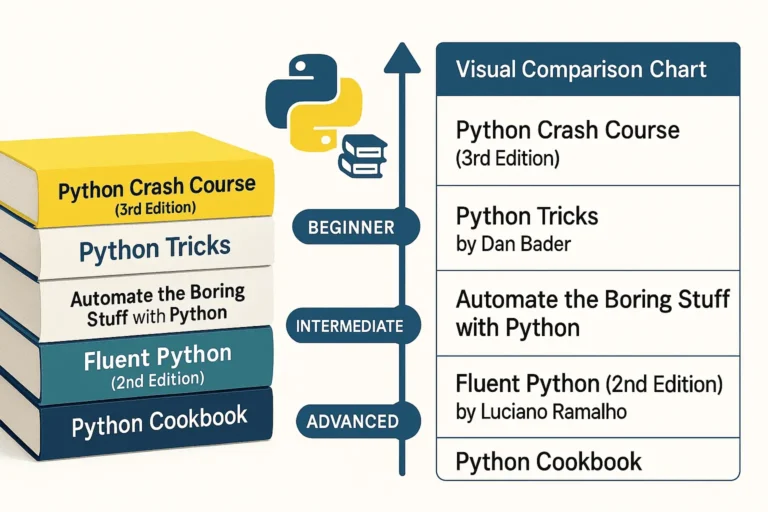
Five essential Python programming books stacked together - Python Crash Course, Python Tricks, Automate the Boring Stuff, Fluent Python, and Python Cookbook

5 Best Python Books for Beginners

Python has become one of the most popular programming languages in the world, and with good reason. To begin with, its clean syntax, versatility, and massive ecosystem make it perfect for everything from web development to data science to automation. Its wide range of applications attracts both beginners and professionals alike. Therefore, whether you are just starting your Python journey or looking to deepen your expertise, these five books offer invaluable insights and practical knowledge. 1. Python Crash Course (3rd Edition) by Eric Matthes Perfect for: Complete beginners and those wanting a comprehensive introduction Python Crash Course is widely regarded as one of the best introductory Python books available. The third edition keeps pace with modern Python development practices while maintaining its accessible approach. What makes it special: Who should read it: 2. Python Tricks by Dan Bader Perfect for: Intermediate developers wanting to write more Pythonic code Dan Bader’s Python Tricks bridges the gap between basic skills and pro-level code. In particular, it explains the “how” and “why” behind Python’s unique features, helping you write cleaner and smarter programs. What makes it special: Key areas covered: Who should read it: 3. Automate the Boring Stuff with Python by Al Sweigart Perfect for: Anyone who wants to use Python for practical automation This book takes a unique approach by focusing on practical automation tasks that can immediately improve your productivity, regardless of your profession. What makes it special: Skills you’ll gain: Who should read it: 4. Fluent Python (2nd Edition) by Luciano Ramalho Perfect for: Intermediate to advanced developers who want deep Python mastery Fluent Python is considered the definitive guide to writing effective, idiomatic Python code. In fact, the second edition has been updated for Python 3.10+ and includes new chapters on pattern matching as well as async programming. What makes it special: Advanced topics covered: Who should read it: 5. Python Cookbook (3rd Edition) by David Beazley and Brian K. Jones Perfect for: Experienced developers looking for solutions to specific problems The Python Cookbook is a recipe-based reference that provides solutions to common (and not-so-common) Python programming challenges. It’s designed to be a practical resource you’ll return to throughout your Python career. What makes it special: Key recipe categories: Who should read it: How to Choose the Right Book for Your Journey If you’re a complete beginner: Start with Python Crash Course. Its project-based approach will give you both foundational knowledge and practical experience. If you know the basics: Python Tricks will help you write more professional, Pythonic code, while Automate the Boring Stuff will show you immediate practical applications. If you’re ready for advanced topics: Fluent Python provides deep insights into Python’s design and advanced features, perfect for developers who want a mastery-level understanding. If you need a reference: Therefore, keep the Python Cookbook handy for specific solutions to programming challenges you’ll encounter in real projects. Building Your Python Library Consider building your Python book collection gradually: Final Thoughts Each of these books offers a unique perspective on Python programming. To begin with, the key is to choose books that match your current skill level and goals, and then apply what you learn through hands-on practice. After all, Python’s strength lies in its syntax and philosophy of clear, readable code—something these books will help you master. Moreover, whether you’re automating your daily tasks, building web applications, or diving deep into Python’s advanced features, these books provide the knowledge and insights you need to become a more effective Python developer. Ultimately, remember: the best Python book is the one you read and apply. Therefore, choose based on your goals, commit to working through the examples, and don’t be afraid to write lots of code along the way.

5 Best Python Books for Beginners Read More »

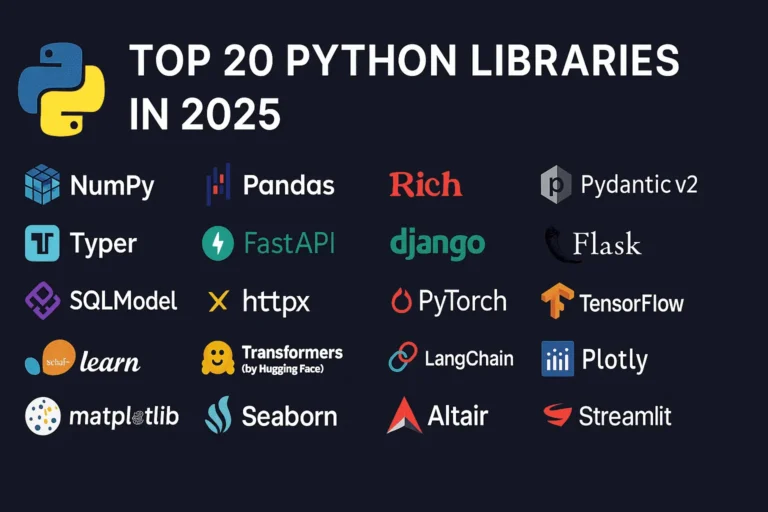
Top 20 Python Libraries

Top 20 Python Libraries for 2025

Python continues to dominate the programming landscape in 2025, and much of its success stems from its incredible ecosystem of libraries. Whether you’re building web applications, diving into machine learning, or creating stunning data visualizations, there’s a Python library that can accelerate your development process. In this comprehensive guide, we’ll explore the 20 most essential Python libraries that every developer should know about in 2025, organized by their primary use cases. General Purpose & Utilities 1. NumPy – The Foundation of Scientific Computing NumPy remains the bedrock of Python’s scientific computing ecosystem. It provides support for large, multi-dimensional arrays and matrices, along with a collection of mathematical functions to operate on these arrays efficiently. Why it matters in 2025: Use cases: Scientific computing, data analysis, image processing, financial modeling 2. Pandas – Data Manipulation Made Easy Pandas is the go-to library for data analysis and manipulation. It provides data structures like DataFrames and Series that make working with structured data intuitive and powerful. Key features: Use cases: Data cleaning, exploratory data analysis, financial analysis, business intelligence 3. Rich – Beautiful Terminal Output Rich has revolutionized how we think about terminal applications. It brings rich text, tables, progress bars, and even images to the command line. What makes it special: Use cases: CLI applications, debugging output, terminal dashboards, developer tools 4. Pydantic v2 – Type-Safe Data Validation Pydantic v2 represents a major leap forward in Python data validation. Built on Rust for performance, it uses Python type hints to validate data at runtime. Why developers love it: Use cases: API development, configuration management, data parsing, form validation 5. Typer – Modern CLI Development Typer makes creating command-line applications as easy as writing functions. From the creators of FastAPI, it brings the same elegant design philosophy to CLI development. Standout features: Use cases: Command-line tools, automation scripts, developer utilities, system administration Web Development 6. FastAPI – The Future of Web APIs FastAPI has quickly become the preferred choice for building modern web APIs. It combines high performance with developer-friendly features and automatic API documentation. What sets it apart: Use cases: REST APIs, microservices, real-time applications, machine learning APIs 7. Django – The Web Framework for Perfectionists Django remains a powerhouse for full-stack web development. Its “batteries included” philosophy and robust ecosystem make it ideal for complex applications. Core strengths: Use cases: Content management systems, e-commerce platforms, social networks, enterprise applications 8. Flask – Lightweight and Flexible Flask continues to be popular for developers who prefer a minimalist approach. Its simplicity and flexibility make it perfect for smaller applications and microservices. Why it endures: Use cases: Microservices, API prototypes, small to medium web applications, educational projects 9. SQLModel – The Modern ORM SQLModel represents the evolution of database interaction in Python. Created by the FastAPI team, it combines the best of SQLAlchemy and Pydantic. Revolutionary features: Use cases: Modern web APIs, type-safe database operations, FastAPI applications 10. httpx – Async HTTP Client httpx is the modern replacement for the requests library, bringing full async support and HTTP/2 capabilities to Python HTTP clients. Advanced capabilities: Use cases: Async web scraping, API integrations, microservice communication, concurrent HTTP requests Machine Learning & AI 11. PyTorch – Deep Learning PyTorch has established itself as the leading deep learning framework, particularly in research communities. Its dynamic computation graphs and Pythonic design make it incredibly intuitive. Key advantages: Use cases: Deep learning research, computer vision, natural language processing, reinforcement learning 12. TensorFlow – Production-Ready ML TensorFlow remains a cornerstone of machine learning, especially for production deployments. Google’s backing and comprehensive ecosystem make it a solid choice for enterprise ML. Enterprise features: Use cases: Production ML systems, mobile ML applications, large-scale deployments, computer vision 13. scikit-learn – Traditional ML scikit-learn is the gold standard for traditional machine learning algorithms. Its consistent API and comprehensive documentation make it accessible to beginners and powerful for experts. Comprehensive toolkit: Use cases: Traditional ML projects, data science competitions, academic research, business analytics 14. Transformers (Hugging Face) – NLP Revolution Transformers has democratized access to state-of-the-art NLP models. The library provides easy access to pre-trained models like BERT, GPT, and T5. Game-changing features: Use cases: Text classification, language generation, question answering, sentiment analysis 15. LangChain – LLM Application Framework LangChain is the go-to framework for building applications powered by large language models. It provides abstractions for chaining LLM calls and building complex AI workflows. Powerful abstractions: Use cases: Chatbots, document analysis, AI agents, question-answering systems Data Visualization 16. Plotly – Interactive Visualization Plotly leads the way in interactive data visualization. Its ability to create publication-quality plots that work seamlessly in web browsers makes it invaluable for modern data science. Interactive capabilities: Use cases: Dashboard creation, scientific publications, financial analysis, interactive reports 17. Matplotlib – The Visualization Foundation Matplotlib remains the foundation of Python visualization. While other libraries offer more modern interfaces, matplotlib’s flexibility and comprehensive feature set keep it relevant. Enduring strengths: Use cases: Scientific publications, custom visualizations, academic research, detailed plot customization 18. Seaborn – Statistical Graphics Made Beautiful Seaborn builds on matplotlib to provide a high-level interface for creating attractive statistical graphics. It’s particularly strong for exploratory data analysis. Statistical focus: Use cases: Exploratory data analysis, statistical reporting, correlation analysis, distribution visualization 19. Altair – Grammar of Graphics Altair brings the grammar of graphics to Python, allowing for declarative statistical visualization. It’s particularly powerful for quick data exploration. Declarative approach: Use cases: Rapid prototyping, data exploration, statistical analysis, simple interactive plots 20. Streamlit – Data Apps in Minutes Streamlit has revolutionized how data scientists share their work. It allows you to create beautiful web applications with just Python code, no web development experience required. I have created a dashboard with Streamlit blog, please see here. Rapid development features: Use cases: Data science prototypes, ML model demos, internal tools, executive dashboards Choosing the Right Libraries for Your Project When selecting libraries for your Python projects in 2025, consider these factors: Web Development: Data Science: AI Applications: CLI Tools: The Future of Python Libraries

Top 20 Python Libraries for 2025 Read More »

WebSocket WebSocket WebSocket real-time real-time

WebSockets Guide: Real-Time Web Communication Explained

Introduction WebSocket is a game-changing technology that enables persistent, bidirectional communication between clients and servers. In today’s web development landscape, real-time communication is essential for building interactive and engaging user experiences. Whether it’s live chat, online gaming, collaborative tools, or live data feeds, traditional HTTP patterns often fall short—this is where WebSocket truly shines. What Are WebSockets? WebSocket is a communication protocol that provides full-duplex communication channels over a single TCP connection. Unlike traditional HTTP requests that follow a request-response pattern, WebSockets establish a persistent connection that allows both the client and server to send data at any time. The WebSocket protocol was standardized as RFC 6455 in 2011 and has since become a cornerstone technology for real-time web applications. It operates over TCP and uses the same ports as HTTP (80) and HTTPS (443), making it firewall-friendly and easy to deploy. How WebSockets Work The Handshake Process WebSockets begin with an HTTP handshake that upgrades the connection to the WebSocket protocol: Example Handshake Headers Client Request: GET /chat HTTP/1.1 Host: example.com Upgrade: websocket Connection: Upgrade Sec-WebSocket-Key: dGhlIHNhbXBsZSBub25jZZ== Sec-WebSocket-Version: 13 Server Response: HTTP/1.1 101 Switching Protocols Upgrade: websocket Connection: Upgrade Sec-WebSocket-Accept: s3pPLMBiTxaQ9kYGzzhZRbK+xOo= WebSockets vs. Traditional HTTP Aspect HTTP WebSockets Communication Request-Response Full-duplex Connection Stateless Persistent Overhead High (headers with each request) Low (after handshake) Real-time Requires polling Native support Server Push Complex (SSE, long polling) Simple Key Features and Benefits 1. Real-Time Communication WebSockets enable instant data exchange without the latency associated with HTTP polling or long-polling techniques. 2. Low Latency Once established, WebSocket connections have minimal overhead, resulting in faster data transmission compared to HTTP requests. 3. Bidirectional Communication Both client and server can initiate data transmission, enabling truly interactive applications. 4. Efficient Resource Usage Eliminates the need for constant HTTP polling, reducing server load and bandwidth consumption. 5. Cross-Origin Support WebSockets support Cross-Origin Resource Sharing (CORS), allowing connections from different domains when properly configured. Common Use Cases 1. Real-Time Chat Applications WebSockets are perfect for instant messaging systems where messages need to be delivered immediately to all participants. 2. Live Gaming Multiplayer games require low-latency communication for smooth gameplay and real-time state synchronization. 3. Financial Trading Platforms Stock prices, cryptocurrency values, and trading data need to be updated in real-time for accurate decision-making. 4. Collaborative Editing Tools Applications like Google Docs use WebSockets to sync changes across multiple users in real-time. 5. Live Sports Scores and News Sports applications deliver live scores, commentary, and updates as events happen. 6. IoT Device Monitoring Internet of Things devices can stream sensor data continuously for real-time monitoring and analysis. Implementation Examples Client-Side JavaScript // Establishing a WebSocket connection const socket = new WebSocket(‘ws://localhost:8080’); // Connection opened socket.addEventListener(‘open’, function (event) { console.log(‘Connected to WebSocket server’); socket.send(‘Hello Server!’); }); // Listen for messages socket.addEventListener(‘message’, function (event) { console.log(‘Message from server: ‘, event.data); }); // Handle errors socket.addEventListener(‘error’, function (event) { console.error(‘WebSocket error: ‘, event); }); // Connection closed socket.addEventListener(‘close’, function (event) { console.log(‘WebSocket connection closed’); }); // Sending data function sendMessage(message) { if (socket.readyState === WebSocket.OPEN) { socket.send(JSON.stringify({ type: ‘message’, data: message, timestamp: new Date().toISOString() })); } } Server-Side Implementation (Node.js with ws library) const WebSocket = require(‘ws’); const server = new WebSocket.Server({ port: 8080 }); server.on(‘connection’, function connection(ws) { console.log(‘New client connected’); // Send welcome message ws.send(JSON.stringify({ type: ‘welcome’, message: ‘Connected to WebSocket server’ })); // Handle incoming messages ws.on(‘message’, function incoming(data) { try { const message = JSON.parse(data); console.log(‘Received:’, message); // Broadcast to all clients server.clients.forEach(function each(client) { if (client !== ws && client.readyState === WebSocket.OPEN) { client.send(JSON.stringify(message)); } }); } catch (error) { console.error(‘Error parsing message:’, error); } }); // Handle connection close ws.on(‘close’, function close() { console.log(‘Client disconnected’); }); // Handle errors ws.on(‘error’, function error(err) { console.error(‘WebSocket error:’, err); }); }); WebSocket Security Considerations 1. Authentication and Authorization Implement proper authentication mechanisms before establishing WebSocket connections: // Client-side token-based authentication const token = localStorage.getItem(‘authToken’); const socket = new WebSocket(`ws://localhost:8080?token=${token}`); 2. Input Validation Always validate and sanitize incoming data to prevent injection attacks: ws.on(‘message’, function incoming(data) { try { const message = JSON.parse(data); // Validate message structure if (!message.type || !message.data) { throw new Error(‘Invalid message format’); } // Sanitize data const sanitizedData = sanitizeInput(message.data); // Process message processMessage(message.type, sanitizedData); } catch (error) { console.error(‘Invalid message:’, error); ws.close(1003, ‘Invalid message format’); } }); 3. Rate Limiting Implement rate limiting to prevent abuse: const rateLimiter = new Map(); ws.on(‘message’, function incoming(data) { const clientId = getClientId(ws); const now = Date.now(); const windowMs = 60000; // 1 minute const maxRequests = 100; if (!rateLimiter.has(clientId)) { rateLimiter.set(clientId, { count: 1, resetTime: now + windowMs }); } else { const clientData = rateLimiter.get(clientId); if (now > clientData.resetTime) { clientData.count = 1; clientData.resetTime = now + windowMs; } else { clientData.count++; if (clientData.count > maxRequests) { ws.close(1008, ‘Rate limit exceeded’); return; } } } // Process message processMessage(data); }); 4. CORS Configuration Configure Cross-Origin Resource Sharing properly: const server = new WebSocket.Server({ port: 8080, verifyClient: (info) => { const origin = info.origin; const allowedOrigins = [‘https://yourdomain.com’, ‘https://app.yourdomain.com’]; return allowedOrigins.includes(origin); } }); Advanced Features 1. Subprotocols WebSockets support subprotocols for specialized communication: // Client requesting specific subprotocol const socket = new WebSocket(‘ws://localhost:8080’, [‘chat’, ‘superchat’]); // Server handling subprotocols server.on(‘connection’, function connection(ws, request) { const protocol = ws.protocol; console.log(‘Client connected with protocol:’, protocol); if (protocol === ‘chat’) { handleChatProtocol(ws); } else if (protocol === ‘superchat’) { handleSuperChatProtocol(ws); } }); 2. Extensions WebSockets support extensions for compression and other features: // Per-message deflate compression const server = new WebSocket.Server({ port: 8080, perMessageDeflate: { zlibDeflateOptions: { level: 3 } } }); 3. Connection Management Implement heartbeat/ping-pong to detect broken connections: function heartbeat() { this.isAlive = true; } server.on(‘connection’, function connection(ws) { ws.isAlive = true; ws.on(‘pong’, heartbeat); }); // Ping all clients every 30 seconds setInterval(function ping() { server.clients.forEach(function each(ws) { if (ws.isAlive === false) { return ws.terminate(); } ws.isAlive = false; ws.ping(); }); }, 30000); Performance Optimization 1. Connection Pooling Manage connections efficiently to handle high loads: class WebSocketManager { constructor() { this.connections = new Map(); this.rooms =

WebSockets Guide: Real-Time Web Communication Explained Read More »

Heroui image feature

HeroUI: The Modern React UI Framework You Need in 2025

In the ever-evolving React ecosystem, developers often struggle to choose the right UI library—one that is fast, accessible, modern, and developer-friendly. HeroUI, formerly known as NextUI, checks all those boxes and more. Officially rebranded in January 2025, HeroUI is quickly becoming the go-to choice for building beautiful and responsive interfaces with minimal effort. Backed by the power of Tailwind CSS and React Aria, HeroUI offers fully accessible and composable components built with performance in mind. Whether you’re building a dashboard, a marketing site, or a SaaS product, HeroUI’s modular design and rich theming options give you complete control. In this post, we’ll explore HeroUI’s key features, how to set it up, and why it might just be the best UI library for your next project. What is HeroUI? From NextUI to HeroUI HeroUI is a beautiful, fast, and modern React UI library designed to help developers build accessible and customizable web applications. It was formerly known as NextUI, and in January 2025, it underwent a strategic rebrand to better reflect its expanded capabilities and future direction. Built for the Future Key Features of HeroUI HeroUI vs Other UI Libraries HeroUI vs Material UI While Material UI offers a mature component ecosystem, it can feel rigid and comes with design opinions that are harder to override. HeroUI offers more flexibility through Tailwind, with less CSS bloat and faster customization. HeroUI vs Chakra UI Chakra UI emphasizes accessibility, like HeroUI. But HeroUI’s integration with Tailwind and its lightweight CLI tool gives it a performance edge—ideal for modern apps and frameworks like Next.js. Migrating from NextUI to HeroUI HeroUI is the spiritual successor to NextUI. Here’s what you need to know: Installing HeroUI Using the CLI The HeroUI CLI is the fastest way to get started. It handles everything from project scaffolding to component generation. Step 1: Install the CLI (Optional) You can install the CLI globally: npm install -g heroui Or use it directly via npx: npx heroui init Step 2: Initialize the Project Choose your preferred package manager: # pnpm pnpm dlx heroui init # npm npx heroui init # yarn yarn dlx heroui init # bun bunx heroui init You’ll be prompted to select: Step 3: Install Dependencies Once the setup is complete, install the dependencies: # pnpm pnpm install # npm npm install # yarn yarn install # bun bun install Step 4: Start the Development Server Run your project locally: # pnpm pnpm dev # npm npm run dev # yarn yarn dev # bun bun run dev Step 5: Add Components with the CLI Use the CLI to add components to your project: heroui add button Add multiple components: heroui add button card checkbox Or add all available components: heroui add –all If you omit the component name, the CLI launches an interactive menu: heroui add Example prompt: ? Which components would you like to add? ◯ accordion ◯ autocomplete ◯ avatar ◯ badge ◯ breadcrumbs ◉ button ◯ card ◯ checkbox ◯ chip ◯ code HeroUI in Action Here are just a few components you can start using immediately: Button Example import { Button } from “@heroui/react”; export default function Example() { return <Button color=”primary”>Click Me</Button>; } Modal Example import { Modal, useDisclosure } from “@heroui/react”; export default function ModalExample() { const { isOpen, onOpen, onClose } = useDisclosure(); return ( <> <Button onPress={onOpen}>Open Modal</Button> <Modal isOpen={isOpen} onClose={onClose}> <Modal.Content> <Modal.Header>Welcome</Modal.Header> <Modal.Body>Hello from HeroUI!</Modal.Body> </Modal.Content> </Modal> </> ); } Final Thoughts HeroUI brings together the best parts of Tailwind, accessibility, and developer-focused tooling in one elegant package. If you’re starting a new project in 2025 or looking to modernize an older one, HeroUI deserves a serious look. It’s ideal for: With its intuitive CLI, modular design, and commitment to best practices, HeroUI is ready for production and your next project.

HeroUI: The Modern React UI Framework You Need in 2025 Read More »

Scroll to Top