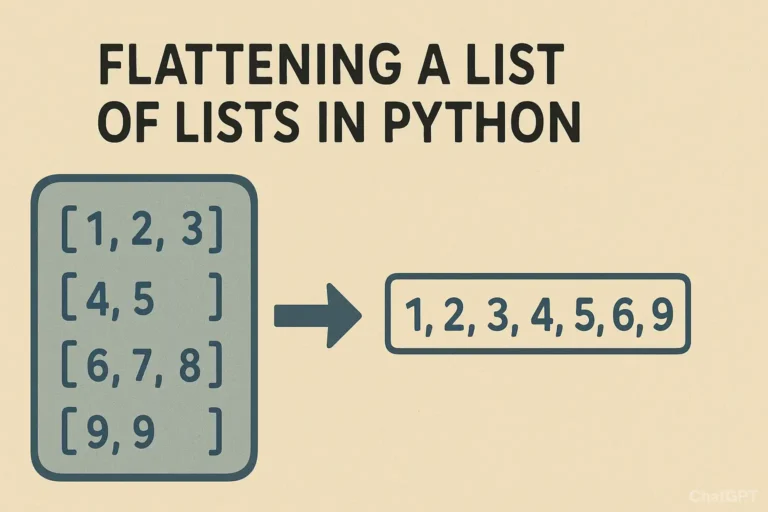
You open one list, only to find another list inside, and then another. In programming, we call this a “list of lists.” While this is a powerful way to organize data, there are countless times when you just need a simple, single-level list to work with. The process of converting this nested structure into a single list is called “flattening.” Imagine you’re cleaning up a cluttered desk. You have several piles of papers (the lists of lists), and you need to put all the papers into a single, neat stack (the flat list) to feed through a scanner. That’s exactly what flattening a list does! Example of a List of Lists: list_of_lists = [[1, 2, 3], [4, 5], [6, 7, 8, 9]] Our goal is to turn this into: flat_list = [1, 2, 3, 4, 5, 6, 7, 8, 9] Let’s explore the most effective ways to achieve this in Python, from the classic methods to the modern, elegant one-liners. Method 1: The Classic For-Loop This method is perfect for understanding what’s happening under the hood. We use a nested loop: one loop to go through each sub-list, and an inner loop to go through each item inside those sub-lists. # Our nested data list_of_lists = [[‘Alice’, ‘Bob’], [‘Charlie’, ‘Diana’], [‘Eve’]] # Start with an empty list to hold our results flat_list = [] # Outer loop: iterate through each sub-list (e.g., [‘Alice’, ‘Bob’]) for sublist in list_of_lists: # Inner loop: iterate through each item in the current sub-list for item in sublist: # Append the item to our final flat_list flat_list.append(item) print(flat_list) # Output: [‘Alice’, ‘Bob’, ‘Charlie’, ‘Diana’, ‘Eve’] Why use this method? Method 2: The itertools.chain() The itertools.chain() function efficiently treats a series of lists as one continuous sequence, making it very fast. import itertools list_of_lists = [[10, 20], [30], [40, 50, 60]] # The asterisk (*) unpacks the list_of_lists into separate arguments flat_list = list(itertools.chain(*list_of_lists)) print(flat_list) # Output: [10, 20, 30, 40, 50, 60] Why use this method? Method 3: List Comprehension Developers love list comprehensions. They create lists in a single, expressive line, and many consider them the most ‘Pythonic’ way to flatten a list. list_of_lists = [[‘Red’, ‘Blue’], [‘Green’], [‘Yellow’, ‘Purple’, ‘Orange’]] # Read it as: “For each sublist in list_of_lists, give me each item in that sublist.” flat_list = [item for sublist in list_of_lists for item in sublist] print(flat_list) # Output: [‘Red’, ‘Blue’, ‘Green’, ‘Yellow’, ‘Purple’, ‘Orange’] Why use this method? A Real-World Example: Consolidating Weekly Tasks Let’s say you’re building a simple to-do list application. Your data for the week might be stored as a list of daily task lists. weekly_tasks = [ [‘Email client’, ‘Write report’], # Monday [‘Team meeting’, ‘Buy groceries’], # Tuesday [‘Gym’, ‘Read book’], # Wednesday ] # You want a single list of all tasks for the week to calculate the total number. all_tasks = [task for day in weekly_tasks for task in day] print(f”Total tasks this week: {len(all_tasks)}”) print(“All tasks:”, all_tasks) # Output: # Total tasks this week: 6 # All tasks: [‘Email client’, ‘Write report’, ‘Team meeting’, ‘Buy groceries’, ‘Gym’, ‘Read book’] This flat list is now much easier to work with if you want to search for a specific task, count all tasks, or assign priorities across the entire week. Deeply nested lists — recursive flattening If your nesting depth is unknown (e.g., lists inside lists inside lists…), use a recursive approach. Be careful to treat strings as atomic (so they don’t get iterated character-by-character). from collections.abc import Iterable def flatten_deep(seq): for item in seq: if isinstance(item, Iterable) and not isinstance(item, (str, bytes)): yield from flatten_deep(item) else: yield item deeply_nested = [[[1, 2], [3, 4]], [[5, 6]], 7, [‘eight’, [‘nine’]]] print(list(flatten_deep(deeply_nested))) # [1, 2, 3, 4, 5, 6, 7, ‘eight’, ‘nine’] Note: This handles arbitrary depths. If you only need to flatten one level, prefer the simpler methods above. Summary: Which Method Should You Choose? Method Pros Cons Best Use Case For-loop – Very clear and beginner-friendly– Easy to add custom logic (filters, transformations) – Verbose– More lines of code When you need readability or conditional flattening List comprehension – Concise & expressive– Considered the most “Pythonic”– Readable for experienced developers – Harder to read with complex conditions– Can get messy in long one-liners Everyday use for simple flattening itertools.chain.from_iterable() – Very fast– Memory-efficient (iterator-based)– Scales well to large datasets – Requires import– Less obvious for beginners Large datasets or performance-critical tasks Recursive function (deep flatten) – Handles arbitrarily nested lists– Flexible (can adapt to skip/transform items) – More complex to implement– Slightly slower than shallow methods– Recursion depth limit in Python For most situations, the list comprehension is the recommended choice. It’s a perfect but when it comes to multiple conditions, then use append because the code will become messy, you can’t figure it out later. So next time you find yourself with a nested list, don’t unpack it manually, let Python do the heavy lifting and flatten it with ease Comment below if you like or have any queries