Python

The Power of Python: Real-World Project Ideas illustrated with laptop, Python logo, and project icons.

The Power of Python: Real-World Project Ideas

When people ask why I love Python, my answer is simple: it’s not just a programming language, it’s a toolbox for turning my ideas into reality. Python is beginner-friendly, versatile, and powerful enough to run everything from a tiny script on your laptop to large-scale systems powering global companies. But here’s the catch: learning Python by just reading syntax or following tutorials can feel… incomplete. The real magic happens when you build real-time projects, things you can see, use, and maybe even share with others. Projects push you to connect concepts, face real challenges, and gain the confidence that you’re not just “learning Python,” you’re using it. So, let’s talk about some real-world project ideas you can start with, depending on your interests. Use FastAPI for real-time chat, and django is the best framework for other projects. 1. Email and file automation Repetitive tasks are the enemy of productivity. Luckily, Python is perfect for automating them. You’ll be surprised at how empowering it feels when your code saves you time in the real world. 2. Blog Website Every developer needs a place to share their thoughts, projects, and journey. Why not build your own blog? The bonus? You learn backend logic and how to make something visually appealing. Plus, it doubles as your portfolio. 3. E-Commerce with Payment Integration Imagine running your mini Amazon-style site built with Python! This type of project will expose you to real-world concepts like authentication, databases, and secure transactions, things every serious developer should know. 4. Social Media App Social media powers our world. Building even a simplified version teaches you so much. You don’t need to reinvent Instagram or Twitter. Even a basic version is a fantastic learning experience in how large-scale platforms actually work. 5. Real-Time Chat App with WebSockets Chat apps are a perfect introduction to real-time communication. It’s one of those projects that feels “alive” because you’re building something interactive. 6. Data Analysis & Visualization Python shines when it comes to working with data. This isn’t just coding—it’s storytelling with data. Use streamlit for data visualization. 7. Movie Recommendation System This one’s always a crowd pleaser. It’s a cool project because people can actually interact with it, and it’s a great intro to AI without being overwhelming. 8. Fun & Creative Projects Not every project has to be “serious.” Some of the best learning happens when you’re just having fun. Quirky projects often keep you motivated when the “serious” ones get too heavy. Final Thoughts Python is powerful not because it’s the fastest or most complex language, but because it’s accessible and opens doors to so many areas of automation, web, data, AI, and even fun side projects. The best advice I can give is this: start small, but start today. Pick one idea from the list above and build it. It doesn’t have to be perfect; in fact, it won’t be perfect. And that’s the point. Every project teaches you something new. Before long, you’ll have a portfolio that doesn’t just show code, it shows creativity, problem-solving. Let me know which project you’re creating.

The Power of Python: Real-World Project Ideas Read More »

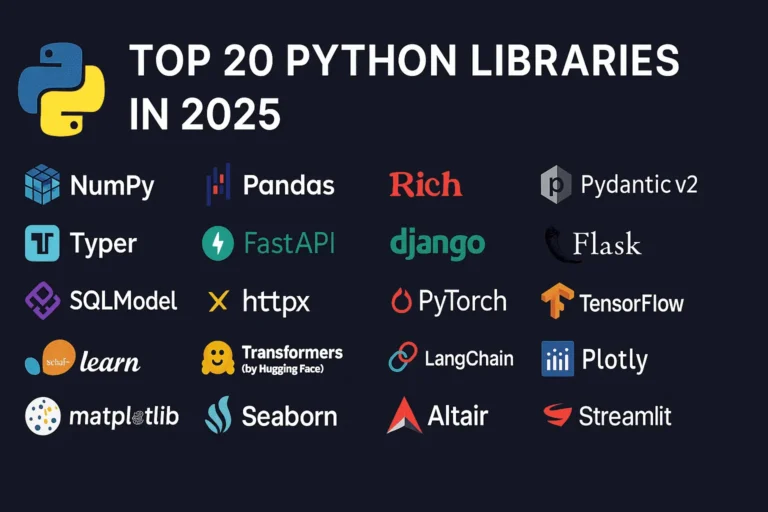
Top 20 Python Libraries

Top 20 Python Libraries for 2025

Python continues to dominate the programming landscape in 2025, and much of its success stems from its incredible ecosystem of libraries. Whether you’re building web applications, diving into machine learning, or creating stunning data visualizations, there’s a Python library that can accelerate your development process. In this comprehensive guide, we’ll explore the 20 most essential Python libraries that every developer should know about in 2025, organized by their primary use cases. General Purpose & Utilities 1. NumPy – The Foundation of Scientific Computing NumPy remains the bedrock of Python’s scientific computing ecosystem. It provides support for large, multi-dimensional arrays and matrices, along with a collection of mathematical functions to operate on these arrays efficiently. Why it matters in 2025: Use cases: Scientific computing, data analysis, image processing, financial modeling 2. Pandas – Data Manipulation Made Easy Pandas is the go-to library for data analysis and manipulation. It provides data structures like DataFrames and Series that make working with structured data intuitive and powerful. Key features: Use cases: Data cleaning, exploratory data analysis, financial analysis, business intelligence 3. Rich – Beautiful Terminal Output Rich has revolutionized how we think about terminal applications. It brings rich text, tables, progress bars, and even images to the command line. What makes it special: Use cases: CLI applications, debugging output, terminal dashboards, developer tools 4. Pydantic v2 – Type-Safe Data Validation Pydantic v2 represents a major leap forward in Python data validation. Built on Rust for performance, it uses Python type hints to validate data at runtime. Why developers love it: Use cases: API development, configuration management, data parsing, form validation 5. Typer – Modern CLI Development Typer makes creating command-line applications as easy as writing functions. From the creators of FastAPI, it brings the same elegant design philosophy to CLI development. Standout features: Use cases: Command-line tools, automation scripts, developer utilities, system administration Web Development 6. FastAPI – The Future of Web APIs FastAPI has quickly become the preferred choice for building modern web APIs. It combines high performance with developer-friendly features and automatic API documentation. What sets it apart: Use cases: REST APIs, microservices, real-time applications, machine learning APIs 7. Django – The Web Framework for Perfectionists Django remains a powerhouse for full-stack web development. Its “batteries included” philosophy and robust ecosystem make it ideal for complex applications. Core strengths: Use cases: Content management systems, e-commerce platforms, social networks, enterprise applications 8. Flask – Lightweight and Flexible Flask continues to be popular for developers who prefer a minimalist approach. Its simplicity and flexibility make it perfect for smaller applications and microservices. Why it endures: Use cases: Microservices, API prototypes, small to medium web applications, educational projects 9. SQLModel – The Modern ORM SQLModel represents the evolution of database interaction in Python. Created by the FastAPI team, it combines the best of SQLAlchemy and Pydantic. Revolutionary features: Use cases: Modern web APIs, type-safe database operations, FastAPI applications 10. httpx – Async HTTP Client httpx is the modern replacement for the requests library, bringing full async support and HTTP/2 capabilities to Python HTTP clients. Advanced capabilities: Use cases: Async web scraping, API integrations, microservice communication, concurrent HTTP requests Machine Learning & AI 11. PyTorch – Deep Learning PyTorch has established itself as the leading deep learning framework, particularly in research communities. Its dynamic computation graphs and Pythonic design make it incredibly intuitive. Key advantages: Use cases: Deep learning research, computer vision, natural language processing, reinforcement learning 12. TensorFlow – Production-Ready ML TensorFlow remains a cornerstone of machine learning, especially for production deployments. Google’s backing and comprehensive ecosystem make it a solid choice for enterprise ML. Enterprise features: Use cases: Production ML systems, mobile ML applications, large-scale deployments, computer vision 13. scikit-learn – Traditional ML scikit-learn is the gold standard for traditional machine learning algorithms. Its consistent API and comprehensive documentation make it accessible to beginners and powerful for experts. Comprehensive toolkit: Use cases: Traditional ML projects, data science competitions, academic research, business analytics 14. Transformers (Hugging Face) – NLP Revolution Transformers has democratized access to state-of-the-art NLP models. The library provides easy access to pre-trained models like BERT, GPT, and T5. Game-changing features: Use cases: Text classification, language generation, question answering, sentiment analysis 15. LangChain – LLM Application Framework LangChain is the go-to framework for building applications powered by large language models. It provides abstractions for chaining LLM calls and building complex AI workflows. Powerful abstractions: Use cases: Chatbots, document analysis, AI agents, question-answering systems Data Visualization 16. Plotly – Interactive Visualization Plotly leads the way in interactive data visualization. Its ability to create publication-quality plots that work seamlessly in web browsers makes it invaluable for modern data science. Interactive capabilities: Use cases: Dashboard creation, scientific publications, financial analysis, interactive reports 17. Matplotlib – The Visualization Foundation Matplotlib remains the foundation of Python visualization. While other libraries offer more modern interfaces, matplotlib’s flexibility and comprehensive feature set keep it relevant. Enduring strengths: Use cases: Scientific publications, custom visualizations, academic research, detailed plot customization 18. Seaborn – Statistical Graphics Made Beautiful Seaborn builds on matplotlib to provide a high-level interface for creating attractive statistical graphics. It’s particularly strong for exploratory data analysis. Statistical focus: Use cases: Exploratory data analysis, statistical reporting, correlation analysis, distribution visualization 19. Altair – Grammar of Graphics Altair brings the grammar of graphics to Python, allowing for declarative statistical visualization. It’s particularly powerful for quick data exploration. Declarative approach: Use cases: Rapid prototyping, data exploration, statistical analysis, simple interactive plots 20. Streamlit – Data Apps in Minutes Streamlit has revolutionized how data scientists share their work. It allows you to create beautiful web applications with just Python code, no web development experience required. I have created a dashboard with Streamlit blog, please see here. Rapid development features: Use cases: Data science prototypes, ML model demos, internal tools, executive dashboards Choosing the Right Libraries for Your Project When selecting libraries for your Python projects in 2025, consider these factors: Web Development: Data Science: AI Applications: CLI Tools: The Future of Python Libraries

Top 20 Python Libraries for 2025 Read More »

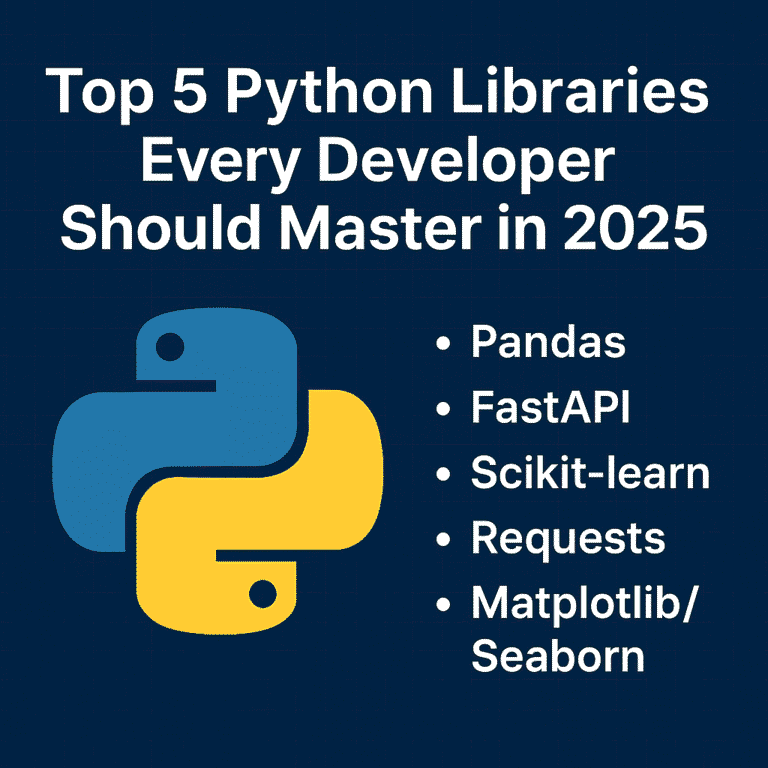
Top 5 Python libraries every developer should master in 2025

Top 5 Python Libraries Every Developer Should Master in 2025

As we move further into 2025, Python continues to be one of the most popular programming languages in the world. Its clean syntax, vibrant community, and powerful libraries make it a favorite among industry developers—from web development and data science to AI, automation, and beyond. But Python’s true strength lies in its ecosystem. With the right libraries, you can do more with less code—faster, cleaner, and more efficiently. Whether you’re just starting your Python journey or looking to sharpen your existing skills, here are five essential libraries every Python developer should know this year. 1. Pandas – Your Go-To Tool for Data Manipulation In today’s data-driven world, knowing how to work with data is a must—and Pandas makes it easy. It’s the standard library for handling structured data in Python and is widely used in fields like data science, finance, web development, and machine learning. Why Learn Pandas: Real-world uses: Data analysis, reporting dashboards, cleaning raw datasets, and even feeding machine learning models. 2. FastAPI – The New Standard for Building APIs FastAPI is quickly becoming the framework for building modern web APIs in Python. It’s fast (really fast), easy to use, and comes with automatic documentation out of the box. Why Developers Love FastAPI: Why it matters in 2025: More and more apps are going API-first. FastAPI helps you build scalable, production-ready APIs that integrate easily with frontend and mobile apps. 3. Scikit-learn – Machine Learning Made Simple Scikit-learn is the perfect place to start if you’re curious about machine learning. It abstracts away the complexity of ML algorithms and provides a consistent interface for quickly trying things. What You Can Do with It: Why learn it: Even if you’re not a full-time data scientist, understanding ML basics can give your apps a smarter edge. 4. Requests – The Simplest Way to Talk to the Web Every app these days needs to fetch or send data from somewhere—APIs, websites, services. The requests The library makes working with HTTP super simple and intuitive. Why Requests are a Must-Have: Use Cases: Calling external APIs (like weather, payment, or social media), scraping data, automating web interactions, or even testing your backend services. 5. Matplotlib & Seaborn – Visualize Like a Pro Data is only useful when you can understand and communicate it. That’s where Matplotlib and Seaborn come in. Learn to: Why it’s essential: Visualization helps you (and others) make better decisions based on your data. Whether it’s a report for your boss or a dashboard for your users, good visuals matter. Bringing It All Together These five libraries cover the entire journey of modern Python development: Mastering this toolkit gives you the power to build full-stack data-driven applications, from scratch to production. How to Start Learning (A 10-Week Roadmap) Here’s a simple plan you can follow: Conclusion The Python ecosystem is vast, but you don’t need to learn everything. These five libraries form a solid foundation that will serve you in almost every tech role—whether you’re building apps, analyzing data, or exploring AI. Start with one library and build something small. If you want to combine all of these, consider using the Streamlit library to quickly build dashboards. Keep going—the skills you develop now will open doors throughout your career. Follow my Streamlit blog.

Top 5 Python Libraries Every Developer Should Master in 2025 Read More »

"Improve coding skills with Python built-in functions"

5 Python Built-in Function That Will Make You a Better Coder

When I first started learning Python, I focused mostly on syntax and solving basic problems. But as I wrote more code, I realized that some of Python’s built-in functions could make my code cleaner, faster, and easier to understand. These aren’t just time-savers—they’re game-changers. In this post, I’m sharing 5 Python built-in functions that have genuinely helped me become a better coder. Whether you’re just getting started or looking to refine your skills, these functions are worth knowing. 1. enumerate() – Stop Using Range with Len One of the most common anti-patterns in Python is using range(len(items)) to get both indices and values when iterating over a list. The enumerate() function provides a much cleaner solution. Instead of this: items = [‘apple’, ‘banana’, ‘cherry’] for i in range(len(items)): print(f”{i}: {items[i]}”) Write this: items = [‘apple’, ‘banana’, ‘cherry’] for i, item in enumerate(items): print(f”{i}: {item}”) The enumerate() function returns pairs of (index, value) for each item in an iterable. You can even specify a starting value for the index: for i, item in enumerate(items, start=1): print(f”{i}: {item}”) # Starts counting from 1 This approach is more readable, less error-prone, and slightly more performant than the manual indexing approach. 2. zip() – Iterate Multiple Sequences Simultaneously When you need to process multiple lists or sequences together, zip() it is your best friend. It pairs up elements from multiple iterables, making parallel iteration elegant and intuitive. Instead of this: names = [‘Alice’, ‘Bob’, ‘Charlie’] ages = [25, 30, 35] cities = [‘New York’, ‘London’, ‘Tokyo’] for i in range(len(names)): print(f”{names[i]} is {ages[i]} years old and lives in {cities[i]}”) Write this: names = [‘Alice’, ‘Bob’, ‘Charlie’] ages = [25, 30, 35] cities = [‘New York’, ‘London’, ‘Tokyo’] for name, age, city in zip(names, ages, cities): print(f”{name} is {age} years old and lives in {city}”) The zip() function stops when the shortest iterable is exhausted. If you need to handle iterables of different lengths, consider using itertools.zip_longest() from the standard library. You can also use zip() to transpose data structures: matrix = [[1, 2, 3], [4, 5, 6], [7, 8, 9]] transposed = list(zip(*matrix)) # [(1, 4, 7), (2, 5, 8), (3, 6, 9)] 3. any() and all() – Boolean Logic Made Simple These two functions are incredibly useful for checking conditions across collections. They can replace complex loops and make your Boolean logic much more readable. any() returns True if at least one element in the iterable is truthy: # Check if any number is even numbers = [1, 3, 5, 8, 9] has_even = any(n % 2 == 0 for n in numbers) # True # Check if any string starts with ‘A’ words = [‘banana’, ‘Apple’, ‘cherry’] starts_with_a = any(word.startswith(‘A’) for word in words) # True all() returns True only if all elements in the iterable are truthy: # Check if all numbers are positive numbers = [1, 5, 8, 12] all_positive = all(n > 0 for n in numbers) # True # Validate all required fields are filled form_data = {‘name’: ‘John’, ’email’: ‘john@email.com’, ‘age’: 25} required_fields = [‘name’, ’email’, ‘age’] all_filled = all(form_data.get(field) for field in required_fields) # True These functions short-circuit, meaning they stop evaluating as soon as the result is determined, making them efficient for large datasets. 4. getattr() – Dynamic Attribute Access with Grace The getattr() A function allows you to access object attributes dynamically and provides a safe way to handle missing attributes. This is particularly useful when working with APIs, configuration objects, or when you need to access attributes based on user input. Basic usage: class Config: debug = True database_url = “postgresql://localhost/mydb” config = Config() # Dynamic attribute access attr_name = ‘debug’ value = getattr(config, attr_name) # True # With default value for missing attributes timeout = getattr(config, ‘timeout’, 30) # Returns 30 if ‘timeout’ doesn’t exist Real-world example: def format_user_data(user, fields): “””Format user data based on requested fields””” result = {} for field in fields: value = getattr(user, field, ‘N/A’) result[field] = value return result # Usage class User: def __init__(self, name, email): self.name = name self.email = email user = User(“Tarun”, “tarun@email.com”) formatted = format_user_data(user, [‘name’, ’email’, ‘phone’]) # {‘name’: ‘Tarun’, ’email’: ‘tarun@email.com’, ‘phone’: ‘N/A’} This is much safer than using direct attribute access or hasattr() checks, and it’s more concise than try-except blocks. 5. sorted() with Custom Key Functions – Sorting Like a Pro While most developers know about the sorted() function, many underutilize its key parameter, which unlocks powerful sorting capabilities. The key function determines what value to use for comparison when sorting. Sort by string length: words = [‘Python’, ‘Java’, ‘C’, ‘JavaScript’, ‘Go’] by_length = sorted(words, key=len) # [‘C’, ‘Go’, ‘Java’, ‘Python’, ‘JavaScript’] Sort complex objects: students = [ {‘name’: ‘Alice’, ‘grade’: 85, ‘age’: 20}, {‘name’: ‘Bob’, ‘grade’: 92, ‘age’: 19}, {‘name’: ‘Charlie’, ‘grade’: 78, ‘age’: 21} ] # Sort by grade (descending) by_grade = sorted(students, key=lambda x: x[‘grade’], reverse=True) # Sort by multiple criteria using tuples by_age_then_grade = sorted(students, key=lambda x: (x[‘age’], -x[‘grade’])) Advanced sorting with operator module: from operator import attrgetter, itemgetter # For objects with attributes class Person: def __init__(self, name, age): self.name = name self.age = age people = [Person(‘Alice’, 30), Person(‘Bob’, 25), Person(‘Charlie’, 35)] sorted_people = sorted(people, key=attrgetter(‘age’)) # For dictionaries data = [{‘name’: ‘Alice’, ‘score’: 95}, {‘name’: ‘Bob’, ‘score’: 87}] sorted_data = sorted(data, key=itemgetter(‘score’), reverse=True) The key parameter makes sorting incredibly flexible and readable, eliminating the need for complex comparison functions. Putting It All Together These built-in functions work beautifully together. Here’s an example that combines several of them: def analyze_student_performance(students, subjects): “””Analyze student performance across multiple subjects””” results = [] for student in students: # Use getattr to safely access grades grades = [getattr(student, subject, 0) for subject in subjects] # Use zip to pair subjects with grades subject_grades = list(zip(subjects, grades)) # Use all() to check if student passed all subjects (grade >= 60) passed_all = all(grade >= 60 for grade in grades) # Use any() to check if student has any excellent grades (>= 90) has_excellent = any(grade >=

5 Python Built-in Function That Will Make You a Better Coder Read More »

django-performance-optimization-2025-guide

Boosting Your Django App Performance in 2025: Latest Tips

Performance optimization remains a critical aspect of Django development, and 2025 brings new tools, techniques, and best practices that can dramatically improve your application’s speed and efficiency. Whether you’re dealing with slow database queries, memory bottlenecks, or scaling challenges, this comprehensive guide covers the latest strategies to supercharge your Django applications. Understanding Performance Bottlenecks in Modern Django Apps Before diving into optimization techniques, it’s crucial to identify where performance issues typically occur in Django applications. The most common bottlenecks include database queries, template rendering, static file serving, and inefficient Python code execution. Modern Django apps also face unique challenges with microservices architecture, containerization overhead, and cloud-native deployment patterns. Database Optimization: The Foundation of Fast Django Apps Query Optimization with Django 5.x Features Django 5.0 and later versions introduce several query optimization features that can significantly improve database performance. The new select_related() and prefetch_related() Enhancements allow for more sophisticated relationship loading strategies. Use select_related() for forward foreign key relationships and one-to-one relationships to reduce database hits: # Instead of this (N+1 queries) for article in Article.objects.all(): print(article.author.name) # Use this (2 queries total) for article in Article.objects.select_related(‘author’): print(article.author.name) For reverse foreign key and many-to-many relationships, leverage prefetch_related(): # Efficient loading of related objects authors = Author.objects.prefetch_related(‘articles’).all() for author in authors: for article in author.articles.all(): print(article.title) Advanced Database Indexing Strategies Strategic database indexing is implemented in modern Django applications; as a result, Django app performance is enhanced. Slow queries can be identified using Django database introspection tools, and targeted indexes can then be created for this purpose. class Article(models.Model): title = models.CharField(max_length=200) created_at = models.DateTimeField(auto_now_add=True) category = models.ForeignKey(Category, on_delete=models.CASCADE) class Meta: indexes = [ models.Index(fields=[‘created_at’, ‘category’]), models.Index(fields=[‘title’], name=’article_title_idx’), ] Consider using partial indexes for frequently filtered data and composite indexes for multi-column queries. PostgreSQL users can take advantage of GIN and GiST indexes for full-text search and geometric data. Connection Pooling and Database Configuration Implement connection pooling to reduce database connection overhead. For PostgreSQL, consider using pgbouncer or Django’s built-in connection pooling: DATABASES = { ‘default’: { ‘ENGINE’: ‘django.db.backends.postgresql’, ‘NAME’: ‘your_db’, ‘USER’: ‘your_user’, ‘PASSWORD’: ‘your_password’, ‘HOST’: ‘localhost’, ‘PORT’: ‘5432’, ‘CONN_MAX_AGE’: 600, # Connection persistence ‘OPTIONS’: { ‘MAX_CONNS’: 20, } } } Caching Strategies for 2025 Redis and Memcached Optimization Modern caching strategies are employed to enhance Django app performance; in addition, multi-level caching is implemented with Redis for session storage, database query caching, and API response caching: CACHES = { ‘default’: { ‘BACKEND’: ‘django_redis.cache.RedisCache’, ‘LOCATION’: ‘redis://127.0.0.1:6379/1’, ‘OPTIONS’: { ‘CLIENT_CLASS’: ‘django_redis.client.DefaultClient’, ‘SERIALIZER’: ‘django_redis.serializers.json.JSONSerializer’, ‘COMPRESSOR’: ‘django_redis.compressors.zlib.ZlibCompressor’, } } } Use cache versioning and cache warming strategies to maintain data consistency while maximizing cache hit rates. Template Fragment Caching Implement granular template caching for expensive template operations: {% load cache %} {% cache 500 expensive_sidebar request.user.username %} <!– Expensive sidebar computation –> {% for item in complex_queryset %} {{ item.expensive_method }} {% endfor %} {% endcache %} API Response Caching For Django REST Framework applications, implement intelligent API caching: from rest_framework.decorators import api_view from django.views.decorators.cache import cache_page @cache_page(60 * 15) # Cache for 15 minutes @api_view([‘GET’]) def expensive_api_view(request): # Expensive computation return Response(data) Modern Python Performance Techniques Async Views and Database Operations Django’s async support continues to mature. Use async views for I/O-bound operations: import asyncio from django.http import JsonResponse from asgiref.sync import sync_to_async async def async_view(request): # Parallel database queries users_task = sync_to_async(list)(User.objects.all()) articles_task = sync_to_async(list)(Article.objects.all()) users, articles = await asyncio.gather(users_task, articles_task) return JsonResponse({ ‘users_count’: len(users), ‘articles_count’: len(articles) }) Memory Optimization with Generators Use generators and iterators for processing large datasets: def process_large_dataset(): # Instead of loading all objects into memory # objects = Model.objects.all() # Use iterator() to process objects one at a time for obj in Model.objects.iterator(chunk_size=2000): process_object(obj) Static File Optimization Optimize static file serving with compression and CDN integration: # settings.py STATICFILES_STORAGE = ‘django.contrib.staticfiles.storage.ManifestStaticFilesStorage’ # Use WhiteNoise for efficient static file serving MIDDLEWARE = [ ‘django.middleware.security.SecurityMiddleware’, ‘whitenoise.middleware.WhiteNoiseMiddleware’, # … other middleware ] STATICFILES_STORAGE = ‘whitenoise.storage.CompressedManifestStaticFilesStorage’ Template Optimization Minimize template complexity and use template compilation: TEMPLATES = [ { ‘BACKEND’: ‘django.template.backends.django.DjangoTemplates’, ‘OPTIONS’: { ‘loaders’: [ (‘django.template.loaders.cached.Loader’, [ ‘django.template.loaders.filesystem.Loader’, ‘django.template.loaders.app_directories.Loader’, ]), ], }, }, ] Conclusion Optimizing Django application performance in 2025 requires a holistic approach that combines database optimization, intelligent caching, modern Python techniques, and proper infrastructure setup. The key is to measure performance continuously, identify bottlenecks systematically, and apply optimizations incrementally. Start with database query optimization and caching, as these typically provide the most significant performance improvements. Then move to template and static file optimization, followed by infrastructure improvements. Always measure the impact of your changes and maintain a balance between performance, maintainability, and security.

Boosting Your Django App Performance in 2025: Latest Tips Read More »

chat bot

Integrate ChatGPT with Django: Build an AI-Powered Web App

Artificial Intelligence is shaping the future of web applications. One of the most powerful tools in this space is ChatGPT, developed by OpenAI. In this tutorial, you’ll learn how to integrate ChatGPT with Django to build your AI-powered web app. We will use OpenAI’s API and Django to create a web app where users can enter a prompt and get a response from ChatGPT. What Is the ChatGPT API? The ChatGPT API is a cloud-based REST API provided by OpenAI. It allows your app or website to send messages to the model and receive smart, human-like responses. It’s part of OpenAI’s Chat Completions API, designed specifically for multi-turn conversation, like a chatbot. Prerequisites Step 1: Get Your OpenAI API Key Step 2: Create a New Django Project django-admin startproject djangoGpt cd djangoGpt python manage.py startapp chatbot Now we will create a model to store chats: from django.db import models class Chat(models.Model): user_message = models.TextField() bot_response = models.TextField() timestamp = models.DateTimeField(auto_now_add=True) def __str__(self): return f”{self.timestamp}: {self.user_message[:30]}” Step 3: Create View 1. You Send a Request Your backend Django sends a POST request to this endpoint: https://api.openai.com/v1/chat/completions This request includes: Here’s a basic example using Python: import openai client = OpenAI(api_key=settings.OPENAI_API_KEY) response = client.chat.completions.create( model=”gpt-3.5-turbo”, messages=[ {“role”: “user”, “content”: user_input} ] ) 2. OpenAI Processes It OpenAI’s servers receive your input and pass it through a transformer-based language model trained on billions of tokens. The model understands: It generates a predicted response, which is context-aware and intelligent. 3. You Get a Smart Response The API returns a JSON response that looks like this: { “choices”: [ { “message”: { “role”: “user”, “content”: “The capital of France is Paris.” } } ] } What Does chat_view Do? The chat_view Function serves two main purposes: Let’s examine it in parts and understand how it works together. We use OpenAI’s chat.completions endpoint to get a response from a model like gpt-3.5-turbo Show chat history in the frontend In your chat.html You can fetch and loop through previous chats: {% extends ‘base.html’ %} {% block content%} <div class=”container mt-5″> <h3 class=”text-center mb-4″>Django Chatbot</h3> <div class=”chat-box mb-4″ id=”chat-container”> {% for chat in chats %} <div class=”bot-msg”> <div class=”message”><strong>Bot:</strong> {{ chat.bot_response }}</div> </div> <div class=”user-msg”> <div class=”message”><strong>You:</strong> {{ chat.user_message }}</div> </div> {% endfor %} </div> <form id=”chat-form” method=”post”> {% csrf_token %} <div class=”input-group”> <input type=”text” class=”form-control” name=”message” id=”message-input” placeholder=”Type your message…” required> <button class=”btn btn-primary” type=”submit”>Send</button> </div> </form> </div> <script> const form = document.getElementById(“chat-form”); const messageInput = document.getElementById(“message-input”); const chatContainer = document.getElementById(“chat-container”); form.addEventListener(“submit”, async function(e) { e.preventDefault(); const userMessage = messageInput.value.trim(); if (!userMessage) return; const csrfToken = document.querySelector(‘[name=csrfmiddlewaretoken]’).value; // Show user message chatContainer.innerHTML += ` <div class=”user-msg”> <div class=”message”><strong>You:</strong> ${userMessage}</div> </div> `; chatContainer.scrollTop = chatContainer.scrollHeight; messageInput.value = “”; // Send request const response = await fetch(“”, { method: “POST”, headers: { “Content-Type”: “application/x-www-form-urlencoded”, “X-CSRFToken”: csrfToken, }, body: new URLSearchParams({ message: userMessage }), }); const data = await response.json(); // Show bot response chatContainer.innerHTML += ` <div class=”bot-msg”> <div class=”message”><strong>Bot:</strong> ${data.response}</div> </div> `; chatContainer.scrollTop = chatContainer.scrollHeight; }); </script> {%endblock%} Create a .env file in the project dir and add your api key: Do not expose your api key in production OPENAI_API_KEY=”your api key” If you have any doubts, feel free to comment below this post or contact me

Integrate ChatGPT with Django: Build an AI-Powered Web App Read More »

python interview question

Top 30 Python Interview Questions and Answers (2025)

In this blog, I’ll share 30+ real-world Python interview questions and answers — carefully curated from actual company interviews, including those from startups and top tech firms. Whether you’re just starting out or preparing for your next big opportunity, these questions will help you build confidence, sharpen your problem-solving skills, and stand out in competitive hiring rounds. Moreover, they are tailored to match what companies are asking in 2025, making this a practical and up-to-date resource for your next Python coding interview. I’ve included beginner to advanced Python concepts, covering OOP, data structures, algorithms, and Python libraries commonly asked about by recruiters. If you find this helpful, comment below—I’ll post an advanced Python Q&A series next! 1. What is the Difference Between a List and a Tuple? l = [1, 2, 3] # list t = (1, 2, 3) # tuple 2. Difference Between List Comprehension and Dict Comprehension # List squares = [x*x for x in range(5)] # Dict square_dict = {x: x*x for x in range(5)} 3. What is a Lambda Function in Python? A Lambda function in Python is a small, anonymous function that can have any number of arguments but can only have one expression. It’s a concise way to create simple functions without using the def keyword. add = lambda a, b: a + b 4. Examples of Mutable and Immutable Datatypes in Python Basic Difference: # Value equality with == a = [1, 2, 3] b = [1, 2, 3] print(a == b) # True – same values print(a is b) # False – different objects # Identity with is c = a print(a is c) # True – same object print(a == c) # True – same values 5. What is the Difference Between is and ==? a = [1, 2] b = a c = [1, 2] a is b # True a == c # True a is c # False 6. How Are Variables and Objects Stored in Python? In Python, variables and objects are stored using a combination of namespaces and memory management through references. Objects → Stored in Heap MemoryVariables (Names) → Stored in Stack Memory 7. What is a Decorator in Python? A function that modifies another function without changing its structure. def decorator(func): def wrapper(): print(“Before function”) func() print(“After function”) return wrapper @decorator def greet(): print(“Hello”) greet() 8. Difference Between Generators and Iterators def gen(): yield 1 yield 2 9. Difference Between Pickling and Unpickling? import pickle data = pickle.dumps({‘a’: 1}) obj = pickle.loads(data) 10. Difference Between Shallow Copy and Deep Copy import copy copy.copy(obj) # shallow copy.deepcopy(obj) # deep 11. Multiprocessing vs Multithreading in Python 12. How is Memory Managed in Python? Memory management in Python is handled by the Python memory manager, which includes a private heap, automatic garbage collection, and dynamic memory allocation using reference counting and a cyclic garbage collector. 13. What is the Garbage Collector in Python? The garbage collector in Python is a built-in mechanism that automatically frees up memory by reclaiming objects that are no longer in use, primarily using reference counting and cyclic garbage collection. 14. What is GIL (Global Interpreter Lock)? A mutex that allows only one thread to execute Python bytecode at a time, preventing race conditions in CPython. 15. What is a First-Class Function in Python? First-Class Function: In Python, functions are first-class objects, meaning they can be treated like any other data type. They can be: This allows for powerful programming patterns like higher-order functions, decorators, and functional programming techniques. Functions have the same privileges as other objects in Python. 16. What is a Closure in Python? Closure: A closure is a function that captures and retains access to variables from its outer (enclosing) scope, even after the outer function has finished executing. The inner function “closes over” these variables, keeping them alive in memory. def outer_function(message): def inner_function(): print(f”Message: {message}”) return inner_function # Create a closure my_closure = outer_function(“Hello from closure!”) # Call the inner function my_closure() Key characteristics: This enables data encapsulation and creates functions with persistent local state. 17. Different Ways to Read/Write a File in Python # Read with open(‘file.txt’, ‘r’) as f: data = f.read() # Write with open(‘file.txt’, ‘w’) as f: f.write(“Hello”) 18. What is a Context Manager in Python? Context Manager: An object that defines methods to be used with Python’s with statement. It ensures proper resource management by automatically handling setup and cleanup operations, even if an exception occurs. Key Methods: Purpose: Provides a clean way to manage resources like files, database connections, or locks by ensuring they are properly acquired and released, preventing resource leaks and ensuring cleanup code always runs. 19. Types of Inheritance in Python 20. Difference Between Abstraction and Encapsulation Abstraction: The process of hiding complex implementation details and showing only the essential features of an object. It focuses on what an object does rather than how it does it. Achieved through abstract classes, interfaces, and methods that provide a simplified view of functionality. Encapsulation: The bundling of data (attributes) and methods that operate on that data within a single unit (class), while restricting direct access to internal components. It focuses on hiding the internal state and requiring interaction through well-defined interfaces using access modifiers (private, protected, public). Key Difference: Abstraction is about simplifying complexity by hiding unnecessary details, while encapsulation is about protecting data integrity by controlling access to internal components. 21. What is Polymorphism in Python? Polymorphism: The ability of different objects to respond to the same interface or method call in their specific way. It allows objects of different types to be treated uniformly while exhibiting different behaviors based on their actual type. Key Characteristics: Types in Python: This enables writing generic code that can work with various object types without knowing their specific implementation details. 22. What is Function Overloading? Multiple functions with the same name but different parameters (Not natively supported in Python). 23. What is Function Overriding? Function Overriding: The ability of a child class

Top 30 Python Interview Questions and Answers (2025) Read More »

10 Python Scripts That Will Automate Your Daily Tasks

Looking to boost your productivity with Python? This blog shares 10 powerful Python scripts that can automate your daily tasks — from cleaning up files and sending emails to scraping websites and renaming folders. Whether you’re a beginner or an experienced developer, these time-saving scripts will help simplify your workflow and give you practical tools to automate the boring stuff. In this blog post, I will explore 10 powerful Python scripts that will make your daily digital life easier. 1. Auto-rename and organize with shutil The shutil module in Python helps you easily copy, move, and delete files and folders. It provides simple commands for handling files in bulk. For example, you can: If you need to work with single files (like reading or changing permissions), you should use the os module instead. 2. Email Automation with Attachments The smtplib module in Python lets you send emails using the SMTP (Simple Mail Transfer Protocol). It connects to an email server (like Gmail, Outlook, etc.) and sends emails directly from your Python script. Send emails automatically with a subject, body, and attachment. 3. Daily, Take a Screenshot of Any Website We will use Selenium to take a screenshot. Generally, Selenium is used for scraping data from any website. It’s a large library, and we are just used to taking screenshots. Now we need to install it. Just copy and run 4. Convert YouTube Videos to MP3 Download YouTube videos and convert them to MP3. pytube is a genuine, lightweight, dependency-free Python library for downloading YouTube videos. 5. Auto Backup Important Files Automatically back up a folder to another location. 6. Send WhatsApp Messages Automatically Use pywhatkit to send WhatsApp messages. This Python script automates sending WhatsApp messages using the Selenium WebDriver. Instead of using pywhatkit, it directly opens web.whatsapp.com, waits for the user to scan the QR code, navigates to the desired contact using their phone number, types the message, and sends it. This approach offers more control and flexibility, especially useful when you want to: It mimics real user behavior and can be extended to: ⚠️ Note: You must be logged into WhatsApp Web for the script to work. This script is for educational and personal use only Avoid spamming. 7. Scrape Weather Updates You need to install requests library to call api Fetch real-time weather data from OpenWeatherMap. Sign up for openWeatherMap and verify your credit card for api 1000 api hit is free. 8. Auto-Login to Websites Use Selenium to log into websites automatically. 9. Text-to-Speech Bot A Python library called pyttsx3 converts text to speech. It is compatible with Python 2 and 3, and unlike other libraries, it operates offline. Turn your text into speech using pyttsx3. 10. Daily To-Do Notifier Pop up your daily to-do list as a notification. Bonus Tip: Set up cron jobs (Linux) or Task Scheduler (Windows) to run these scripts automatically every day! If you found this helpful, share it with a fellow Python enthusiast. Have a favourite script of your own? Drop it in the comments below!

10 Python Scripts That Will Automate Your Daily Tasks Read More »

Scroll to Top