machine learning

What Is R Language

What is R Language?

I was wondering, every time I learned a data science course, I saw R. But today I learned about it, and I will give you a simple guide on what the R language is and why it is fast and popular in data science and machine learning. If you are stepping into the world of data science, analytics, or statistics, you have probably heard about the R language. But what exactly is R, and why is it so popular among data professionals? In simple words, R is a programming language used for data analysis, statistical computing, and data visualization. It helps you work with data, find patterns, and present insights in a clear and meaningful way. In this guide, you will learn what the R language is, its features, uses, and why you should consider learning it. R Language? R is an open-source programming language specifically designed for data analysis and statistics. Unlike general-purpose languages, R focuses on handling data efficiently and performing complex calculations with ease. You can use R to: It is widely used by data scientists, researchers, analysts, and businesses around the world. History of the R Programming Language R was developed in the early 1990s by two statisticians who wanted a free and powerful tool for data analysis. Their goal was to make statistical computing accessible to everyone. Today, R has evolved into one of the most widely used tools in data science, supported by a strong global community. Key Features of R Language 1. Open Source and Free R is completely free to use. You can download and start using it without any cost. 2. Powerful Data Analysis R provides built-in functions and libraries that make data manipulation and statistical analysis easier. 3. Excellent Data Visualization R allows you to create high-quality graphs and charts that help in understanding data better. 4. Large Package Ecosystem R has thousands of packages that extend its capabilities for different types of analysis. 5. Strong Community Support A large community of developers continuously contributes to improving R and creating new tools. Uses of the R Language R is used in multiple industries and domains. Some common use cases include: Advantages of R Language Disadvantages of R Language Simple Example in R This example shows how easily you can calculate the average of a dataset using R. R vs Python for Data Science Both R and Python are popular in data science. If your focus is data analysis, R is a great choice. Why Should You Learn R Language? Learning R can help you: Conclusion R language is a powerful Programming Language for anyone interested in data analysis and statistics. It simplifies complex calculations, helps visualize data, and allows you to gain valuable insights.

What is R Language? Read More »

Generative AI

Simple 5-Step Roadmap to Build Your Own Generative AI

If you want to build your own AI? Not just use ChatGPT, but actually create one? I’ve been there, and let me tell you, it’s easier than you think if you follow the right path. Let me break it down into 5 clear steps that actually work. Learn the Basics Before you touch any code, you need to understand what you’re building. Understand: Easiest start: Take a beginner course (Udemy / Coursera / free YouTube). Look, I know “learn the basics” sounds boring, but trust me, skipping this is like trying to build a house without knowing what a hammer is. You don’t need a PhD, just solid foundations. Spend 2-3 weeks here. Watch videos during breakfast, code during lunch breaks, and practice in the evening. The goal isn’t perfection, it’s understanding enough not to feel lost in the next steps. My recommendation: For Python + PyTorch, there are tons of free YouTube crash courses that’ll get you up to speed fast. Choose a Base Model Here’s where beginners waste months: trying to train everything from zero. Instead of building everything manually: Training from scratch is expensive; fine-tuning is smarter. Think of it like cooking. You wouldn’t grow wheat from seeds to make bread, right? You’d buy flour and bake. Same logic here—start with a pretrained model and customize it. I started with LLaMA 2 7B because it runs on consumer GPUs. Check your hardware first: Pro tip: Hugging Face is your best friend. Browse their model hub, read the model cards, and pick one that fits your use case. Prepare Your Dataset Your AI is only as good as the data you feed it. Garbage in = garbage out. Steps: Example format: This step takes longer than you think. I spent 60% of my time just cleaning data on my first project. Remove broken text, fix encoding issues, filter out junk. Where to get data: Quality > Quantity. 1,000 high-quality examples beat 100,000 messy ones. Fine-Tune the Model This is where the magic happens. This is where your AI becomes yours. Use techniques like: Process: This is where your AI becomes yours. Here’s what actually happens: You take that base model and teach it your specific style, knowledge, or task. Want an AI that writes like you? Fine-tune it on your writing. Want a customer support bot? Fine-tune it on support conversations. Tools I use: Real talk: Your first fine-tuning will probably give weird results. That’s normal. Tweak your hyperparameters, adjust your dataset, try again. I went through 7 iterations before I got something decent. Watch for: Test, Deploy, and Iterate You’ve got a fine-tuned model. Now what? Test it thoroughly: Deploy it: Keep improving: The Harsh Truths Nobody Mentions Let me keep it real with you: Hardware matters. You’ll need a decent GPU or cloud credits. Google Colab free tier works for learning, but you’ll outgrow it fast. Budget $50-200/month for serious work. It will break. A lot. Out of memory errors, CUDA crashes, and weird tokenization issues. Google the error, check GitHub issues, ask in Discord communities. Everyone goes through this. Your first model will be underwhelming. It’ll be slow, give mediocre outputs, and you’ll wonder if you did something wrong. You probably didn’t—this is just part of the process. Data preparation is 70% of the work. Accept this now and save yourself frustration later. Resources to Get You Started Learning: Communities: Tools: Final Thoughts Building your own AI isn’t as scary as it sounds. Yes, there’s a learning curve. Yes, you’ll hit obstacles. But the feeling when you type something into your own AI and it responds intelligently? Absolutely worth it. A year ago, I couldn’t code. Now I’ve built and deployed three custom LLMs. If I can do it, you definitely can.

Simple 5-Step Roadmap to Build Your Own Generative AI Read More »

Generative AI

What is Generative AI?

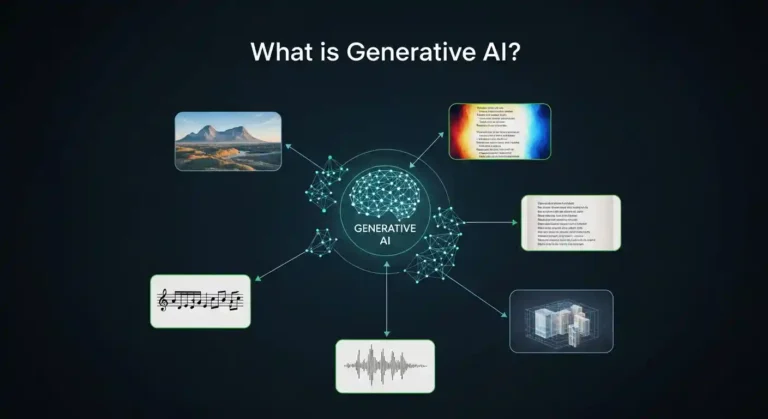
In this articlal i will give a brief explanation of what generative AI is and has quickly become one of the most essential technological shifts of our time. From chatbots that hold surprisingly natural conversations to tools that generate artwork, music, and code in seconds, this technology is reshaping how we create, work, and interact with machines. But beneath the hype, an important question remains: what exactly is generative AI, and why does it matter so much these days? Understanding Generative AI At its core, generative AI refers to artificial intelligence systems designed to create new content. This content can take many forms, such as text, images, audio, video, or software code. Unlike traditional AI systems, which focus on classification, prediction, or decision-making, generative AI produces outputs that did not previously exist. To put it simply:A traditional AI system might identify whether an image contains a cat or a dog. A generative AI system can create an entirely new image of a cat, one that has never existed before, based on what it has learned about how cats generally look. The difference between traditional AI and generative AI is like the difference between a critic and an artist. One evaluates what already exists; the other creates something new. How Does Generative AI Work? Generative AI systems learn by analyzing massive amounts of data. During training, they study patterns, structures, and relationships within this data—learning the “rules” of language, images, sound, or code. Modern generative AI models rely heavily on deep learning techniques. For text generation, architectures like transformers allow models to understand context and relationships between words across long passages. For images, diffusion models learn how to gradually transform random noise into coherent, realistic visuals. A helpful analogy is language learning. If someone reads millions of books, they eventually internalize grammar, tone, and style well enough to write original sentences. Generative AI works similarly—except it does so at an unimaginable scale. An easy way to start is to take a course from Udemy or Coursera, download models from Hugging Face, prepare a dataset, create batches, and train your model. Boom—you’ll have your own generative AI. It’s that simple; there’s no need to build everything manually. Real-World Applications Generative AI is no longer experimental; it’s already embedded in real workflows across industries. Writers use AI tools to brainstorm ideas, overcome writer’s block, and draft content. Designers generate visual concepts in minutes instead of days. Developers rely on AI coding assistants to write, refactor, and debug code faster. Musicians experiment with AI-generated melodies and harmonies as creative inspiration. In business, generative AI is used to draft marketing copy, summarize documents, generate reports, and create synthetic data for testing. In education, it supports personalized learning and tutoring. In healthcare, researchers are exploring its potential for drug discovery and medical imaging analysis. Across all these fields, one theme is consistent: generative AI is becoming a creative partner rather than just a tool. The Opportunities Ahead The promise of generative AI lies in its ability to amplify human creativity and productivity. It reduces friction in the creative process, handles repetitive tasks, and provides instant access to knowledge and ideas. People without formal design training can create professional-quality visuals. Individuals with limited programming experience can build functional applications. Teams can prototype ideas in hours instead of weeks. By lowering barriers to entry, generative AI is democratizing creation. It enables rapid experimentation and allows more people to turn ideas into reality, faster and with fewer resources than ever before. The Challenges We Can’t Ignore Despite its potential, generative AI comes with serious considerations. These systems can produce content that sounds confident but is factually incorrect. Questions around copyright, attribution, and the use of training data remain unresolved. There are also valid concerns about misuse, such as misinformation, impersonation, and deepfakes. Additionally, generative AI raises questions about the future of work, particularly in creative and knowledge-based professions. While many experts believe it will augment rather than replace human roles, the transition will require adaptation, reskilling, and thoughtful policy decisions. The real question isn’t whether generative AI will change society; it’s how responsibly we guide that change.

What is Generative AI? Read More »

10 Python Libraries That Build Dashboards in Minutes

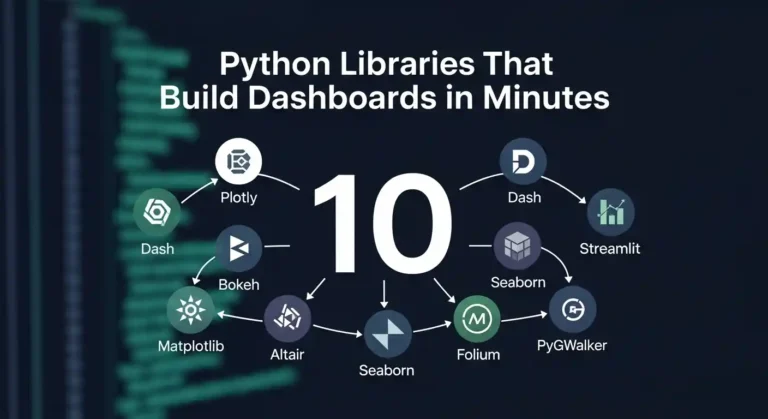
Let me tell you something—I’ve wasted countless hours building dashboards from scratch, wrestling with JavaScript frameworks, and questioning my life choices. Then I discovered these Python libraries, and honestly? My life got so much easier. If you’re a data person who just wants to visualize your work without becoming a full-stack developer, this post is for you. 1. Streamlit I’ll be honest—Streamlit changed everything for me. You literally write Python scripts and get beautiful web apps. No HTML, no CSS, no JavaScript headaches. That’s it. That’s the tweet. Three lines and you’ve got an interactive dashboard. It’s perfect for quick prototypes and sharing models with non-technical stakeholders who just want to click buttons and see results. 2. Dash by Plotly When I need something more production-ready, I reach for Dash. It’s built on top of Flask, Plotly, and React, but you don’t need to know any of that. You just write Python and get gorgeous, interactive dashboards. The learning curve is slightly steeper than Streamlit, but the customization options are incredible. I’ve built entire analytics platforms with this thing. 3. Panel Panel is my go-to when I’m already working in Jupyter notebooks and don’t want to rewrite everything. It works seamlessly with practically any visualization library you’re already using—matplotlib, bokeh, plotly, you name it. What I love is that I can develop right in my notebook and then deploy it as a standalone app. No context switching, no rewriting code. 4. Gradio If you’re doing anything with machine learning models, Gradio is a gift from the tech gods. I’ve used it to demo models to clients, and the “wow factor” is real. You can wrap your model in a UI with literally 3 lines of code. Image classification? Text generation? Audio processing? Gradio handles it all and makes you look like a wizard. 5. Voilà Sometimes I just want to turn my Jupyter notebook into a dashboard without changing a single line of code. That’s where Voilà comes in. It renders your notebook as a standalone web app, hiding all the code cells. I use this all the time for presenting analysis to my team. They get to see the results and interact with widgets, but they don’t have to wade through my messy code. 6. Plotly Express Okay, technically Plotly Express isn’t a dashboard library—it’s a visualization library. But hear me out. The charts it creates are so interactive and beautiful that sometimes you don’t even need a full dashboard framework. I’ve literally built entire reports with just Plotly Express charts embedded in simple HTML. One-liners that create publication-ready visualizations? Yes please. 7. Bokeh Bokeh is for when I need fine-grained control but still want everything in Python. It’s great for creating custom interactive visualizations that feel professional and polished. The server component lets you build full applications, and I’ve used it for real-time monitoring dashboards. It handles streaming data beautifully. 8. Taipy I only recently discovered Taipy, but I’m kicking myself for not finding it sooner. It’s designed specifically for data scientists who need to build production applications. What sets it apart is how it handles scenarios and pipelines. If your dashboard needs to run complex workflows or manage different data scenarios, Taipy makes it surprisingly straightforward. 9. Solara Solara is all about reactive programming—your dashboard automatically updates when your data changes. It’s built on top of React but you never touch JavaScript. I love using this for dashboards that need to feel really responsive and modern. The component-based approach makes it easy to build complex interfaces without losing your mind. 10. Shiny for Python If you’re coming from the R world, as I did, Shiny for Python will feel like coming home. It brings the reactive programming model of R Shiny to Python, and it works beautifully. I appreciate how it encourages you to think about reactivity and state management from the start. The resulting dashboards feel polished and professional. My Honest Take Here’s what I’ve learned after building dashboards with all of these: there’s no “best” library. It depends on what you’re trying to do. The beautiful thing is that they’re all Python. You don’t need to become a web developer to build impressive, interactive dashboards. You just need to know Python and have something interesting to show. So pick one, build something, and stop overthinking it. I spent way too long agonizing over which library to learn first. Just start with Streamlit, you’ll have something running in 10 minutes, and you can always learn the others later. Now go build something cool and show it off. The world needs more data people who can actually visualize their insights.

10 Python Libraries That Build Dashboards in Minutes Read More »

Data Science Courses

Top 5 Data Science Courses in India for 2026

Data Science and Artificial Intelligence are among the most in-demand skills today. Many top Indian institutes now offer online programs that allow students and working professionals to learn these skills without leaving their jobs. In 2026, make it your goal to start a data science course and earn a salary between ₹8 LPA and ₹40 LPA. Here are the top 5 Data Science courses in India for 2026, explained in simple words, along with fees and duration. 1. IIT Delhi – Certificate Programme in Data Science & Machine Learning Duration: 6 monthsMode: Online live classesFees: ₹1.25 – ₹1.50 lakh + GST Apply Now Simple explanation:This course is good for people who want to start or grow their career in data science. You will learn how to work with data using Python, understand statistics, and build machine learning models. The course also introduces Generative AI. Classes are taken live by IIT Delhi faculty, and you work on real-life projects. Best for: 2. IIT Madras – Diploma in Data Science Duration: Around 8 monthsMode: OnlineFees: Modular (pay per course; flexible total cost) Simple explanation:This is a diploma-level program where you pay for each subject separately. You can study at your own pace. The course teaches programming, statistics, and machine learning step by step. It is flexible and suitable for students as well as working professionals. Apply Now Best for: 3. IIT Roorkee – PG Certificate in Data Science, Machine Learning & Generative AI Duration: About 8 monthsMode: Online (live + recorded)Fees: Around ₹1.49 lakh Simple explanation:This is a slightly advanced course that goes deeper into machine learning and Generative AI. You will learn how AI models work, how to handle large data, and how to build real projects from start to end. It is more detailed than short courses and includes a final capstone project. Best for: 4. IIT Kanpur (E&ICT Academy) – Professional Certificate in Generative AI & Machine Learning Duration: About 11 monthsMode: OnlineFees: Around ₹1.53 lakh Simple explanation:This course focuses strongly on AI, especially Generative AI, NLP, and computer vision. The longer duration gives you more time to practice coding and projects. You will learn how AI models are trained and used in real products like chatbots and image systems. Read More Best for: 5. IIM Kozhikode – Professional Certificate in Data Science & Artificial Intelligence Duration: About 8 monthsMode: OnlineFees: ₹1.79 – ₹2.15 lakh + GST Simple explanation:This course is designed for managers and business professionals. It explains data science in a way that helps you make better business decisions. You will learn what data science can do for companies, even if you are not a hardcore coder. Technical concepts are explained in a business-friendly way. See MoreDetail Best for:

Top 5 Data Science Courses in India for 2026 Read More »

python 3.14

Python 3.14 Is Here: The Most Exciting Update Yet!

Python 3.14 came out on October 7, 2025, and it has a lot of useful and powerful features that make coding easier, faster, and more fun.This version has something for everyone, whether you’re a beginner, a data scientist, or a backend developer. Let’s dive into what’s new and why it matters 1. Template Strings (t-Strings) You’ve seen f-strings (f”Hello {name}”) for formatting text, right?Now meet t-strings — written as t”…”. Instead of directly turning into a string, a t-string keeps the template information.This means you can safely inspect or reuse the placeholders before final formatting. Why it’s cool: Think of it like f-strings with superpowers. 2. Lazy Type Hints (No More Import Errors) If you’ve ever faced annoying “circular import” issues when using typing, rejoice!Python 3.14 now delays evaluation of type hints — they’re stored as expressions, not immediately executed. That means: Why it’s great:Cleaner code, fewer import headaches, and faster app startup. 3. Free-Threaded Python (No More GIL) This is huge. The Global Interpreter Lock (GIL) — Python’s long-time concurrency bottleneck — is now optional.Python 3.14 introduces an official free-threaded build, allowing true multi-threading. That means your threads can finally run in parallel on multiple CPU cores. Why it matters: Tip: If you use C extensions or NumPy, test compatibility before switching builds. 4. A Smarter, Colorful REPL Say hello to a more modern interactive shell! Python 3.14’s built-in REPL (the prompt you get by typing python in your terminal) now has: Example: Why you’ll love it:No need for extra tools like IPython to enjoy a colorful, beginner-friendly shell. 5. Cleaner Error Messages Errors in Python keep getting more human-friendly. Now, Python can suggest corrections when you mistype keywords or module names.It also shows clearer hints when exceptions happen in tricky spots. Example: No more head-scratching moments over simple typos. 6. New Syntax Options Python gets some subtle syntax polish this time: Shorter exception handling You can now write multiple exceptions without parentheses: Warnings for risky finally: blocks If you use return, break, or continue inside a finally: clause, Python 3.14 warns you — since it can silently skip cleanup code. 7. Standard Library Upgrades Lots of small but awesome library updates: Example: Why it’s useful:You get smarter CLI tools, better file management, and more modern compression built right in. 8. Performance Boosts Under the Hood You may not notice dramatic speed jumps, but overall Python feels snappier — especially for import-heavy apps. 9. Developer Quality-of-Life Tweaks Final Thoughts Python 3.14 feels like a developer-focused release — combining practical improvements with exciting groundwork for the future. Top highlights: If you haven’t upgraded yet, now’s the time.Run: Comment below if you like this post

Python 3.14 Is Here: The Most Exciting Update Yet! Read More »

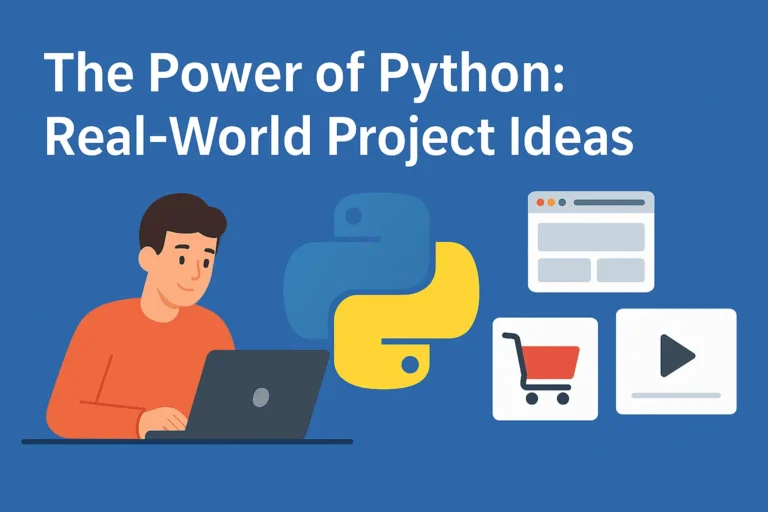
The Power of Python: Real-World Project Ideas illustrated with laptop, Python logo, and project icons.

The Power of Python: Real-World Project Ideas

When people ask why I love Python, my answer is simple: it’s not just a programming language, it’s a toolbox for turning my ideas into reality. Python is beginner-friendly, versatile, and powerful enough to run everything from a tiny script on your laptop to large-scale systems powering global companies. But here’s the catch: learning Python by just reading syntax or following tutorials can feel… incomplete. The real magic happens when you build real-time projects, things you can see, use, and maybe even share with others. Projects push you to connect concepts, face real challenges, and gain the confidence that you’re not just “learning Python,” you’re using it. So, let’s talk about some real-world project ideas you can start with, depending on your interests. Use FastAPI for real-time chat, and django is the best framework for other projects. 1. Email and file automation Repetitive tasks are the enemy of productivity. Luckily, Python is perfect for automating them. You’ll be surprised at how empowering it feels when your code saves you time in the real world. 2. Blog Website Every developer needs a place to share their thoughts, projects, and journey. Why not build your own blog? The bonus? You learn backend logic and how to make something visually appealing. Plus, it doubles as your portfolio. 3. E-Commerce with Payment Integration Imagine running your mini Amazon-style site built with Python! This type of project will expose you to real-world concepts like authentication, databases, and secure transactions, things every serious developer should know. 4. Social Media App Social media powers our world. Building even a simplified version teaches you so much. You don’t need to reinvent Instagram or Twitter. Even a basic version is a fantastic learning experience in how large-scale platforms actually work. 5. Real-Time Chat App with WebSockets Chat apps are a perfect introduction to real-time communication. It’s one of those projects that feels “alive” because you’re building something interactive. 6. Data Analysis & Visualization Python shines when it comes to working with data. This isn’t just coding—it’s storytelling with data. Use streamlit for data visualization. 7. Movie Recommendation System This one’s always a crowd pleaser. It’s a cool project because people can actually interact with it, and it’s a great intro to AI without being overwhelming. 8. Fun & Creative Projects Not every project has to be “serious.” Some of the best learning happens when you’re just having fun. Quirky projects often keep you motivated when the “serious” ones get too heavy. Final Thoughts Python is powerful not because it’s the fastest or most complex language, but because it’s accessible and opens doors to so many areas of automation, web, data, AI, and even fun side projects. The best advice I can give is this: start small, but start today. Pick one idea from the list above and build it. It doesn’t have to be perfect; in fact, it won’t be perfect. And that’s the point. Every project teaches you something new. Before long, you’ll have a portfolio that doesn’t just show code, it shows creativity, problem-solving. Let me know which project you’re creating.

The Power of Python: Real-World Project Ideas Read More »

Infographic comparing Deep Learning and Machine Learning with icons of a brain and a gear, highlighting the differences between the two AI approaches

Deep Learning vs Machine Learning: Key Differences You Must Know

Are you usually confused about the difference between deep learning and machine learning? You’re not alone! These terms are frequently used interchangeably, but they are not the same. Understanding the distinctions is essential whether you’re a beginner stepping into AI or a professional aiming to sharpen your expertise. Let’s break it down everything you need to know about deep learning vs machine learning in clear, simple terms. What is Machine Learning? Machine learning is essentially about teaching a computer to recognize patterns in data without explicitly coding every rule. Think of it as showing a child hundreds of pictures of cats and dogs until they can figure out which is which on their own. Key characteristics of machine learning: Types of Machine Learning What is Deep Learning? Deep learning is a subset of machine learning, but it takes inspiration from how the human brain works. It uses artificial neural networks with many layers (hence the word “deep”) to process information. Imagine how your brain processes visual input. It passes through multiple layers of neurons, each detecting different features. Deep learning functions in a very similar way. Key characteristics of deep learning: Deep Learning vs Machine Learning: The Core Differences 1. Data Requirements 2. Feature Engineering 3. Hardware Requirements 4. Interpretability 5. Training Time When to Use Machine Learning vs Deep Learning Choose Machine Learning When: Choose Deep Learning When: Real-World Applications Machine Learning Examples: Deep Learning Examples: The Performance Factor Here’s an important insight: machine learning often outperforms deep learning on smaller datasets. But as the data gets bigger, deep learning tends to take the lead. Think of it like this: Getting Started: Which Path Should You Take? If you’re just beginning your journey in AI, start with machine learning first. Here’s why: Once you’re comfortable, you can dive into deep learning with confidence. Future Trends: What’s Next? The boundary between machine learning and deep learning continues to blur. Some exciting trends include: Conclusion Both machine learning and deep learning play vital roles in the AI landscape. The right choice depends on your data, resources, and goals. The key is to define your problem clearly before picking a tool. Don’t fall into the trap of using deep learning just because it’s trendy sometimes the simplest machine learning algorithm is exactly what you need. So, what’s your experience with machine learning vs deep learning? Have you found one more effective in your projects? Share your thoughts, I’d love to hear them!

Deep Learning vs Machine Learning: Key Differences You Must Know Read More »

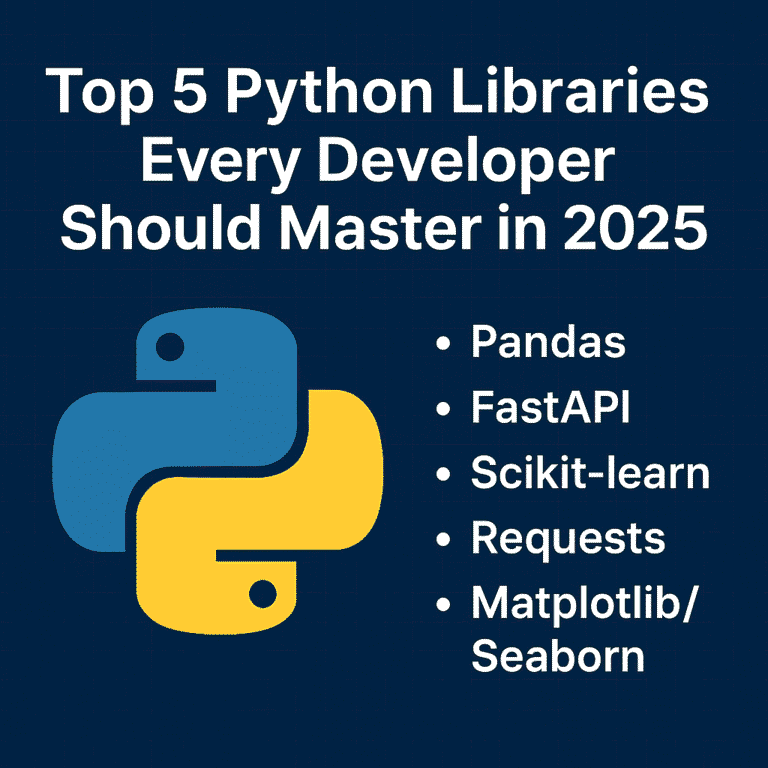
Top 5 Python libraries every developer should master in 2025

Top 5 Python Libraries Every Developer Should Master in 2025

As we move further into 2025, Python continues to be one of the most popular programming languages in the world. Its clean syntax, vibrant community, and powerful libraries make it a favorite among industry developers—from web development and data science to AI, automation, and beyond. But Python’s true strength lies in its ecosystem. With the right libraries, you can do more with less code—faster, cleaner, and more efficiently. Whether you’re just starting your Python journey or looking to sharpen your existing skills, here are five essential libraries every Python developer should know this year. 1. Pandas – Your Go-To Tool for Data Manipulation In today’s data-driven world, knowing how to work with data is a must—and Pandas makes it easy. It’s the standard library for handling structured data in Python and is widely used in fields like data science, finance, web development, and machine learning. Why Learn Pandas: Real-world uses: Data analysis, reporting dashboards, cleaning raw datasets, and even feeding machine learning models. 2. FastAPI – The New Standard for Building APIs FastAPI is quickly becoming the framework for building modern web APIs in Python. It’s fast (really fast), easy to use, and comes with automatic documentation out of the box. Why Developers Love FastAPI: Why it matters in 2025: More and more apps are going API-first. FastAPI helps you build scalable, production-ready APIs that integrate easily with frontend and mobile apps. 3. Scikit-learn – Machine Learning Made Simple Scikit-learn is the perfect place to start if you’re curious about machine learning. It abstracts away the complexity of ML algorithms and provides a consistent interface for quickly trying things. What You Can Do with It: Why learn it: Even if you’re not a full-time data scientist, understanding ML basics can give your apps a smarter edge. 4. Requests – The Simplest Way to Talk to the Web Every app these days needs to fetch or send data from somewhere—APIs, websites, services. The requests The library makes working with HTTP super simple and intuitive. Why Requests are a Must-Have: Use Cases: Calling external APIs (like weather, payment, or social media), scraping data, automating web interactions, or even testing your backend services. 5. Matplotlib & Seaborn – Visualize Like a Pro Data is only useful when you can understand and communicate it. That’s where Matplotlib and Seaborn come in. Learn to: Why it’s essential: Visualization helps you (and others) make better decisions based on your data. Whether it’s a report for your boss or a dashboard for your users, good visuals matter. Bringing It All Together These five libraries cover the entire journey of modern Python development: Mastering this toolkit gives you the power to build full-stack data-driven applications, from scratch to production. How to Start Learning (A 10-Week Roadmap) Here’s a simple plan you can follow: Conclusion The Python ecosystem is vast, but you don’t need to learn everything. These five libraries form a solid foundation that will serve you in almost every tech role—whether you’re building apps, analyzing data, or exploring AI. Start with one library and build something small. If you want to combine all of these, consider using the Streamlit library to quickly build dashboards. Keep going—the skills you develop now will open doors throughout your career. Follow my Streamlit blog.

Top 5 Python Libraries Every Developer Should Master in 2025 Read More »

chat bot

Integrate ChatGPT with Django: Build an AI-Powered Web App

Artificial Intelligence is shaping the future of web applications. One of the most powerful tools in this space is ChatGPT, developed by OpenAI. In this tutorial, you’ll learn how to integrate ChatGPT with Django to build your AI-powered web app. We will use OpenAI’s API and Django to create a web app where users can enter a prompt and get a response from ChatGPT. What Is the ChatGPT API? The ChatGPT API is a cloud-based REST API provided by OpenAI. It allows your app or website to send messages to the model and receive smart, human-like responses. It’s part of OpenAI’s Chat Completions API, designed specifically for multi-turn conversation, like a chatbot. Prerequisites Step 1: Get Your OpenAI API Key Step 2: Create a New Django Project django-admin startproject djangoGpt cd djangoGpt python manage.py startapp chatbot Now we will create a model to store chats: from django.db import models class Chat(models.Model): user_message = models.TextField() bot_response = models.TextField() timestamp = models.DateTimeField(auto_now_add=True) def __str__(self): return f”{self.timestamp}: {self.user_message[:30]}” Step 3: Create View 1. You Send a Request Your backend Django sends a POST request to this endpoint: https://api.openai.com/v1/chat/completions This request includes: Here’s a basic example using Python: import openai client = OpenAI(api_key=settings.OPENAI_API_KEY) response = client.chat.completions.create( model=”gpt-3.5-turbo”, messages=[ {“role”: “user”, “content”: user_input} ] ) 2. OpenAI Processes It OpenAI’s servers receive your input and pass it through a transformer-based language model trained on billions of tokens. The model understands: It generates a predicted response, which is context-aware and intelligent. 3. You Get a Smart Response The API returns a JSON response that looks like this: { “choices”: [ { “message”: { “role”: “user”, “content”: “The capital of France is Paris.” } } ] } What Does chat_view Do? The chat_view Function serves two main purposes: Let’s examine it in parts and understand how it works together. We use OpenAI’s chat.completions endpoint to get a response from a model like gpt-3.5-turbo Show chat history in the frontend In your chat.html You can fetch and loop through previous chats: {% extends ‘base.html’ %} {% block content%} <div class=”container mt-5″> <h3 class=”text-center mb-4″>Django Chatbot</h3> <div class=”chat-box mb-4″ id=”chat-container”> {% for chat in chats %} <div class=”bot-msg”> <div class=”message”><strong>Bot:</strong> {{ chat.bot_response }}</div> </div> <div class=”user-msg”> <div class=”message”><strong>You:</strong> {{ chat.user_message }}</div> </div> {% endfor %} </div> <form id=”chat-form” method=”post”> {% csrf_token %} <div class=”input-group”> <input type=”text” class=”form-control” name=”message” id=”message-input” placeholder=”Type your message…” required> <button class=”btn btn-primary” type=”submit”>Send</button> </div> </form> </div> <script> const form = document.getElementById(“chat-form”); const messageInput = document.getElementById(“message-input”); const chatContainer = document.getElementById(“chat-container”); form.addEventListener(“submit”, async function(e) { e.preventDefault(); const userMessage = messageInput.value.trim(); if (!userMessage) return; const csrfToken = document.querySelector(‘[name=csrfmiddlewaretoken]’).value; // Show user message chatContainer.innerHTML += ` <div class=”user-msg”> <div class=”message”><strong>You:</strong> ${userMessage}</div> </div> `; chatContainer.scrollTop = chatContainer.scrollHeight; messageInput.value = “”; // Send request const response = await fetch(“”, { method: “POST”, headers: { “Content-Type”: “application/x-www-form-urlencoded”, “X-CSRFToken”: csrfToken, }, body: new URLSearchParams({ message: userMessage }), }); const data = await response.json(); // Show bot response chatContainer.innerHTML += ` <div class=”bot-msg”> <div class=”message”><strong>Bot:</strong> ${data.response}</div> </div> `; chatContainer.scrollTop = chatContainer.scrollHeight; }); </script> {%endblock%} Create a .env file in the project dir and add your api key: Do not expose your api key in production OPENAI_API_KEY=”your api key” If you have any doubts, feel free to comment below this post or contact me

Integrate ChatGPT with Django: Build an AI-Powered Web App Read More »

Scroll to Top