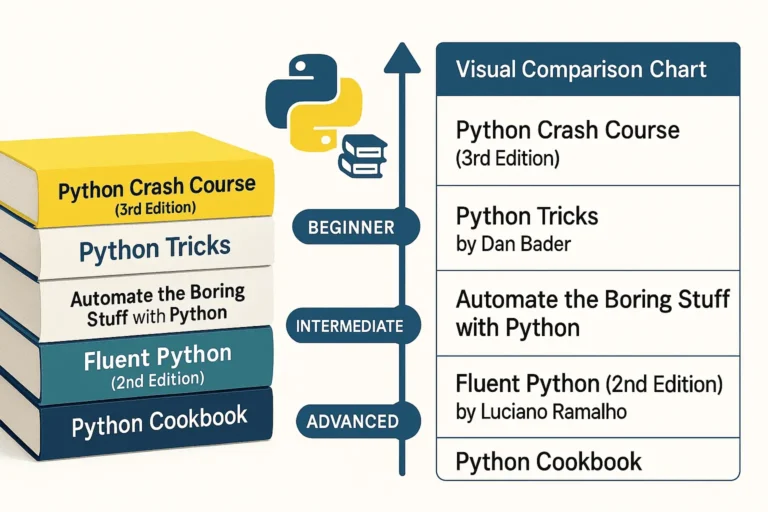
Five essential Python programming books stacked together - Python Crash Course, Python Tricks, Automate the Boring Stuff, Fluent Python, and Python Cookbook

5 Best Python Books for Beginners

Python has become one of the most popular programming languages in the world, and with good reason. To begin with, its clean syntax, versatility, and massive ecosystem make it perfect for everything from web development to data science to automation. Its wide range of applications attracts both beginners and professionals alike. Therefore, whether you are just starting your Python journey or looking to deepen your expertise, these five books offer invaluable insights and practical knowledge. 1. Python Crash Course (3rd Edition) by Eric Matthes Perfect for: Complete beginners and those wanting a comprehensive introduction Python Crash Course is widely regarded as one of the best introductory Python books available. The third edition keeps pace with modern Python development practices while maintaining its accessible approach. What makes it special: Who should read it: 2. Python Tricks by Dan Bader Perfect for: Intermediate developers wanting to write more Pythonic code Dan Bader’s Python Tricks bridges the gap between basic skills and pro-level code. In particular, it explains the “how” and “why” behind Python’s unique features, helping you write cleaner and smarter programs. What makes it special: Key areas covered: Who should read it: 3. Automate the Boring Stuff with Python by Al Sweigart Perfect for: Anyone who wants to use Python for practical automation This book takes a unique approach by focusing on practical automation tasks that can immediately improve your productivity, regardless of your profession. What makes it special: Skills you’ll gain: Who should read it: 4. Fluent Python (2nd Edition) by Luciano Ramalho Perfect for: Intermediate to advanced developers who want deep Python mastery Fluent Python is considered the definitive guide to writing effective, idiomatic Python code. In fact, the second edition has been updated for Python 3.10+ and includes new chapters on pattern matching as well as async programming. What makes it special: Advanced topics covered: Who should read it: 5. Python Cookbook (3rd Edition) by David Beazley and Brian K. Jones Perfect for: Experienced developers looking for solutions to specific problems The Python Cookbook is a recipe-based reference that provides solutions to common (and not-so-common) Python programming challenges. It’s designed to be a practical resource you’ll return to throughout your Python career. What makes it special: Key recipe categories: Who should read it: How to Choose the Right Book for Your Journey If you’re a complete beginner: Start with Python Crash Course. Its project-based approach will give you both foundational knowledge and practical experience. If you know the basics: Python Tricks will help you write more professional, Pythonic code, while Automate the Boring Stuff will show you immediate practical applications. If you’re ready for advanced topics: Fluent Python provides deep insights into Python’s design and advanced features, perfect for developers who want a mastery-level understanding. If you need a reference: Therefore, keep the Python Cookbook handy for specific solutions to programming challenges you’ll encounter in real projects. Building Your Python Library Consider building your Python book collection gradually: Final Thoughts Each of these books offers a unique perspective on Python programming. To begin with, the key is to choose books that match your current skill level and goals, and then apply what you learn through hands-on practice. After all, Python’s strength lies in its syntax and philosophy of clear, readable code—something these books will help you master. Moreover, whether you’re automating your daily tasks, building web applications, or diving deep into Python’s advanced features, these books provide the knowledge and insights you need to become a more effective Python developer. Ultimately, remember: the best Python book is the one you read and apply. Therefore, choose based on your goals, commit to working through the examples, and don’t be afraid to write lots of code along the way.

5 Best Python Books for Beginners Read More »

Top 20 Python Libraries

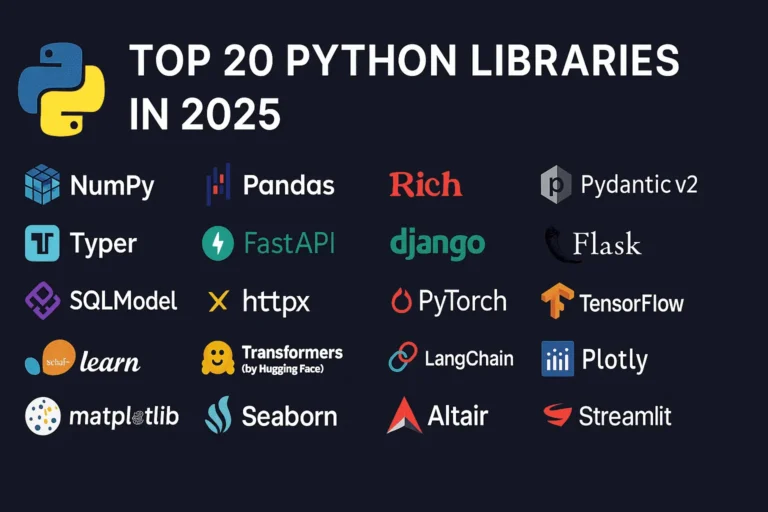
Top 20 Python Libraries for 2025

Python continues to dominate the programming landscape in 2025, and much of its success stems from its incredible ecosystem of libraries. Whether you’re building web applications, diving into machine learning, or creating stunning data visualizations, there’s a Python library that can accelerate your development process. In this comprehensive guide, we’ll explore the 20 most essential Python libraries that every developer should know about in 2025, organized by their primary use cases. General Purpose & Utilities 1. NumPy – The Foundation of Scientific Computing NumPy remains the bedrock of Python’s scientific computing ecosystem. It provides support for large, multi-dimensional arrays and matrices, along with a collection of mathematical functions to operate on these arrays efficiently. Why it matters in 2025: Use cases: Scientific computing, data analysis, image processing, financial modeling 2. Pandas – Data Manipulation Made Easy Pandas is the go-to library for data analysis and manipulation. It provides data structures like DataFrames and Series that make working with structured data intuitive and powerful. Key features: Use cases: Data cleaning, exploratory data analysis, financial analysis, business intelligence 3. Rich – Beautiful Terminal Output Rich has revolutionized how we think about terminal applications. It brings rich text, tables, progress bars, and even images to the command line. What makes it special: Use cases: CLI applications, debugging output, terminal dashboards, developer tools 4. Pydantic v2 – Type-Safe Data Validation Pydantic v2 represents a major leap forward in Python data validation. Built on Rust for performance, it uses Python type hints to validate data at runtime. Why developers love it: Use cases: API development, configuration management, data parsing, form validation 5. Typer – Modern CLI Development Typer makes creating command-line applications as easy as writing functions. From the creators of FastAPI, it brings the same elegant design philosophy to CLI development. Standout features: Use cases: Command-line tools, automation scripts, developer utilities, system administration Web Development 6. FastAPI – The Future of Web APIs FastAPI has quickly become the preferred choice for building modern web APIs. It combines high performance with developer-friendly features and automatic API documentation. What sets it apart: Use cases: REST APIs, microservices, real-time applications, machine learning APIs 7. Django – The Web Framework for Perfectionists Django remains a powerhouse for full-stack web development. Its “batteries included” philosophy and robust ecosystem make it ideal for complex applications. Core strengths: Use cases: Content management systems, e-commerce platforms, social networks, enterprise applications 8. Flask – Lightweight and Flexible Flask continues to be popular for developers who prefer a minimalist approach. Its simplicity and flexibility make it perfect for smaller applications and microservices. Why it endures: Use cases: Microservices, API prototypes, small to medium web applications, educational projects 9. SQLModel – The Modern ORM SQLModel represents the evolution of database interaction in Python. Created by the FastAPI team, it combines the best of SQLAlchemy and Pydantic. Revolutionary features: Use cases: Modern web APIs, type-safe database operations, FastAPI applications 10. httpx – Async HTTP Client httpx is the modern replacement for the requests library, bringing full async support and HTTP/2 capabilities to Python HTTP clients. Advanced capabilities: Use cases: Async web scraping, API integrations, microservice communication, concurrent HTTP requests Machine Learning & AI 11. PyTorch – Deep Learning PyTorch has established itself as the leading deep learning framework, particularly in research communities. Its dynamic computation graphs and Pythonic design make it incredibly intuitive. Key advantages: Use cases: Deep learning research, computer vision, natural language processing, reinforcement learning 12. TensorFlow – Production-Ready ML TensorFlow remains a cornerstone of machine learning, especially for production deployments. Google’s backing and comprehensive ecosystem make it a solid choice for enterprise ML. Enterprise features: Use cases: Production ML systems, mobile ML applications, large-scale deployments, computer vision 13. scikit-learn – Traditional ML scikit-learn is the gold standard for traditional machine learning algorithms. Its consistent API and comprehensive documentation make it accessible to beginners and powerful for experts. Comprehensive toolkit: Use cases: Traditional ML projects, data science competitions, academic research, business analytics 14. Transformers (Hugging Face) – NLP Revolution Transformers has democratized access to state-of-the-art NLP models. The library provides easy access to pre-trained models like BERT, GPT, and T5. Game-changing features: Use cases: Text classification, language generation, question answering, sentiment analysis 15. LangChain – LLM Application Framework LangChain is the go-to framework for building applications powered by large language models. It provides abstractions for chaining LLM calls and building complex AI workflows. Powerful abstractions: Use cases: Chatbots, document analysis, AI agents, question-answering systems Data Visualization 16. Plotly – Interactive Visualization Plotly leads the way in interactive data visualization. Its ability to create publication-quality plots that work seamlessly in web browsers makes it invaluable for modern data science. Interactive capabilities: Use cases: Dashboard creation, scientific publications, financial analysis, interactive reports 17. Matplotlib – The Visualization Foundation Matplotlib remains the foundation of Python visualization. While other libraries offer more modern interfaces, matplotlib’s flexibility and comprehensive feature set keep it relevant. Enduring strengths: Use cases: Scientific publications, custom visualizations, academic research, detailed plot customization 18. Seaborn – Statistical Graphics Made Beautiful Seaborn builds on matplotlib to provide a high-level interface for creating attractive statistical graphics. It’s particularly strong for exploratory data analysis. Statistical focus: Use cases: Exploratory data analysis, statistical reporting, correlation analysis, distribution visualization 19. Altair – Grammar of Graphics Altair brings the grammar of graphics to Python, allowing for declarative statistical visualization. It’s particularly powerful for quick data exploration. Declarative approach: Use cases: Rapid prototyping, data exploration, statistical analysis, simple interactive plots 20. Streamlit – Data Apps in Minutes Streamlit has revolutionized how data scientists share their work. It allows you to create beautiful web applications with just Python code, no web development experience required. I have created a dashboard with Streamlit blog, please see here. Rapid development features: Use cases: Data science prototypes, ML model demos, internal tools, executive dashboards Choosing the Right Libraries for Your Project When selecting libraries for your Python projects in 2025, consider these factors: Web Development: Data Science: AI Applications: CLI Tools: The Future of Python Libraries

Top 20 Python Libraries for 2025 Read More »

WebSocket WebSocket WebSocket real-time real-time

WebSockets Guide: Real-Time Web Communication Explained

Introduction WebSocket is a game-changing technology that enables persistent, bidirectional communication between clients and servers. In today’s web development landscape, real-time communication is essential for building interactive and engaging user experiences. Whether it’s live chat, online gaming, collaborative tools, or live data feeds, traditional HTTP patterns often fall short—this is where WebSocket truly shines. What Are WebSockets? WebSocket is a communication protocol that provides full-duplex communication channels over a single TCP connection. Unlike traditional HTTP requests that follow a request-response pattern, WebSockets establish a persistent connection that allows both the client and server to send data at any time. The WebSocket protocol was standardized as RFC 6455 in 2011 and has since become a cornerstone technology for real-time web applications. It operates over TCP and uses the same ports as HTTP (80) and HTTPS (443), making it firewall-friendly and easy to deploy. How WebSockets Work The Handshake Process WebSockets begin with an HTTP handshake that upgrades the connection to the WebSocket protocol: Example Handshake Headers Client Request: GET /chat HTTP/1.1 Host: example.com Upgrade: websocket Connection: Upgrade Sec-WebSocket-Key: dGhlIHNhbXBsZSBub25jZZ== Sec-WebSocket-Version: 13 Server Response: HTTP/1.1 101 Switching Protocols Upgrade: websocket Connection: Upgrade Sec-WebSocket-Accept: s3pPLMBiTxaQ9kYGzzhZRbK+xOo= WebSockets vs. Traditional HTTP Aspect HTTP WebSockets Communication Request-Response Full-duplex Connection Stateless Persistent Overhead High (headers with each request) Low (after handshake) Real-time Requires polling Native support Server Push Complex (SSE, long polling) Simple Key Features and Benefits 1. Real-Time Communication WebSockets enable instant data exchange without the latency associated with HTTP polling or long-polling techniques. 2. Low Latency Once established, WebSocket connections have minimal overhead, resulting in faster data transmission compared to HTTP requests. 3. Bidirectional Communication Both client and server can initiate data transmission, enabling truly interactive applications. 4. Efficient Resource Usage Eliminates the need for constant HTTP polling, reducing server load and bandwidth consumption. 5. Cross-Origin Support WebSockets support Cross-Origin Resource Sharing (CORS), allowing connections from different domains when properly configured. Common Use Cases 1. Real-Time Chat Applications WebSockets are perfect for instant messaging systems where messages need to be delivered immediately to all participants. 2. Live Gaming Multiplayer games require low-latency communication for smooth gameplay and real-time state synchronization. 3. Financial Trading Platforms Stock prices, cryptocurrency values, and trading data need to be updated in real-time for accurate decision-making. 4. Collaborative Editing Tools Applications like Google Docs use WebSockets to sync changes across multiple users in real-time. 5. Live Sports Scores and News Sports applications deliver live scores, commentary, and updates as events happen. 6. IoT Device Monitoring Internet of Things devices can stream sensor data continuously for real-time monitoring and analysis. Implementation Examples Client-Side JavaScript // Establishing a WebSocket connection const socket = new WebSocket(‘ws://localhost:8080’); // Connection opened socket.addEventListener(‘open’, function (event) { console.log(‘Connected to WebSocket server’); socket.send(‘Hello Server!’); }); // Listen for messages socket.addEventListener(‘message’, function (event) { console.log(‘Message from server: ‘, event.data); }); // Handle errors socket.addEventListener(‘error’, function (event) { console.error(‘WebSocket error: ‘, event); }); // Connection closed socket.addEventListener(‘close’, function (event) { console.log(‘WebSocket connection closed’); }); // Sending data function sendMessage(message) { if (socket.readyState === WebSocket.OPEN) { socket.send(JSON.stringify({ type: ‘message’, data: message, timestamp: new Date().toISOString() })); } } Server-Side Implementation (Node.js with ws library) const WebSocket = require(‘ws’); const server = new WebSocket.Server({ port: 8080 }); server.on(‘connection’, function connection(ws) { console.log(‘New client connected’); // Send welcome message ws.send(JSON.stringify({ type: ‘welcome’, message: ‘Connected to WebSocket server’ })); // Handle incoming messages ws.on(‘message’, function incoming(data) { try { const message = JSON.parse(data); console.log(‘Received:’, message); // Broadcast to all clients server.clients.forEach(function each(client) { if (client !== ws && client.readyState === WebSocket.OPEN) { client.send(JSON.stringify(message)); } }); } catch (error) { console.error(‘Error parsing message:’, error); } }); // Handle connection close ws.on(‘close’, function close() { console.log(‘Client disconnected’); }); // Handle errors ws.on(‘error’, function error(err) { console.error(‘WebSocket error:’, err); }); }); WebSocket Security Considerations 1. Authentication and Authorization Implement proper authentication mechanisms before establishing WebSocket connections: // Client-side token-based authentication const token = localStorage.getItem(‘authToken’); const socket = new WebSocket(`ws://localhost:8080?token=${token}`); 2. Input Validation Always validate and sanitize incoming data to prevent injection attacks: ws.on(‘message’, function incoming(data) { try { const message = JSON.parse(data); // Validate message structure if (!message.type || !message.data) { throw new Error(‘Invalid message format’); } // Sanitize data const sanitizedData = sanitizeInput(message.data); // Process message processMessage(message.type, sanitizedData); } catch (error) { console.error(‘Invalid message:’, error); ws.close(1003, ‘Invalid message format’); } }); 3. Rate Limiting Implement rate limiting to prevent abuse: const rateLimiter = new Map(); ws.on(‘message’, function incoming(data) { const clientId = getClientId(ws); const now = Date.now(); const windowMs = 60000; // 1 minute const maxRequests = 100; if (!rateLimiter.has(clientId)) { rateLimiter.set(clientId, { count: 1, resetTime: now + windowMs }); } else { const clientData = rateLimiter.get(clientId); if (now > clientData.resetTime) { clientData.count = 1; clientData.resetTime = now + windowMs; } else { clientData.count++; if (clientData.count > maxRequests) { ws.close(1008, ‘Rate limit exceeded’); return; } } } // Process message processMessage(data); }); 4. CORS Configuration Configure Cross-Origin Resource Sharing properly: const server = new WebSocket.Server({ port: 8080, verifyClient: (info) => { const origin = info.origin; const allowedOrigins = [‘https://yourdomain.com’, ‘https://app.yourdomain.com’]; return allowedOrigins.includes(origin); } }); Advanced Features 1. Subprotocols WebSockets support subprotocols for specialized communication: // Client requesting specific subprotocol const socket = new WebSocket(‘ws://localhost:8080’, [‘chat’, ‘superchat’]); // Server handling subprotocols server.on(‘connection’, function connection(ws, request) { const protocol = ws.protocol; console.log(‘Client connected with protocol:’, protocol); if (protocol === ‘chat’) { handleChatProtocol(ws); } else if (protocol === ‘superchat’) { handleSuperChatProtocol(ws); } }); 2. Extensions WebSockets support extensions for compression and other features: // Per-message deflate compression const server = new WebSocket.Server({ port: 8080, perMessageDeflate: { zlibDeflateOptions: { level: 3 } } }); 3. Connection Management Implement heartbeat/ping-pong to detect broken connections: function heartbeat() { this.isAlive = true; } server.on(‘connection’, function connection(ws) { ws.isAlive = true; ws.on(‘pong’, heartbeat); }); // Ping all clients every 30 seconds setInterval(function ping() { server.clients.forEach(function each(ws) { if (ws.isAlive === false) { return ws.terminate(); } ws.isAlive = false; ws.ping(); }); }, 30000); Performance Optimization 1. Connection Pooling Manage connections efficiently to handle high loads: class WebSocketManager { constructor() { this.connections = new Map(); this.rooms =

WebSockets Guide: Real-Time Web Communication Explained Read More »

Heroui image feature

HeroUI: The Modern React UI Framework You Need in 2025

In the ever-evolving React ecosystem, developers often struggle to choose the right UI library—one that is fast, accessible, modern, and developer-friendly. HeroUI, formerly known as NextUI, checks all those boxes and more. Officially rebranded in January 2025, HeroUI is quickly becoming the go-to choice for building beautiful and responsive interfaces with minimal effort. Backed by the power of Tailwind CSS and React Aria, HeroUI offers fully accessible and composable components built with performance in mind. Whether you’re building a dashboard, a marketing site, or a SaaS product, HeroUI’s modular design and rich theming options give you complete control. In this post, we’ll explore HeroUI’s key features, how to set it up, and why it might just be the best UI library for your next project. What is HeroUI? From NextUI to HeroUI HeroUI is a beautiful, fast, and modern React UI library designed to help developers build accessible and customizable web applications. It was formerly known as NextUI, and in January 2025, it underwent a strategic rebrand to better reflect its expanded capabilities and future direction. Built for the Future Key Features of HeroUI HeroUI vs Other UI Libraries HeroUI vs Material UI While Material UI offers a mature component ecosystem, it can feel rigid and comes with design opinions that are harder to override. HeroUI offers more flexibility through Tailwind, with less CSS bloat and faster customization. HeroUI vs Chakra UI Chakra UI emphasizes accessibility, like HeroUI. But HeroUI’s integration with Tailwind and its lightweight CLI tool gives it a performance edge—ideal for modern apps and frameworks like Next.js. Migrating from NextUI to HeroUI HeroUI is the spiritual successor to NextUI. Here’s what you need to know: Installing HeroUI Using the CLI The HeroUI CLI is the fastest way to get started. It handles everything from project scaffolding to component generation. Step 1: Install the CLI (Optional) You can install the CLI globally: npm install -g heroui Or use it directly via npx: npx heroui init Step 2: Initialize the Project Choose your preferred package manager: # pnpm pnpm dlx heroui init # npm npx heroui init # yarn yarn dlx heroui init # bun bunx heroui init You’ll be prompted to select: Step 3: Install Dependencies Once the setup is complete, install the dependencies: # pnpm pnpm install # npm npm install # yarn yarn install # bun bun install Step 4: Start the Development Server Run your project locally: # pnpm pnpm dev # npm npm run dev # yarn yarn dev # bun bun run dev Step 5: Add Components with the CLI Use the CLI to add components to your project: heroui add button Add multiple components: heroui add button card checkbox Or add all available components: heroui add –all If you omit the component name, the CLI launches an interactive menu: heroui add Example prompt: ? Which components would you like to add? ◯ accordion ◯ autocomplete ◯ avatar ◯ badge ◯ breadcrumbs ◉ button ◯ card ◯ checkbox ◯ chip ◯ code HeroUI in Action Here are just a few components you can start using immediately: Button Example import { Button } from “@heroui/react”; export default function Example() { return <Button color=”primary”>Click Me</Button>; } Modal Example import { Modal, useDisclosure } from “@heroui/react”; export default function ModalExample() { const { isOpen, onOpen, onClose } = useDisclosure(); return ( <> <Button onPress={onOpen}>Open Modal</Button> <Modal isOpen={isOpen} onClose={onClose}> <Modal.Content> <Modal.Header>Welcome</Modal.Header> <Modal.Body>Hello from HeroUI!</Modal.Body> </Modal.Content> </Modal> </> ); } Final Thoughts HeroUI brings together the best parts of Tailwind, accessibility, and developer-focused tooling in one elegant package. If you’re starting a new project in 2025 or looking to modernize an older one, HeroUI deserves a serious look. It’s ideal for: With its intuitive CLI, modular design, and commitment to best practices, HeroUI is ready for production and your next project.

HeroUI: The Modern React UI Framework You Need in 2025 Read More »

python programming

Python Cheat Sheet

Whether you’re a beginner just starting with Python or a seasoned developer needing a quick refresher, this Python Cheat Sheet has you covered! This concise guide includes essential syntax, common functions, data structures, loops, conditionals, file handling, and more. Keep it handy while coding or studying to boost your productivity and confidence. Dive in and supercharge your Python skills with this all-in-one reference! Basic Syntax Python uses clean, readable syntax without semicolons or curly braces. Indentation matters – it defines code blocks! Variables and Data Types Python is dynamically typed – you don’t need to declare variable types. Just assign and go! # Variables (no declaration needed) name = “Alice” age = 25 height = 5.6 is_student = True # Data types str_var = “Hello” # String int_var = 42 # Integer float_var = 3.14 # Float bool_var = True # Boolean list_var = [1, 2, 3] # List tuple_var = (1, 2, 3) # Tuple dict_var = {“key”: “value”} # Dictionary set_var = {1, 2, 3} # Set Control Structures These are the building blocks that control how your program flows and makes decisions. If Statements Make your program smart by adding decision-making logic. if age >= 18: print(“Adult”) elif age >= 13: print(“Teenager”) else: print(“Child”) Loops Automate repetitive tasks – let Python do the boring work for you! # For loop for i in range(5): print(i) for item in [1, 2, 3]: print(item) # While loop count = 0 while count < 5: print(count) count += 1 Data Structures Python’s built-in containers for organizing and storing your data efficiently. Lists The Swiss Army knife of Python data structures – ordered, changeable, and versatile. # Creating and modifying lst = [1, 2, 3, 4, 5] lst.append(6) # Add to end lst.insert(0, 0) # Insert at index lst.remove(3) # Remove first occurrence lst.pop() # Remove last item lst[0] = 10 # Change item len(lst) # Length Dictionaries Key-value pairs that let you store and retrieve data like a real-world dictionary. # Creating and accessing person = {“name”: “Alice”, “age”: 25} person[“name”] # Access value person[“city”] = “NYC” # Add new key-value del person[“age”] # Delete key person.keys() # Get all keys person.values() # Get all values person.get(“name”, “Unknown”) # Safe access Sets Collections of unique items – perfect when you need to eliminate duplicates or check membership. # Creating and operations s1 = {1, 2, 3, 4} s2 = {3, 4, 5, 6} s1.add(5) # Add element s1.remove(1) # Remove element s1 & s2 # Intersection s1 | s2 # Union s1 – s2 # Difference Functions Write reusable code blocks that make your programs modular and easier to maintain. Basic Functions Define once, use everywhere – functions are your best friend for organized code. def greet(name, greeting=”Hello”): return f”{greeting}, {name}!” def add_numbers(*args): return sum(args) def person_info(**kwargs): for key, value in kwargs.items(): print(f”{key}: {value}”) # Lambda functions square = lambda x: x**2 List Comprehensions Python’s elegant way to create lists in a single line – concise and powerful! # Basic list comprehension squares = [x**2 for x in range(10)] # With condition evens = [x for x in range(20) if x % 2 == 0] # Dictionary comprehension square_dict = {x: x**2 for x in range(5)} # Set comprehension unique_chars = {char for char in “hello world”} String Operations Text manipulation made easy – Python treats strings like first-class citizens. File Operations Read from and write to files – your gateway to persistent data storage. # Reading files with open(“file.txt”, “r”) as f: content = f.read() lines = f.readlines() # Writing files with open(“file.txt”, “w”) as f: f.write(“Hello World”) f.writelines([“Line 1\n”, “Line 2\n”]) Exception Handling Handle errors gracefully – because things don’t always go as planned! try: result = 10 / 0 except ZeroDivisionError: print(“Cannot divide by zero”) except Exception as e: print(f”An error occurred: {e}”) else: print(“No errors occurred”) finally: print(“This always executes”) Classes and Objects Object-oriented programming in Python – create your custom data types and behaviors. class Person: def __init__(self, name, age): self.name = name self.age = age def greet(self): return f”Hi, I’m {self.name}” def __str__(self): return f”Person(name='{self.name}’, age={self.age})” # Usage person = Person(“Alice”, 25) print(person.greet()) Common Built-in Functions Python’s toolbox of ready-to-use functions that save you time and effort. # Math functions abs(-5) # Absolute value min(1, 2, 3) # Minimum max(1, 2, 3) # Maximum sum([1, 2, 3]) # Sum of iterable round(3.14159, 2) # Round to 2 decimals # Type functions type(42) # Get type isinstance(42, int) # Check type len([1, 2, 3]) # Length # Iteration functions enumerate([1, 2, 3]) # Returns (index, value) pairs zip([1, 2], [‘a’, ‘b’]) # Combine iterables reversed([1, 2, 3]) # Reverse iterator sorted([3, 1, 2]) # Return sorted list Import and Modules Extend Python’s capabilities by using libraries – standing on the shoulders of giants! import math from math import pi, sqrt import numpy as np from datetime import datetime, timedelta # Using imports math.sqrt(16) pi np.array([1, 2, 3]) datetime.now() Common Patterns Real-world examples of frequently used Python patterns that every developer should know. Working with the Os module Files and Directories Navigate and manipulate your file system like a pro. import os os.listdir(‘.’) # List directory contents os.path.exists(‘file.txt’) # Check if file exists os.path.join(‘folder’, ‘file.txt’) # Join paths Date and Time Work with dates and times – essential for logging, scheduling, and data analysis. from datetime import datetime, timedelta now = datetime.now() tomorrow = now + timedelta(days=1) formatted = now.strftime(‘%Y-%m-%d %H:%M:%S’) Regular Expressions Pattern matching and text processing – powerful tools for working with strings. import re pattern = r’\d+’ # Match digits re.findall(pattern, “I have 5 apples and 3 oranges”) re.search(pattern, “Age: 25”) re.sub(r’\d+’, ‘X’, “I have 5 apples”) # Replace Useful Tips Pro tips and Python idioms that will make you more productive and your code more Pythonic. Please download the Full PDF.

Python Cheat Sheet Read More »

Top 5 Python libraries every developer should master in 2025

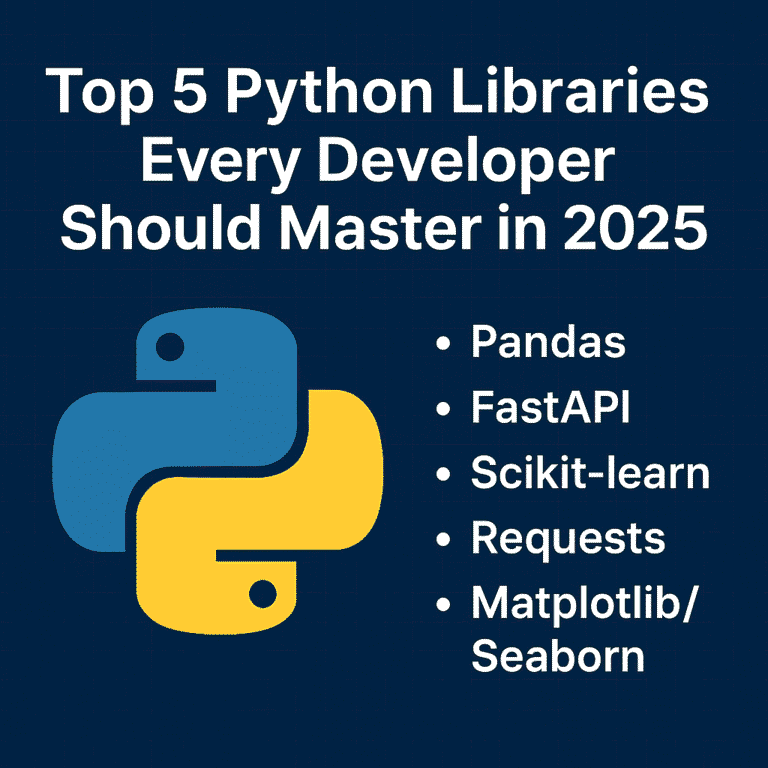
Top 5 Python Libraries Every Developer Should Master in 2025

As we move further into 2025, Python continues to be one of the most popular programming languages in the world. Its clean syntax, vibrant community, and powerful libraries make it a favorite among industry developers—from web development and data science to AI, automation, and beyond. But Python’s true strength lies in its ecosystem. With the right libraries, you can do more with less code—faster, cleaner, and more efficiently. Whether you’re just starting your Python journey or looking to sharpen your existing skills, here are five essential libraries every Python developer should know this year. 1. Pandas – Your Go-To Tool for Data Manipulation In today’s data-driven world, knowing how to work with data is a must—and Pandas makes it easy. It’s the standard library for handling structured data in Python and is widely used in fields like data science, finance, web development, and machine learning. Why Learn Pandas: Real-world uses: Data analysis, reporting dashboards, cleaning raw datasets, and even feeding machine learning models. 2. FastAPI – The New Standard for Building APIs FastAPI is quickly becoming the framework for building modern web APIs in Python. It’s fast (really fast), easy to use, and comes with automatic documentation out of the box. Why Developers Love FastAPI: Why it matters in 2025: More and more apps are going API-first. FastAPI helps you build scalable, production-ready APIs that integrate easily with frontend and mobile apps. 3. Scikit-learn – Machine Learning Made Simple Scikit-learn is the perfect place to start if you’re curious about machine learning. It abstracts away the complexity of ML algorithms and provides a consistent interface for quickly trying things. What You Can Do with It: Why learn it: Even if you’re not a full-time data scientist, understanding ML basics can give your apps a smarter edge. 4. Requests – The Simplest Way to Talk to the Web Every app these days needs to fetch or send data from somewhere—APIs, websites, services. The requests The library makes working with HTTP super simple and intuitive. Why Requests are a Must-Have: Use Cases: Calling external APIs (like weather, payment, or social media), scraping data, automating web interactions, or even testing your backend services. 5. Matplotlib & Seaborn – Visualize Like a Pro Data is only useful when you can understand and communicate it. That’s where Matplotlib and Seaborn come in. Learn to: Why it’s essential: Visualization helps you (and others) make better decisions based on your data. Whether it’s a report for your boss or a dashboard for your users, good visuals matter. Bringing It All Together These five libraries cover the entire journey of modern Python development: Mastering this toolkit gives you the power to build full-stack data-driven applications, from scratch to production. How to Start Learning (A 10-Week Roadmap) Here’s a simple plan you can follow: Conclusion The Python ecosystem is vast, but you don’t need to learn everything. These five libraries form a solid foundation that will serve you in almost every tech role—whether you’re building apps, analyzing data, or exploring AI. Start with one library and build something small. If you want to combine all of these, consider using the Streamlit library to quickly build dashboards. Keep going—the skills you develop now will open doors throughout your career. Follow my Streamlit blog.

Top 5 Python Libraries Every Developer Should Master in 2025 Read More »

"Improve coding skills with Python built-in functions"

5 Python Built-in Function That Will Make You a Better Coder

When I first started learning Python, I focused mostly on syntax and solving basic problems. But as I wrote more code, I realized that some of Python’s built-in functions could make my code cleaner, faster, and easier to understand. These aren’t just time-savers—they’re game-changers. In this post, I’m sharing 5 Python built-in functions that have genuinely helped me become a better coder. Whether you’re just getting started or looking to refine your skills, these functions are worth knowing. 1. enumerate() – Stop Using Range with Len One of the most common anti-patterns in Python is using range(len(items)) to get both indices and values when iterating over a list. The enumerate() function provides a much cleaner solution. Instead of this: items = [‘apple’, ‘banana’, ‘cherry’] for i in range(len(items)): print(f”{i}: {items[i]}”) Write this: items = [‘apple’, ‘banana’, ‘cherry’] for i, item in enumerate(items): print(f”{i}: {item}”) The enumerate() function returns pairs of (index, value) for each item in an iterable. You can even specify a starting value for the index: for i, item in enumerate(items, start=1): print(f”{i}: {item}”) # Starts counting from 1 This approach is more readable, less error-prone, and slightly more performant than the manual indexing approach. 2. zip() – Iterate Multiple Sequences Simultaneously When you need to process multiple lists or sequences together, zip() it is your best friend. It pairs up elements from multiple iterables, making parallel iteration elegant and intuitive. Instead of this: names = [‘Alice’, ‘Bob’, ‘Charlie’] ages = [25, 30, 35] cities = [‘New York’, ‘London’, ‘Tokyo’] for i in range(len(names)): print(f”{names[i]} is {ages[i]} years old and lives in {cities[i]}”) Write this: names = [‘Alice’, ‘Bob’, ‘Charlie’] ages = [25, 30, 35] cities = [‘New York’, ‘London’, ‘Tokyo’] for name, age, city in zip(names, ages, cities): print(f”{name} is {age} years old and lives in {city}”) The zip() function stops when the shortest iterable is exhausted. If you need to handle iterables of different lengths, consider using itertools.zip_longest() from the standard library. You can also use zip() to transpose data structures: matrix = [[1, 2, 3], [4, 5, 6], [7, 8, 9]] transposed = list(zip(*matrix)) # [(1, 4, 7), (2, 5, 8), (3, 6, 9)] 3. any() and all() – Boolean Logic Made Simple These two functions are incredibly useful for checking conditions across collections. They can replace complex loops and make your Boolean logic much more readable. any() returns True if at least one element in the iterable is truthy: # Check if any number is even numbers = [1, 3, 5, 8, 9] has_even = any(n % 2 == 0 for n in numbers) # True # Check if any string starts with ‘A’ words = [‘banana’, ‘Apple’, ‘cherry’] starts_with_a = any(word.startswith(‘A’) for word in words) # True all() returns True only if all elements in the iterable are truthy: # Check if all numbers are positive numbers = [1, 5, 8, 12] all_positive = all(n > 0 for n in numbers) # True # Validate all required fields are filled form_data = {‘name’: ‘John’, ’email’: ‘john@email.com’, ‘age’: 25} required_fields = [‘name’, ’email’, ‘age’] all_filled = all(form_data.get(field) for field in required_fields) # True These functions short-circuit, meaning they stop evaluating as soon as the result is determined, making them efficient for large datasets. 4. getattr() – Dynamic Attribute Access with Grace The getattr() A function allows you to access object attributes dynamically and provides a safe way to handle missing attributes. This is particularly useful when working with APIs, configuration objects, or when you need to access attributes based on user input. Basic usage: class Config: debug = True database_url = “postgresql://localhost/mydb” config = Config() # Dynamic attribute access attr_name = ‘debug’ value = getattr(config, attr_name) # True # With default value for missing attributes timeout = getattr(config, ‘timeout’, 30) # Returns 30 if ‘timeout’ doesn’t exist Real-world example: def format_user_data(user, fields): “””Format user data based on requested fields””” result = {} for field in fields: value = getattr(user, field, ‘N/A’) result[field] = value return result # Usage class User: def __init__(self, name, email): self.name = name self.email = email user = User(“Tarun”, “tarun@email.com”) formatted = format_user_data(user, [‘name’, ’email’, ‘phone’]) # {‘name’: ‘Tarun’, ’email’: ‘tarun@email.com’, ‘phone’: ‘N/A’} This is much safer than using direct attribute access or hasattr() checks, and it’s more concise than try-except blocks. 5. sorted() with Custom Key Functions – Sorting Like a Pro While most developers know about the sorted() function, many underutilize its key parameter, which unlocks powerful sorting capabilities. The key function determines what value to use for comparison when sorting. Sort by string length: words = [‘Python’, ‘Java’, ‘C’, ‘JavaScript’, ‘Go’] by_length = sorted(words, key=len) # [‘C’, ‘Go’, ‘Java’, ‘Python’, ‘JavaScript’] Sort complex objects: students = [ {‘name’: ‘Alice’, ‘grade’: 85, ‘age’: 20}, {‘name’: ‘Bob’, ‘grade’: 92, ‘age’: 19}, {‘name’: ‘Charlie’, ‘grade’: 78, ‘age’: 21} ] # Sort by grade (descending) by_grade = sorted(students, key=lambda x: x[‘grade’], reverse=True) # Sort by multiple criteria using tuples by_age_then_grade = sorted(students, key=lambda x: (x[‘age’], -x[‘grade’])) Advanced sorting with operator module: from operator import attrgetter, itemgetter # For objects with attributes class Person: def __init__(self, name, age): self.name = name self.age = age people = [Person(‘Alice’, 30), Person(‘Bob’, 25), Person(‘Charlie’, 35)] sorted_people = sorted(people, key=attrgetter(‘age’)) # For dictionaries data = [{‘name’: ‘Alice’, ‘score’: 95}, {‘name’: ‘Bob’, ‘score’: 87}] sorted_data = sorted(data, key=itemgetter(‘score’), reverse=True) The key parameter makes sorting incredibly flexible and readable, eliminating the need for complex comparison functions. Putting It All Together These built-in functions work beautifully together. Here’s an example that combines several of them: def analyze_student_performance(students, subjects): “””Analyze student performance across multiple subjects””” results = [] for student in students: # Use getattr to safely access grades grades = [getattr(student, subject, 0) for subject in subjects] # Use zip to pair subjects with grades subject_grades = list(zip(subjects, grades)) # Use all() to check if student passed all subjects (grade >= 60) passed_all = all(grade >= 60 for grade in grades) # Use any() to check if student has any excellent grades (>= 90) has_excellent = any(grade >=

5 Python Built-in Function That Will Make You a Better Coder Read More »

django-performance-optimization-2025-guide

Boosting Your Django App Performance in 2025: Latest Tips

Performance optimization remains a critical aspect of Django development, and 2025 brings new tools, techniques, and best practices that can dramatically improve your application’s speed and efficiency. Whether you’re dealing with slow database queries, memory bottlenecks, or scaling challenges, this comprehensive guide covers the latest strategies to supercharge your Django applications. Understanding Performance Bottlenecks in Modern Django Apps Before diving into optimization techniques, it’s crucial to identify where performance issues typically occur in Django applications. The most common bottlenecks include database queries, template rendering, static file serving, and inefficient Python code execution. Modern Django apps also face unique challenges with microservices architecture, containerization overhead, and cloud-native deployment patterns. Database Optimization: The Foundation of Fast Django Apps Query Optimization with Django 5.x Features Django 5.0 and later versions introduce several query optimization features that can significantly improve database performance. The new select_related() and prefetch_related() Enhancements allow for more sophisticated relationship loading strategies. Use select_related() for forward foreign key relationships and one-to-one relationships to reduce database hits: # Instead of this (N+1 queries) for article in Article.objects.all(): print(article.author.name) # Use this (2 queries total) for article in Article.objects.select_related(‘author’): print(article.author.name) For reverse foreign key and many-to-many relationships, leverage prefetch_related(): # Efficient loading of related objects authors = Author.objects.prefetch_related(‘articles’).all() for author in authors: for article in author.articles.all(): print(article.title) Advanced Database Indexing Strategies Strategic database indexing is implemented in modern Django applications; as a result, Django app performance is enhanced. Slow queries can be identified using Django database introspection tools, and targeted indexes can then be created for this purpose. class Article(models.Model): title = models.CharField(max_length=200) created_at = models.DateTimeField(auto_now_add=True) category = models.ForeignKey(Category, on_delete=models.CASCADE) class Meta: indexes = [ models.Index(fields=[‘created_at’, ‘category’]), models.Index(fields=[‘title’], name=’article_title_idx’), ] Consider using partial indexes for frequently filtered data and composite indexes for multi-column queries. PostgreSQL users can take advantage of GIN and GiST indexes for full-text search and geometric data. Connection Pooling and Database Configuration Implement connection pooling to reduce database connection overhead. For PostgreSQL, consider using pgbouncer or Django’s built-in connection pooling: DATABASES = { ‘default’: { ‘ENGINE’: ‘django.db.backends.postgresql’, ‘NAME’: ‘your_db’, ‘USER’: ‘your_user’, ‘PASSWORD’: ‘your_password’, ‘HOST’: ‘localhost’, ‘PORT’: ‘5432’, ‘CONN_MAX_AGE’: 600, # Connection persistence ‘OPTIONS’: { ‘MAX_CONNS’: 20, } } } Caching Strategies for 2025 Redis and Memcached Optimization Modern caching strategies are employed to enhance Django app performance; in addition, multi-level caching is implemented with Redis for session storage, database query caching, and API response caching: CACHES = { ‘default’: { ‘BACKEND’: ‘django_redis.cache.RedisCache’, ‘LOCATION’: ‘redis://127.0.0.1:6379/1’, ‘OPTIONS’: { ‘CLIENT_CLASS’: ‘django_redis.client.DefaultClient’, ‘SERIALIZER’: ‘django_redis.serializers.json.JSONSerializer’, ‘COMPRESSOR’: ‘django_redis.compressors.zlib.ZlibCompressor’, } } } Use cache versioning and cache warming strategies to maintain data consistency while maximizing cache hit rates. Template Fragment Caching Implement granular template caching for expensive template operations: {% load cache %} {% cache 500 expensive_sidebar request.user.username %} <!– Expensive sidebar computation –> {% for item in complex_queryset %} {{ item.expensive_method }} {% endfor %} {% endcache %} API Response Caching For Django REST Framework applications, implement intelligent API caching: from rest_framework.decorators import api_view from django.views.decorators.cache import cache_page @cache_page(60 * 15) # Cache for 15 minutes @api_view([‘GET’]) def expensive_api_view(request): # Expensive computation return Response(data) Modern Python Performance Techniques Async Views and Database Operations Django’s async support continues to mature. Use async views for I/O-bound operations: import asyncio from django.http import JsonResponse from asgiref.sync import sync_to_async async def async_view(request): # Parallel database queries users_task = sync_to_async(list)(User.objects.all()) articles_task = sync_to_async(list)(Article.objects.all()) users, articles = await asyncio.gather(users_task, articles_task) return JsonResponse({ ‘users_count’: len(users), ‘articles_count’: len(articles) }) Memory Optimization with Generators Use generators and iterators for processing large datasets: def process_large_dataset(): # Instead of loading all objects into memory # objects = Model.objects.all() # Use iterator() to process objects one at a time for obj in Model.objects.iterator(chunk_size=2000): process_object(obj) Static File Optimization Optimize static file serving with compression and CDN integration: # settings.py STATICFILES_STORAGE = ‘django.contrib.staticfiles.storage.ManifestStaticFilesStorage’ # Use WhiteNoise for efficient static file serving MIDDLEWARE = [ ‘django.middleware.security.SecurityMiddleware’, ‘whitenoise.middleware.WhiteNoiseMiddleware’, # … other middleware ] STATICFILES_STORAGE = ‘whitenoise.storage.CompressedManifestStaticFilesStorage’ Template Optimization Minimize template complexity and use template compilation: TEMPLATES = [ { ‘BACKEND’: ‘django.template.backends.django.DjangoTemplates’, ‘OPTIONS’: { ‘loaders’: [ (‘django.template.loaders.cached.Loader’, [ ‘django.template.loaders.filesystem.Loader’, ‘django.template.loaders.app_directories.Loader’, ]), ], }, }, ] Conclusion Optimizing Django application performance in 2025 requires a holistic approach that combines database optimization, intelligent caching, modern Python techniques, and proper infrastructure setup. The key is to measure performance continuously, identify bottlenecks systematically, and apply optimizations incrementally. Start with database query optimization and caching, as these typically provide the most significant performance improvements. Then move to template and static file optimization, followed by infrastructure improvements. Always measure the impact of your changes and maintain a balance between performance, maintainability, and security.

Boosting Your Django App Performance in 2025: Latest Tips Read More »

chat bot

Integrate ChatGPT with Django: Build an AI-Powered Web App

Artificial Intelligence is shaping the future of web applications. One of the most powerful tools in this space is ChatGPT, developed by OpenAI. In this tutorial, you’ll learn how to integrate ChatGPT with Django to build your AI-powered web app. We will use OpenAI’s API and Django to create a web app where users can enter a prompt and get a response from ChatGPT. What Is the ChatGPT API? The ChatGPT API is a cloud-based REST API provided by OpenAI. It allows your app or website to send messages to the model and receive smart, human-like responses. It’s part of OpenAI’s Chat Completions API, designed specifically for multi-turn conversation, like a chatbot. Prerequisites Step 1: Get Your OpenAI API Key Step 2: Create a New Django Project django-admin startproject djangoGpt cd djangoGpt python manage.py startapp chatbot Now we will create a model to store chats: from django.db import models class Chat(models.Model): user_message = models.TextField() bot_response = models.TextField() timestamp = models.DateTimeField(auto_now_add=True) def __str__(self): return f”{self.timestamp}: {self.user_message[:30]}” Step 3: Create View 1. You Send a Request Your backend Django sends a POST request to this endpoint: https://api.openai.com/v1/chat/completions This request includes: Here’s a basic example using Python: import openai client = OpenAI(api_key=settings.OPENAI_API_KEY) response = client.chat.completions.create( model=”gpt-3.5-turbo”, messages=[ {“role”: “user”, “content”: user_input} ] ) 2. OpenAI Processes It OpenAI’s servers receive your input and pass it through a transformer-based language model trained on billions of tokens. The model understands: It generates a predicted response, which is context-aware and intelligent. 3. You Get a Smart Response The API returns a JSON response that looks like this: { “choices”: [ { “message”: { “role”: “user”, “content”: “The capital of France is Paris.” } } ] } What Does chat_view Do? The chat_view Function serves two main purposes: Let’s examine it in parts and understand how it works together. We use OpenAI’s chat.completions endpoint to get a response from a model like gpt-3.5-turbo Show chat history in the frontend In your chat.html You can fetch and loop through previous chats: {% extends ‘base.html’ %} {% block content%} <div class=”container mt-5″> <h3 class=”text-center mb-4″>Django Chatbot</h3> <div class=”chat-box mb-4″ id=”chat-container”> {% for chat in chats %} <div class=”bot-msg”> <div class=”message”><strong>Bot:</strong> {{ chat.bot_response }}</div> </div> <div class=”user-msg”> <div class=”message”><strong>You:</strong> {{ chat.user_message }}</div> </div> {% endfor %} </div> <form id=”chat-form” method=”post”> {% csrf_token %} <div class=”input-group”> <input type=”text” class=”form-control” name=”message” id=”message-input” placeholder=”Type your message…” required> <button class=”btn btn-primary” type=”submit”>Send</button> </div> </form> </div> <script> const form = document.getElementById(“chat-form”); const messageInput = document.getElementById(“message-input”); const chatContainer = document.getElementById(“chat-container”); form.addEventListener(“submit”, async function(e) { e.preventDefault(); const userMessage = messageInput.value.trim(); if (!userMessage) return; const csrfToken = document.querySelector(‘[name=csrfmiddlewaretoken]’).value; // Show user message chatContainer.innerHTML += ` <div class=”user-msg”> <div class=”message”><strong>You:</strong> ${userMessage}</div> </div> `; chatContainer.scrollTop = chatContainer.scrollHeight; messageInput.value = “”; // Send request const response = await fetch(“”, { method: “POST”, headers: { “Content-Type”: “application/x-www-form-urlencoded”, “X-CSRFToken”: csrfToken, }, body: new URLSearchParams({ message: userMessage }), }); const data = await response.json(); // Show bot response chatContainer.innerHTML += ` <div class=”bot-msg”> <div class=”message”><strong>Bot:</strong> ${data.response}</div> </div> `; chatContainer.scrollTop = chatContainer.scrollHeight; }); </script> {%endblock%} Create a .env file in the project dir and add your api key: Do not expose your api key in production OPENAI_API_KEY=”your api key” If you have any doubts, feel free to comment below this post or contact me

Integrate ChatGPT with Django: Build an AI-Powered Web App Read More »

How I Built a COVID-19 Dashboard in 10 Minutes Using Streamlit

Streamlit is a Python library that lets you build web apps super easily. Think of it as a way to turn your Python scripts into interactive websites without having to learn web development. So imagine you’ve got some data analysis code or a machine learning model, and you want to show it off or let people play around with it. Normally, you’d need to learn HTML, CSS, JavaScript – all that web stuff. With Streamlit, you just write Python, and it handles the web part for you. You can add things like sliders, buttons, file upload boxes, and charts with just a few lines of code. When someone moves a slider or uploads a file, your app automatically updates. It’s pretty neat. The best part is how fast you can go from idea to working app. You write your Python code, add some Streamlit commands, and boom – you’ve got a web app running locally. Want to share it? Deploy it to their free hosting service. It’s become popular with data scientists and anyone doing machine learning because you can quickly create demos of your models or build dashboards to visualize data. No need to bug the web dev team or spend weeks learning React or whatever. The code is surprisingly simple, too – you’re just adding commands like st.slider() or st.chart() to your existing Python code, and Streamlit figures out how to turn that into a web interface. 🛠 Tools & Libraries pip install streamlit pandas plotly Step 1: Prepare Your CSV Data Create a file named covid_data.csv With the following columns: State,Zone,Total Cases,Active,Discharged,Deaths,Active Ratio,Discharge Ratio,Death Ratio,Population Bihar,Red,10000,2000,7500,500,20,75,5,120000000 Delhi,Orange,8000,1000,6500,500,12.5,81.25,6.25,20000000 … Step 2: Create the Streamlit App (app.py) 1. Import the Libraries pythonCopyEditimport streamlit as st import pandas as pd import plotly.express as px 2. Load the CSV Data pythonCopyEditdf = pd.read_csv(“covid_data.csv”) This line reads the covid_data.csv file into a DataFrame called dfSo we can work with it in the app. 3. Page Configuration pythonCopyEditst.set_page_config(page_title=”India COVID Dashboard”, layout=”wide”) st.title(“🦠 India COVID Dashboard (All States Combined)”) 4. Calculate Metrics pythonCopyEdittotal_cases = df[“Total Cases”].sum() active_cases = df[“Active”].sum() discharged = df[“Discharged”].sum() deaths = df[“Deaths”].sum() These lines add up the columns across all rows to get the total national numbers. 5. Show the Metrics in 4 Columns pythonCopyEditcol1, col2, col3, col4 = st.columns(4) col1.metric(“Total Cases”, f”{total_cases:,}”) col2.metric(“Active Cases”, f”{active_cases:,}”) col3.metric(“Discharged”, f”{discharged:,}”) col4.metric(“Deaths”, f”{deaths:,}”) 6. Draw a Pie Chart pythonCopyEditst.subheader(“State-wise Share of Total Cases”) pie = px.pie(df, names=”State”, values=”Total Cases”, title=”Total Cases by State”) st.plotly_chart(pie, use_container_width=True) 7. Draw a Bar Chart pythonCopyEditst.subheader(“State-wise Breakdown of Active, Discharged, and Deaths”) bar = px.bar( df, x=”State”, y=[“Active”, “Discharged”, “Deaths”], barmode=”group”, title=”State-wise Case Category”, height=500 ) st.plotly_chart(bar, use_container_width=True) 8. Optional Data Filter and Table pythonCopyEditwith st.expander(“Show/Filter State-Wise Data”): selected_states = st.multiselect(“Select States to View”, df[“State”].unique(), default=df[“State”].unique()) filtered_df = df[df[“State”].isin(selected_states)] st.dataframe(filtered_df.sort_values(“Total Cases”, ascending=False), use_container_width=True) Step 3: Run the App In your terminal, run: streamlit run app.py Your browser will open the dashboard automatically. on 8501 port http://localhost:8501/ Bonus Ideas Comment below if you like my post

How I Built a COVID-19 Dashboard in 10 Minutes Using Streamlit Read More »

Scroll to Top